16 Chapter 1
Overview of Pages
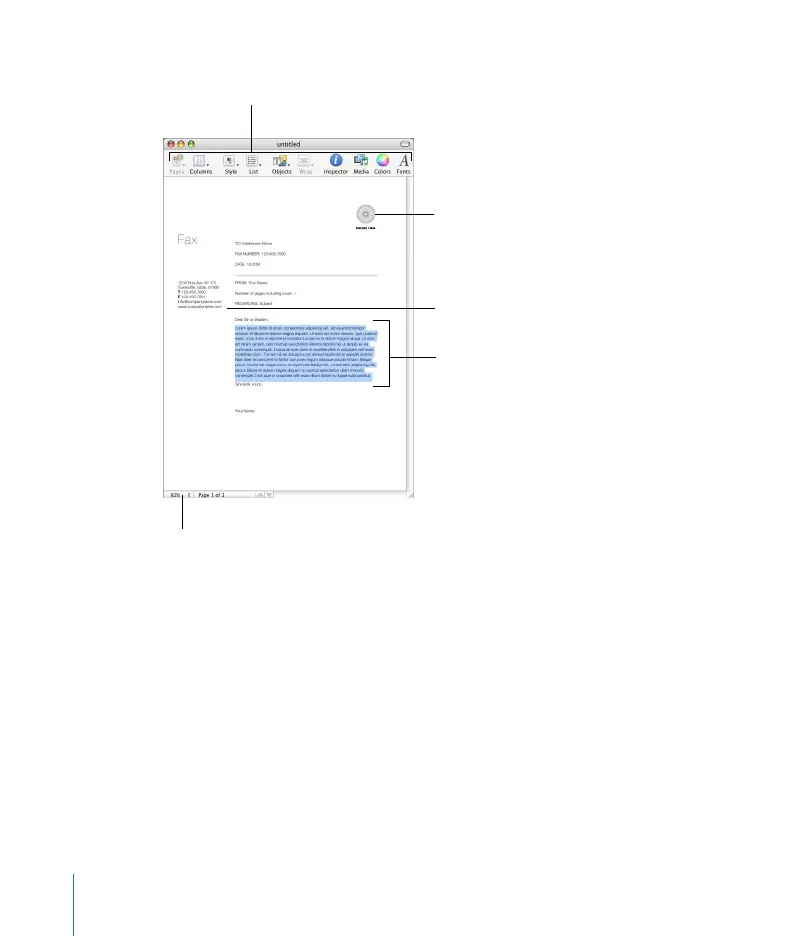
The Pages window displays the document you are working in. You can drag graphics
files, movie files, and sound files to the window to add them to your document.
As you work on your document, you may want to zoom in or out to get a better view
of what you are doing.
Customize the toolbar to
include the tools you use
most often.
Placeholder text indicates
where you should enter
text.
Image placeholders
indicate the size and
placement of graphics in a
document template.
Text boxes contain text
that “floats” outside, over,
or under the main text
area.
The Page View control lets
you zoom in or out so you
can see your document
larger or smaller on the
screen.



 To Next Page