Take Apart Modem, PCI Graphics - 22
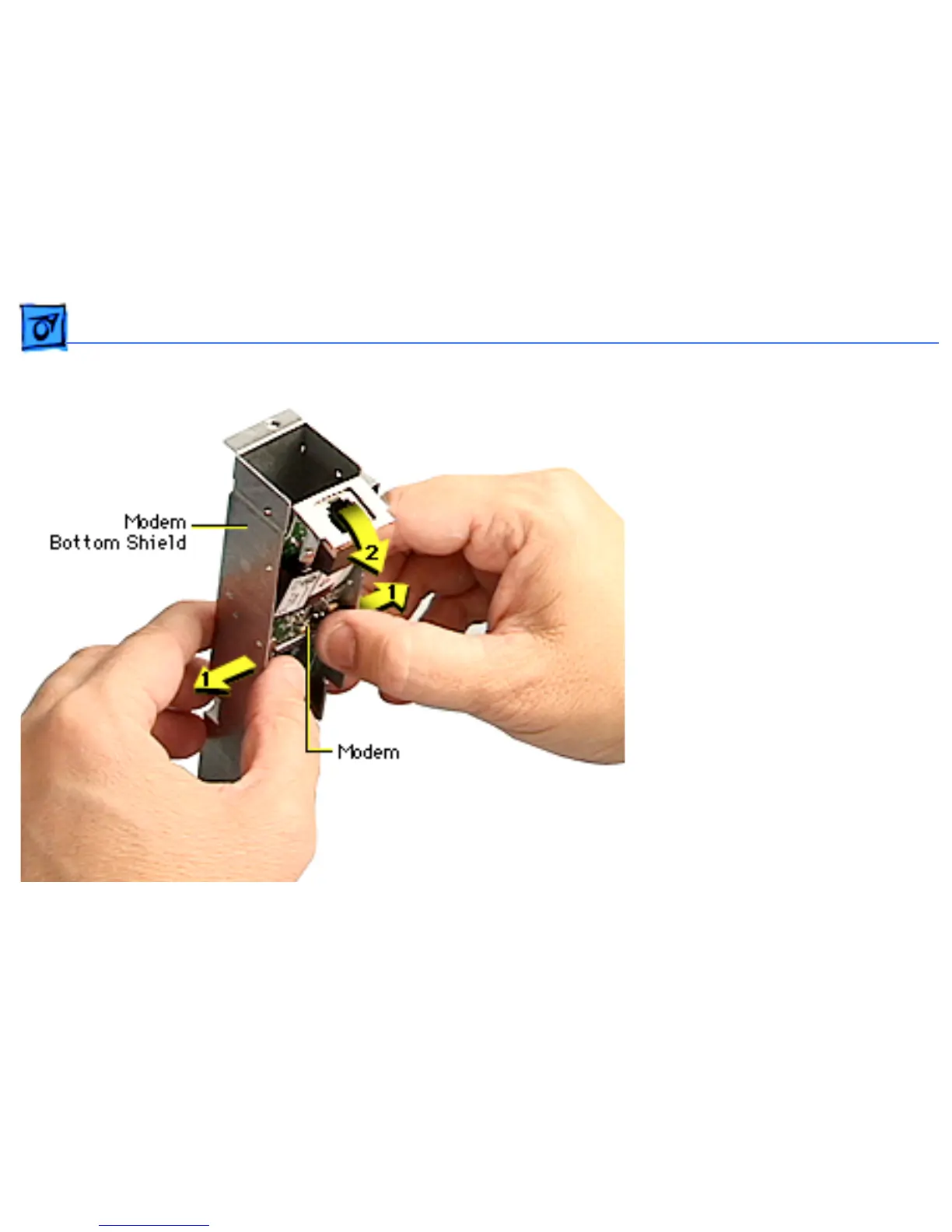
9. Carefully spread the
sides of the bottom shield
out just enough so the
modem clears the tabs,
and starts to fall out of
the bottom shield.
10.Carefully remove the
modem from the bottom
shield.
Replacement Note:
After
replacing an international
modem, use the Modem
Country Selector utility to
set the modem to the correct
country.



 To Next Page