26 Chapter 2 Using Your Computer
Using Universal Serial Bus (USB)
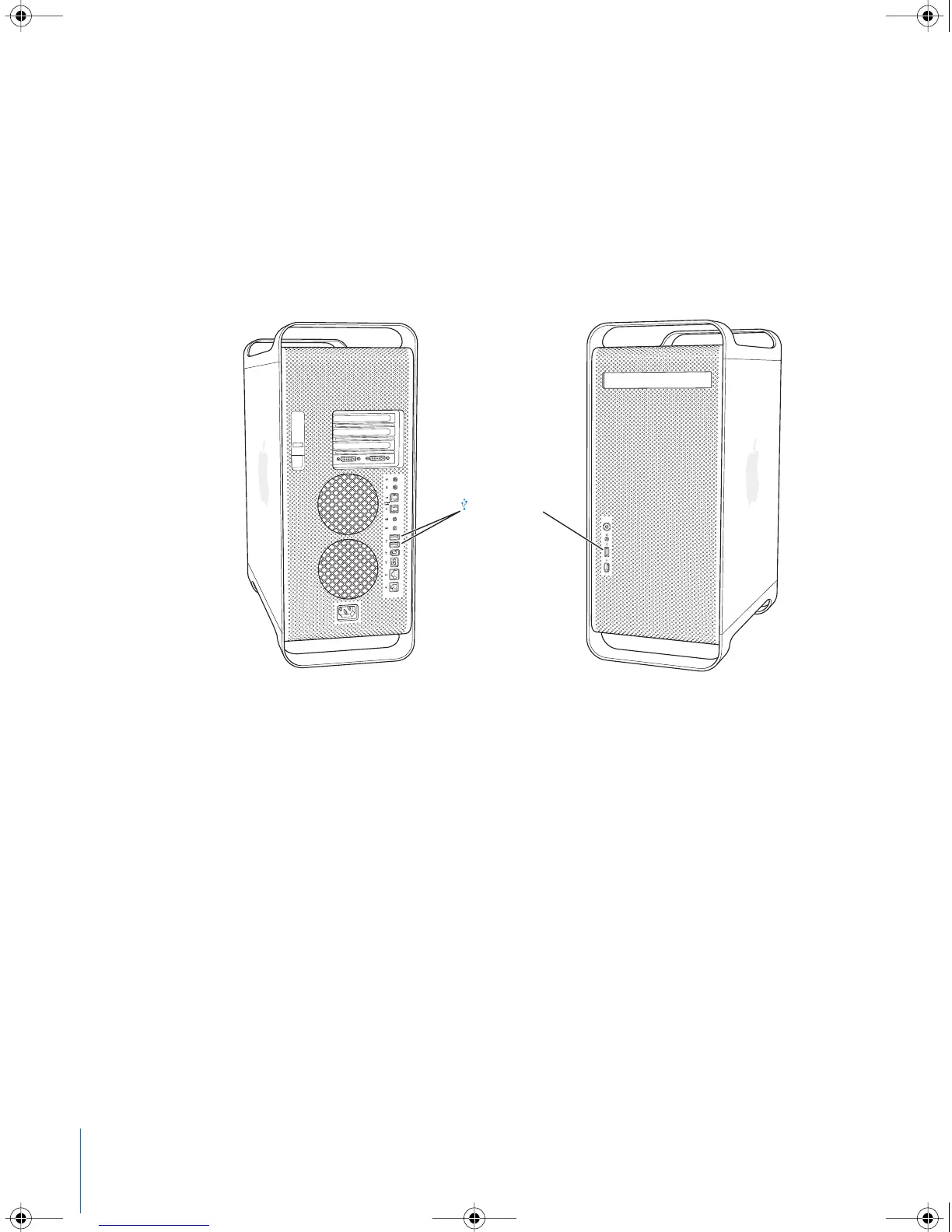
Your Power Mac G5 comes with three USB 2.0 ports; one on the front and two on the
back. Your Apple Keyboard also has two USB 1.1 ports. You can use USB ports to
connect many types of external devices, including printers, scanners, digital cameras,
microphones, game pads, joysticks, keyboards, mice, and storage devices. USB makes it
easy to connect external equipment. In most cases, you can connect and disconnect a
USB device while the computer is running. Once you connect the device, it is ready to
use. You don’t need to restart your computer.
Using USB Devices
Apple has already included software to work with many USB devices. In most cases,
you do not need to install the software that came with the device. When you connect a
USB device, if your Power Mac G5 cannot find the correct software, you can either
install the software that came with the device or contact the device manufacturer to
locate, download, and install the correct software.
USB 2.0 ports
LL3218Q87.book Page 26 Wednesday, March 16, 2005 6:28 PM



 To Next Page