Chapter 3 Working Inside Your Computer 59
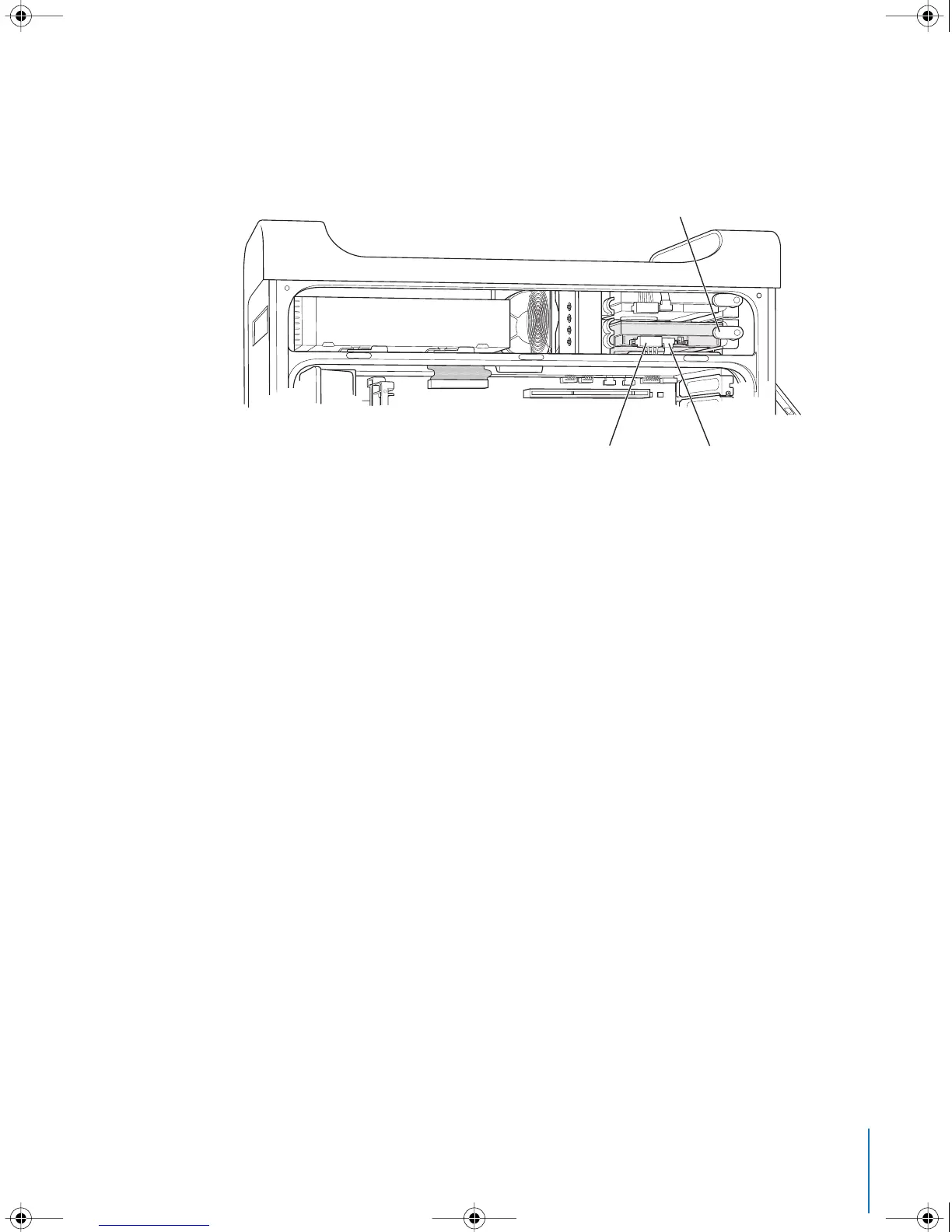
5 Pull the appropriate drive bay tab down to secure the drive.
6 Connect the power cable and the Serial ATA data cable to the drive.
7 Replace the side panel, following the directions that begin on page 54.
Secure the drive in position by rotating the drive
bay tab to its closed (horizontal) position.
Connect the power cable and the data
cable to the hard disk drive.
LL3218Q87.book Page 59 Wednesday, March 16, 2005 6:28 PM



 To Next Page