60 Chapter 3 Working Inside Your Computer
Replacing the Optical Drive
Your computer comes with an optical drive installed, either a SuperDrive or Combo
drive. Follow these instructions to replace the optical drive in the optical drive bay.
Important: Contact your drive manufacturer or consult the manufacturer’s website to
determine if your drive is set for cable select mode. Before installation, set the drive to
cable select if the manufacturer hasn’t already done so.
1 Open your computer and remove the side panel following the directions that begin on
page 44.
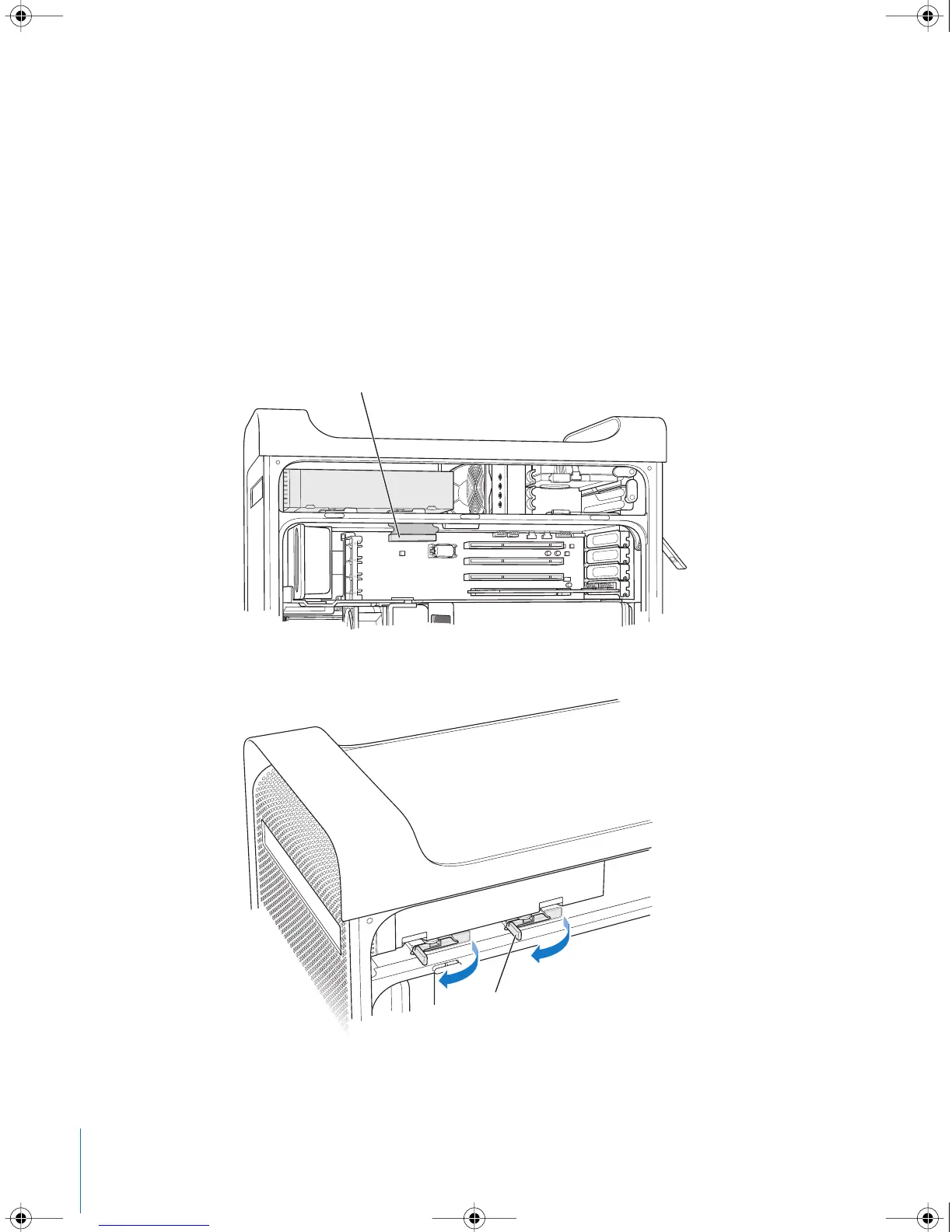
2 Disconnect the optical drive ribbon cable from the logic board.
3 Push the optical drive release levers out to release the drive.
Disconnect this cable from the main logic board in
preparation for removing the optical drive.
Swing open the two optical drive release levers.
LL3218Q87.book Page 60 Wednesday, March 16, 2005 6:28 PM



 To Next Page