Appendix C Connecting to the Internet 95
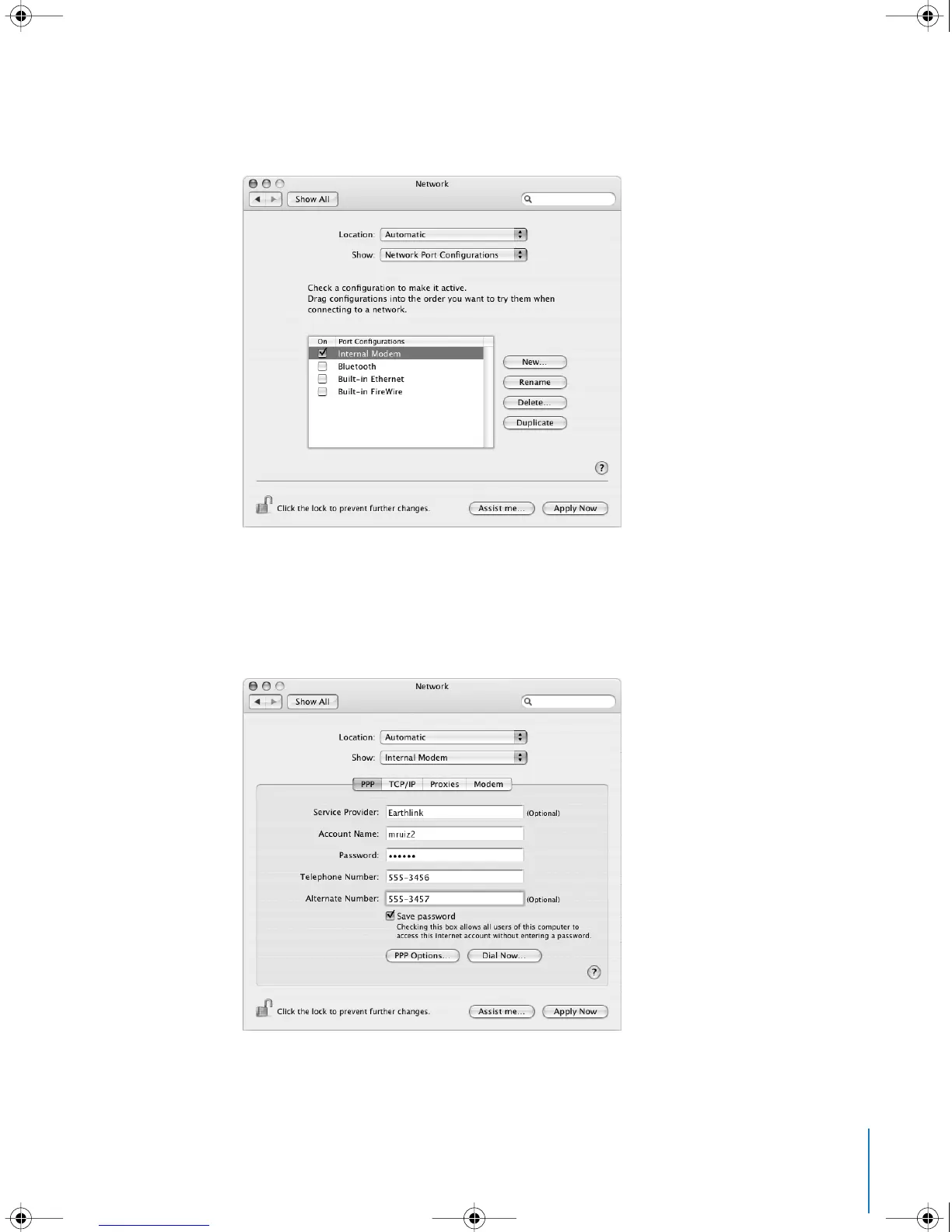
3 Choose Network Port Configurations from the Show pop-up menu and select the On
checkbox next to Internal Modem.
4 Drag Internal Modem to the top of the Port Configurations list to make it the preferred,
or primary, network interface.
5 Choose Internal Modem from the Show pop-up menu and click PPP.
6 Enter the information from your ISP and click Apply Now.
LL3218Q87.book Page 95 Wednesday, March 16, 2005 6:28 PM



 To Next Page