Appendix C Connecting to the Internet 99
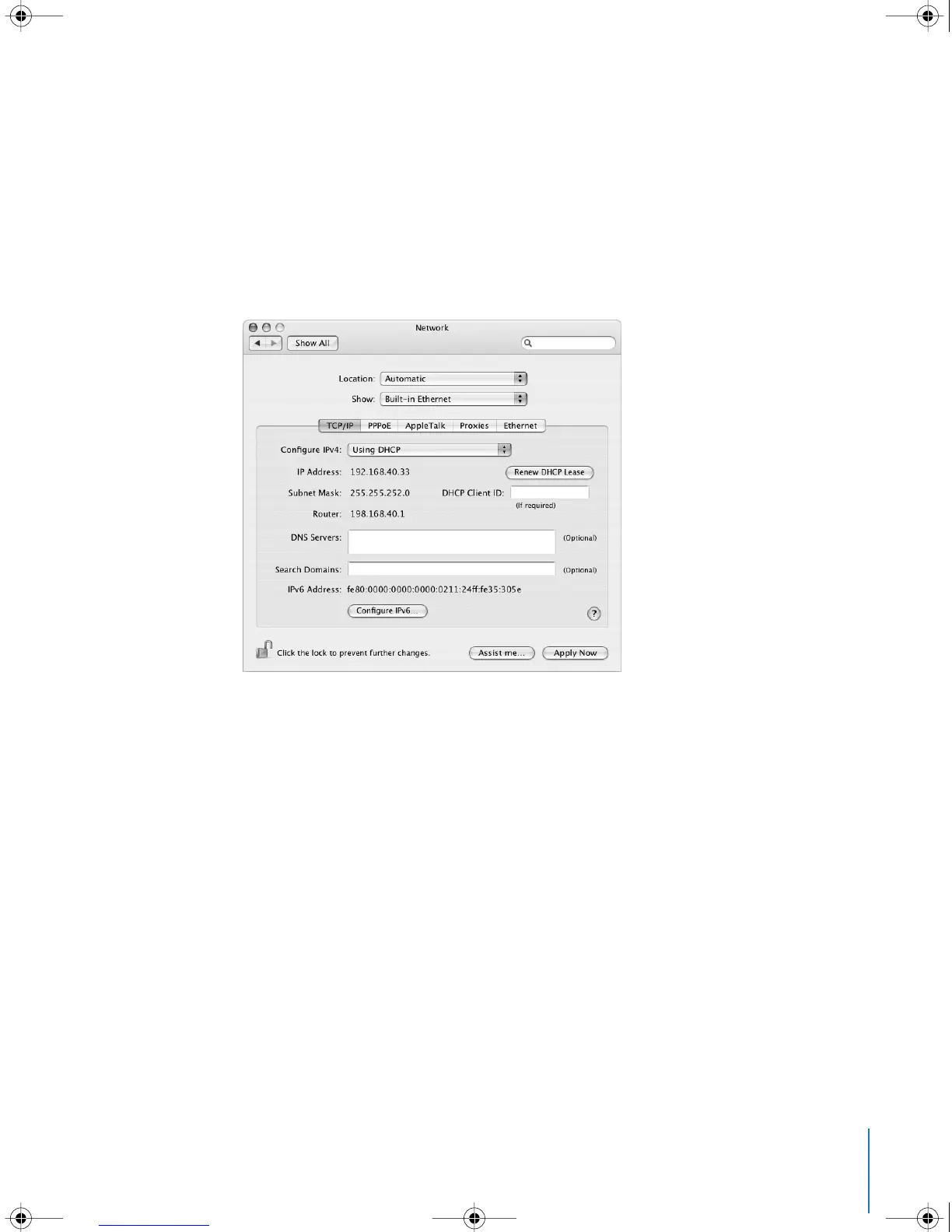
DHCP Configuration
After you set up a DHCP configuration, the DHCP server automatically provides your
network information.
To set up a DHCP configuration:
1 In Network preferences, choose Built-in Ethernet from the Show pop-up menu.
2 Click TCP/IP, if necessary.
3 Choose Using DHCP from the Configure IPv4 pop-up menu.
4 Click Apply Now.
Open your web browser (or another TCP/IP application) to test your Internet
connection.
Note: Unless your ISP instructs you to do otherwise, ignore the DHCP Client ID field
and the Search Domains field.
LL3218Q87.book Page 99 Wednesday, March 16, 2005 6:28 PM



 To Next Page