OPERATOR MANUAL
GENERAL ez-Control for In Situ sterilizable Bioreactors
Project 310420; PS70 IST (AU)
2.3 HOME SCREEN
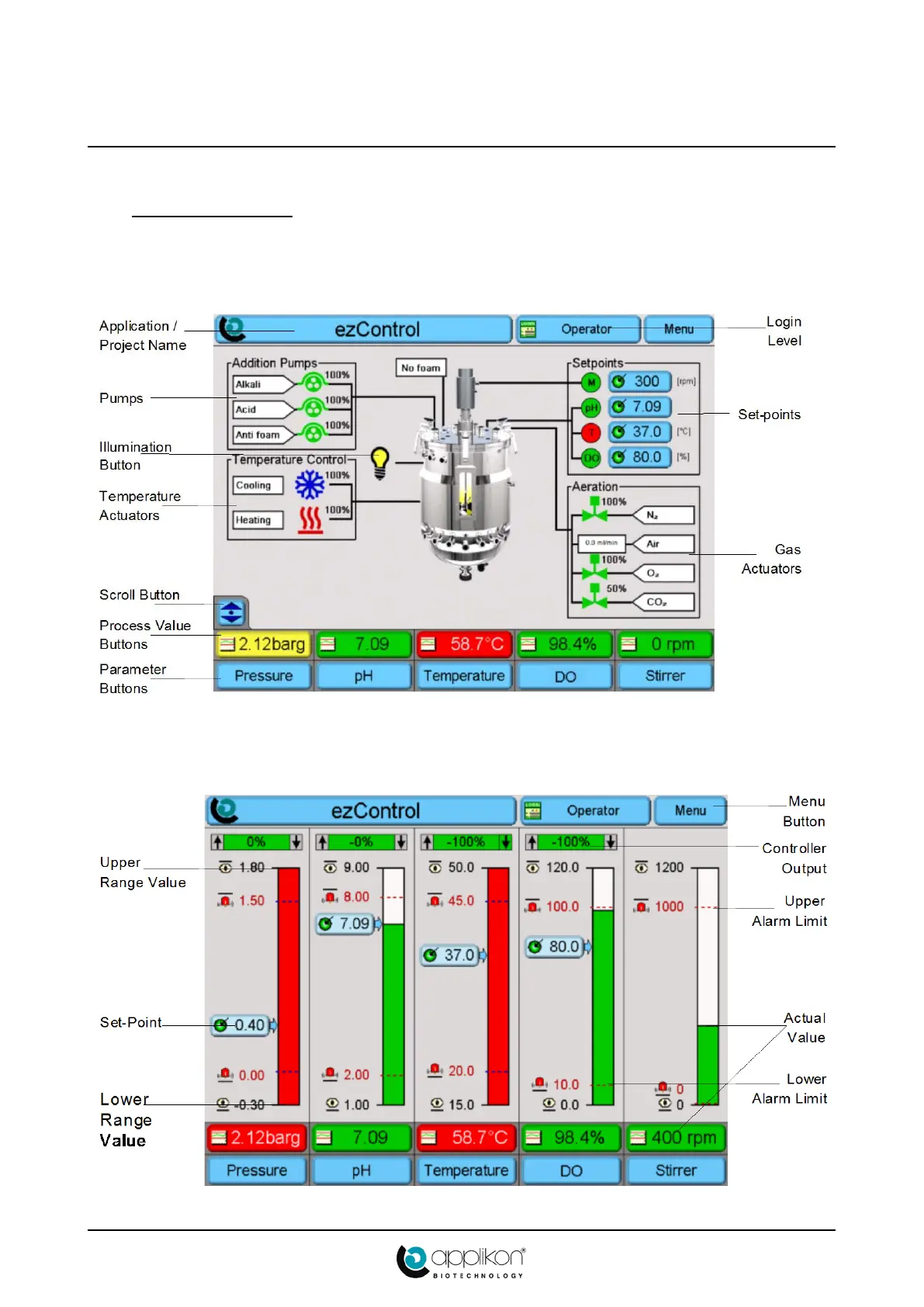
After switching on the power of the ez-Control, it presents itself (after initialization) on the touch screen
display with its Home Screen.This will be either the Synoptic Screen or the Bar Graph Screen.
The Synoptic Screen shows the actuator activity and measured sensor values (on Process Value buttons).
To view an additional Process parameter (like Pressure for Steam-In-Place applications) in this and other
screens, repeatedly press the Scroll button (which is present in the Synoptic Screen only).
The Bar Graph screen shows Set-points, Alarm Limits, and actual measured values.



 To Next Page