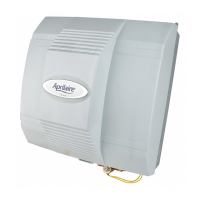
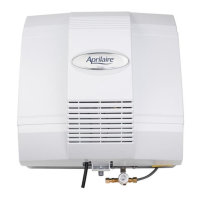
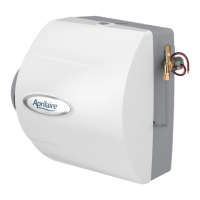
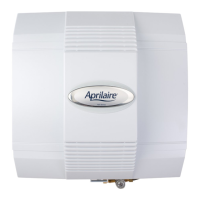
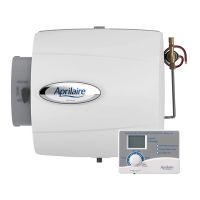
The provided document is an owner's manual for the AprilAire Series 720 Fan-Powered Evaporative Humidifier.
Function Description:
The AprilAire Series 720 is a fan-powered evaporative humidifier designed to deliver maximum moisture output with superior water efficiency for ducted HVAC systems. Its primary function is to add humidity to the air within a home, aiming to maintain a balanced relative humidity (RH) between 40% and 60% year-round. This controlled humidity level is stated to provide effective virus protection, reduce the airborne incidence of health concerns like bacteria, viruses, and dust mites, and prevent conditions that allow airborne viruses to thrive in dry air. The humidifier operates by pulling air from the HVAC system through a HydroCore, where evaporation occurs, and then dispersing the humidified air throughout the home via the HVAC system fan. It incorporates water recirculation technology to increase output and conserve water. When humidity levels are reached, the control deactivates the water valve, and a surge of water may be noticed in the drain line, which is essential to purge solids left behind during evaporation and prevent standing water during long periods of inactivity. The humidifier can be connected to either cold or hot water supplies.
Important Technical Specifications:
- Model: Series 720 Fan-Powered Evaporative Humidifier.
- Electrical: 120 volts.
- Water Temperature: Can operate with cold or hot water. If connected to hot water, the water temperature can exceed 125°F (52°C), posing a scalding risk.
- Recommended RH Range: Up to 45% RH, with a recommended range of 35% to 45% RH during colder months, adjustable based on outdoor temperature and home conditions. Higher levels can be maintained as temperatures warm.
- HydroCore: The core evaporative component, requiring annual replacement for optimal performance.
- Fan Speed: Adjustable between HIGH (default) and LOW. Lowering the fan speed decreases capacity by approximately 10%.
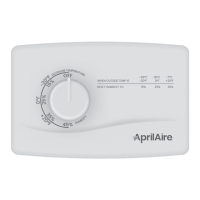
- Control Models: Compatible with Model 60 Automatic Digital Humidifier Control (ADHC) and Model 4655 Manual Humidifier Control.
Usage Features:
- Automatic Digital Humidifier Control (Model 60 ADHC):
- Offers two modes: Automatic and Manual.
- Automatic Mode: Automatically adjusts the RH setting based on outdoor temperature, helping to prevent excess condensation. It simplifies operation with few manual adjustments. The control automatically adjusts indoor RH by 1% for every 2°F change in outdoor temperature, up to a maximum of 45% RH.
- Manual Mode: Requires manual adjustment of the RH setting based on outdoor temperature to avoid excessive condensation. Users must anticipate drops in outdoor temperature and reduce the setting accordingly.
- Indicator Lights:
- Service Required (Red): Indicates abnormal operation, requiring service.
- Change Water Panel (Yellow): Flashes when it's time to change the HydroCore.
- Humidifier On (Green): Indicates active humidification.
- Blower Activation: A switch (ON/OFF) allows the humidifier control to activate the HVAC system fan for maximum humidification. In ON position, if the HVAC system has been idle for an hour, the control samples air for 3 minutes; if RH is low, it activates the humidifier and keeps the fan running. If the RH set point isn't reached by the end of a heat call, the control continues to operate the humidifier and HVAC fan. This mode is recommended when connected to hot water. In OFF position, the humidifier operates only when the HVAC system fan or heat is on and RH is below the set point.
- Test/Reset Feature: Used to check humidifier operation (even without a call for humidity) and to reset the Change Water Panel indicator light after HydroCore replacement.
- Manual Humidifier Control (Model 4655):
- Installed either in the cold air return duct or on an interior wall.
- Requires manual adjustment of the RH set point based on outdoor temperature to prevent condensation.
- Fan Speed Adjustment: The fan speed can be switched from HIGH (default) to LOW. LOW speed is recommended if the unit is near living spaces or if it runs independently of a heat call, though it reduces capacity by about 10%.
- Summer Shutdown: For seasonal humidification, the humidifier control dial should be set to OFF. If using a thermostat with IAQ control, set the humidifier mode to OFF.
Maintenance Features:
- HydroCore Replacement: The HydroCore should be replaced at least annually for best performance. The yellow Change Water Panel indicator light (on Digital Controls) blinks when replacement is due.
- Hard Water Installations: Require annual replacement of the orifice and cleaning of the valve. A Hard Water Kit (HYDRLH) includes a replacement orifice and seal cap.
- Soft or Softened Water Installations: Require orifice replacement and valve cleaning every 3 years or as needed.
- Cleaning:
- Mineral deposits should be brushed away from the base.
- The valve cup should be cleaned by pouring white vinegar up to the clean line, soaking for up to 30 minutes, scrubbing with a plastic bristle brush, and then flushing with water.
- The drain line should be removed and flexed to loosen mineral deposits or blockages, then flushed with water. If blockages persist, the drain line should be replaced.
- Orifice Replacement (for Hard Water Installations):
- Remove the rubber seal cap from the orifice.
- Use a 11/16" socket or adjustable wrench to carefully loosen and remove the old orifice, ensuring no debris enters the orifice cavity.
- Insert the new orifice, tighten clockwise (finger-tight plus 1/8 to 1/4 turn, avoiding over-tightening), and press the rubber seal cap onto it.
- Inlet Strainer: Designed to last for the life of the solenoid valve assembly and should not be removed from the water inlet.
- General Maintenance: Periodic inspection and preventative maintenance of the total heating system are important for efficient and safe operation. HVAC contractors can service the humidifier during HVAC system maintenance.
- Troubleshooting Guide: Provides solutions for common issues such as condensation on windows, lack of humidity, humidifier not operating, humidifier not shutting off, loud operation, and screen flashes on Model 60 controls.
- Warranty: Five (5) year limited warranty on materials and workmanship from the date of purchase. Consumable products (like HydroCores, filters, steam canisters) and labor/shipping costs are not covered. Improper installation or misuse voids the warranty. Registration is available online at aprilaire.com/warranty.

 Need help?
 General

 To Next Page