EasyManua.ls Logo

APT 31693 User Manual

Default Icon
36 pages
To Next Page IconTo Next Page
Page #1 background imageLoading...
Page #1 background image
1
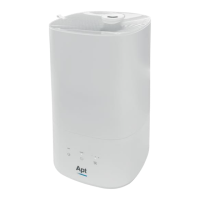
Air Humidifier
USER MANUAL - BRUKSANVISNING - BRUKSANVISNING - KÄYTTÖOHJE - BRUGSANVISNING
READ ALL INSTRUCTIONS BEFORE USE. SAVE THESE INSTRUCTIONS FOR FUTURE REFERENCE
LES ALLE INSTRUKSJONENE FØR BRUK. TA VARE PÅ DISSE INSTRUKSJONENE FOR FREMTIDIG BRUK
LÄS ALLA INSTRUKTIONER FÖRE ANVÄNDNING. SPARA DESSA INSTRUKTIONER FÖR FRAMTIDA BRUK
LUE OHJEET ENNEN KÄYTTÖÄ. SÄILYTÄ NÄMÄ OHJEET MYÖHEMPÄÄ TARVETTA VARTEN
LÆS HELE VEJLEDNINGEN FØR BRUG. OPBEVAR DENNE VEJLEDNING TIL FREMTIDIG BRUG
Rev. 05.23

Questions and Answers:

APT 31693 Specifications

General IconGeneral
BrandAPT
Model31693
CategoryHumidifier
LanguageEnglish

Summary

Important Safeguards

General Safety Precautions

Lists essential safety precautions to reduce risks of fire, electric shock, and injury.

Product Description

Product Components

Identifies the main physical parts of the air humidifier unit.

Directions for Use

Humidifier Filling Instructions

Details two methods for filling the air humidifier with water.

Aroma Drawer

Operating the Air Humidifier

Power On/Off and Status

Instructions for turning the device on/off and understanding status indicators.

Night Light and Sleep Mode

How to control the night light and activate sleep mode.

Mist Volume Control

Procedure for adjusting the mist output level.

Warm Mist Function

Steps to enable or disable the warm mist function.

Humidity Setting

Guidance on setting the target relative humidity level.

Timer Setting

Cleaning and Maintenance

General Cleaning

Instructions for cleaning the base, water tank, and outer surfaces.

Descaling Procedure

Steps for removing mineral scale and deposits from the unit.

Ultrasonic Disk Cleaning

Instructions for cleaning the ultrasonic disk component.

End of Season Storage

Troubleshooting Guide

No Humidity Output

Addresses issues where the humidifier is not producing water vapor.

Humidity Level and Odor Issues

Solutions for low humidity, bad smells, and white dust.

Unit Operation and Noise Problems

Troubleshooting for the unit stopping, water leakage, and noise.

Indicator Light Meanings

Explains the meaning of the red light on the power button.

Specifications

Disposal of Electrical and Electronic Equipment (WEEE)

Contact Information