10
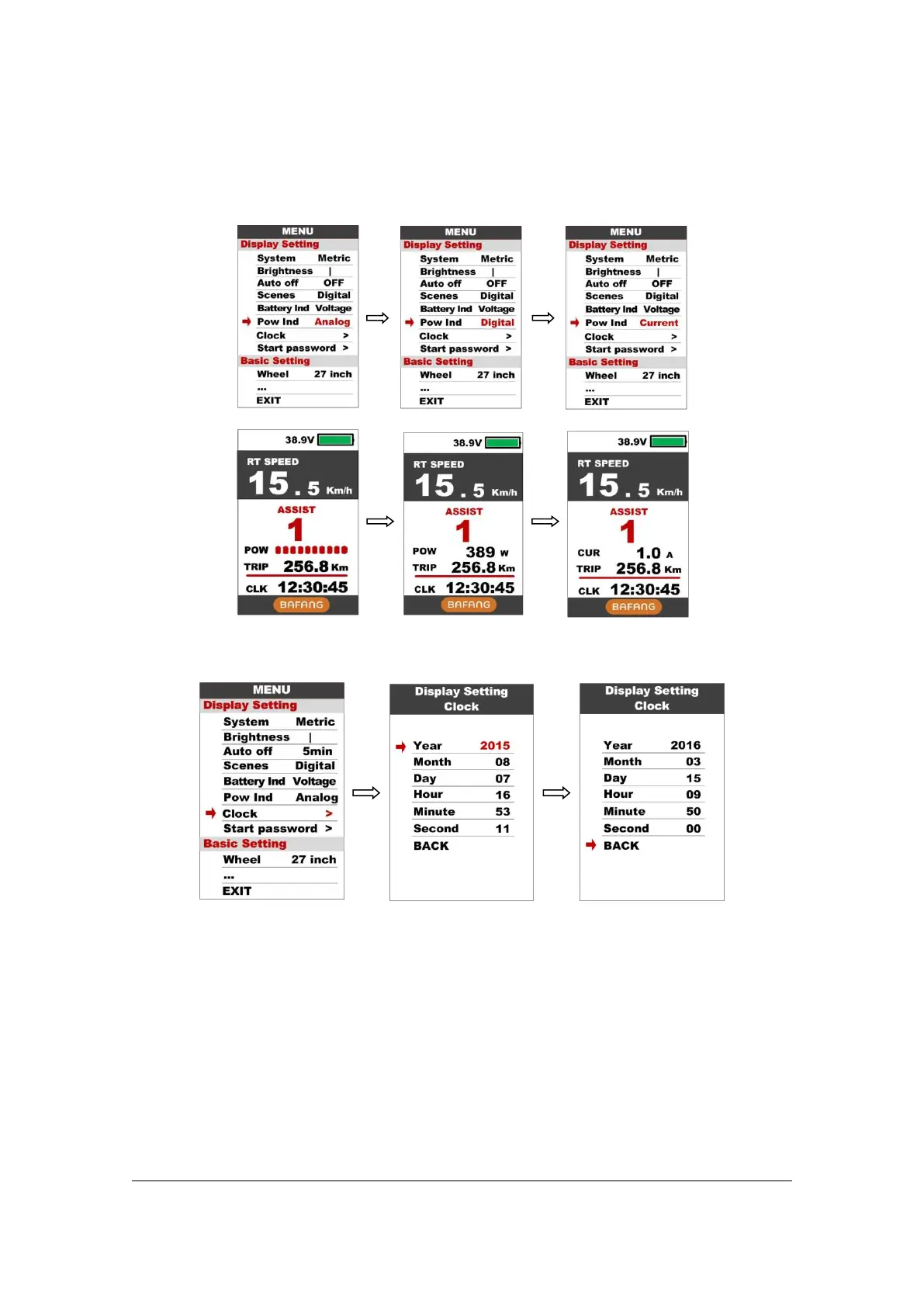
8.7 Clock : Clock setting, press POWER button get into the clock setting menu, press
UP/DOWN button to set Year/Month/Day/Hour/Min/Sec.
8.8 Start password : Press POWER button get into the password setting menu. If you
had set Start input ON, you must input right password before power on, password is
accorded to your setting.



 To Next Page