Need help?
Do you have a question about the APT LCD 510S and is the answer not in the manual?
Specifies the product type and model number.
Details about the company supplying the product.
Lists voltage, current, and temperature specifications.
Describes the physical dimensions and construction materials.
Highlights key capabilities and functionalities of the product.
Explains the icons and display elements on the LCD screen.
Outlines the core operational functions and modes of the product.
Details how to turn the display on/off and its auto-shutdown feature.
Explains how to change the assist level using buttons.
Describes how to switch between Trip and ODO mileage displays.
Instructions for controlling the headlight and backlight.
Procedure to activate the 6km walking assistance mode.
Instructions on how to reset trip data using the Mode button.
How to switch between Metric and Imperial units.
Guide to changing the backlight brightness level.
Configuring the time for automatic display shutdown.
Procedure to access advanced settings with a password.
Adjusting the display for different wheel sizes (16-29 inch).
Setting the battery voltage (24V/36V/48V/52V/UbE).
How to set the maximum speed limit for the display.
Table listing error codes and their corresponding descriptions/handles.
Guidance on proper assembly, emphasizing torque values.
Details the function and color coding of display connectors.
Lists the product's certifications, including CE and IP65.
This document describes the APT LCD 510S display, a product of APT (Tianjin) Develop Co., Ltd. It serves as a comprehensive guide to its functions, technical specifications, usage, and maintenance features.
The APT LCD 510S is an LCD display primarily designed for electric bicycles, providing essential information and control functionalities to the user. It displays real-time speed, battery status, mileage, and allows for various settings adjustments. The display is capable of showing error codes, which aids in troubleshooting and maintenance. It also features a walking mode for easier maneuvering of the e-bike at low speeds. The software of the display can be upgraded via UART, ensuring future compatibility and feature enhancements.
Product: LCD Display Model: APT LCD 510S Abbreviation: 510S Supplier: APT (Tianjin) Develop Co., Ltd. Address: 1001, Building 5 HuaDing, No.1 HuaKe 3 Road, Binhai hi-tech Industrial Development Zone, Tianjin, China Contact Email: yzhao@aptdevelop.com, apt@aptdevelop.com Telephone: +86 22 83715556, 86 22 2634 5859 Fax: +86 22 83719955, 86 22 8371 9955
Electrical Parameters:
Dimensions & Material:
Certifications:
Connector Descriptions: The display uses a 5-wire connector system:
Power On/Off: To turn the display on or off, press and hold the "Power" button for 1 second. The display has an automatic shut-down feature that activates after X minutes (configurable from 0 to 10 minutes) of no operation or riding.
Assist Level Operating: The assist level can be changed by short pressing either the "Power" or "Mode" button. The assist levels range from 0 (neutral) to 9 (top assist level).
Mileage Mode: Double-pressing the "Mode" button (with an interval of less than 0.3 seconds) allows switching between Trip distance and Odometer (ODO). If there is no operation for 5 seconds, the display automatically reverts to the real-time speed display.
Headlight/Backlight On/Off: Double-pressing the "Power" button (with an interval of less than 0.3 seconds) controls the headlight and backlight. Even if the battery voltage is low and the motor is not working, the display can keep the headlight on for a while when the E-bike is in riding.
Walking Mode (6km/h): To enter walking mode, press and hold the "Mode" button for 2 seconds. The walking icon will flash. Releasing the "Mode" button exits this mode. A short press of the "Power" button also exits walking mode.
Parameter Setting: To access the setting menus, press and hold both "Power" and "Mode" buttons simultaneously for 1 second. Within the menu, the "Mode" button changes the parameter setting, and the "Power" button switches to the next item. To exit the menu, press and hold "Power" and "Mode" buttons together for 1 second. The display will automatically exit the menu if there is no operation for 10 seconds, or if riding starts (for safety reasons, the menu cannot be accessed while riding).
The order of parameters is: Clear, System, Brightness, Auto off, Speed limit, Voltage set, Wheel, Password.
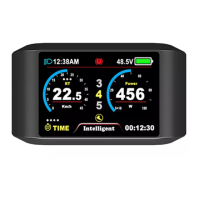
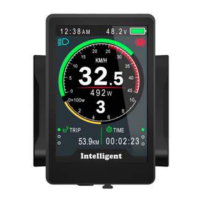
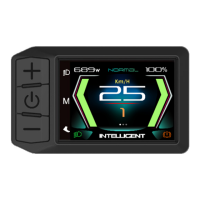
LCD Screen Instructions: The LCD screen displays various icons and values:
Error Code Definition: The 510S display can show warning messages and error codes (from 01E to 0nE) at the bottom of the screen. These codes help identify specific issues:
Assembly Instructions: Users are advised to pay attention to the screw's torque value during assembly. Damage caused by excessive torque is not covered under warranty.


 To Next Page
 General