12
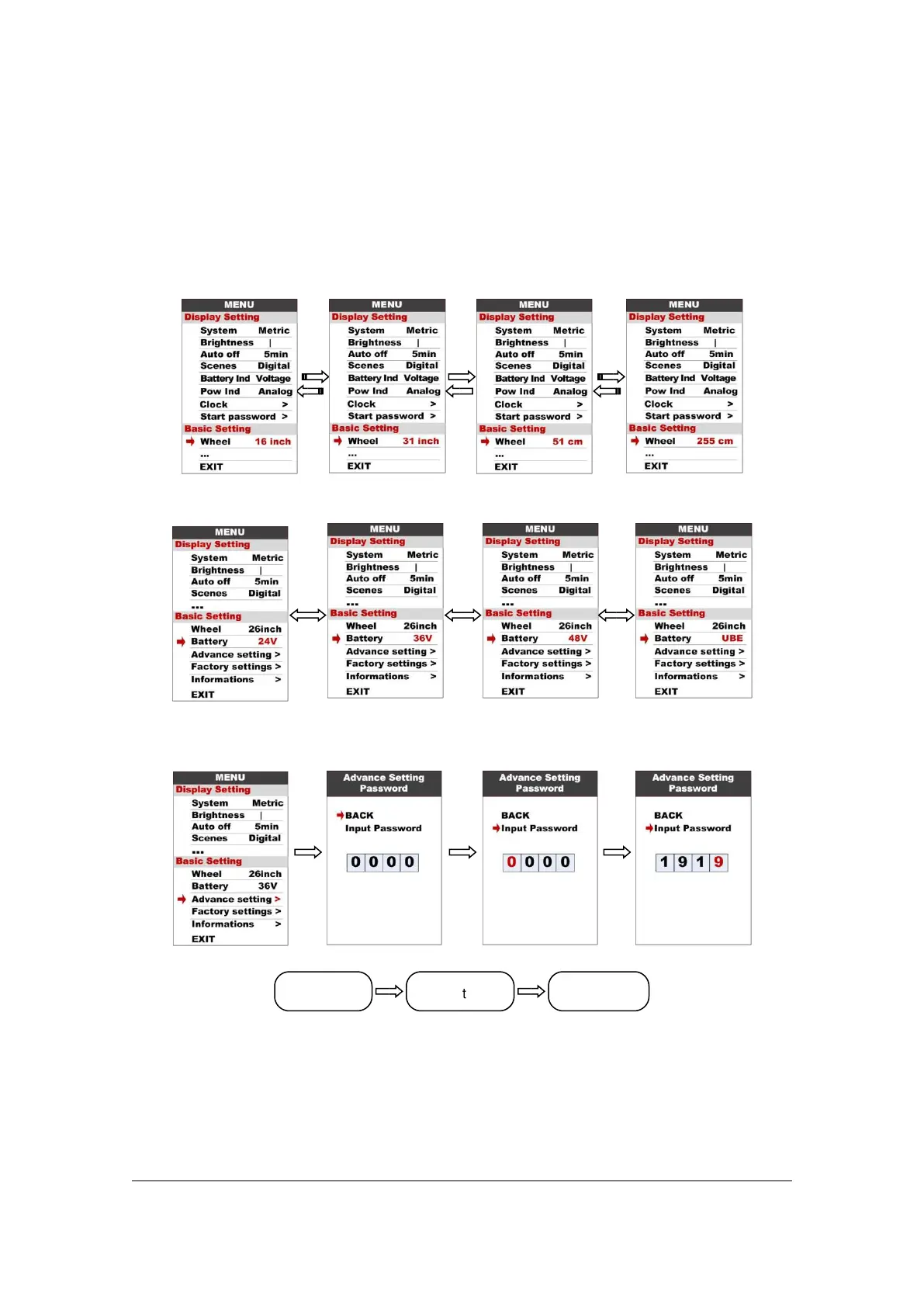
8.9 Wheel : Press UP/DOWN can change the wheel setting, optional wheel diameter is
16/18/20/22/24/26/27/27.5/28/29/30/31 inch, 51cm~255cm represent wheel
circumference (this needs controller support).
8.10 Battery : Press UP/DOWN will change battery voltage setting, optional value is
24V/36V/48V/UBE,UBE means user define value.
8.11 Advance setting : Press POWER button can get into the advance setting menu,
default password is ‘1919’.
8.12 Speed limit : Press UP/DOWN will change speed limit, range 10km/h~45km/h.
Default value is 25km/h.



 To Next Page