-6-
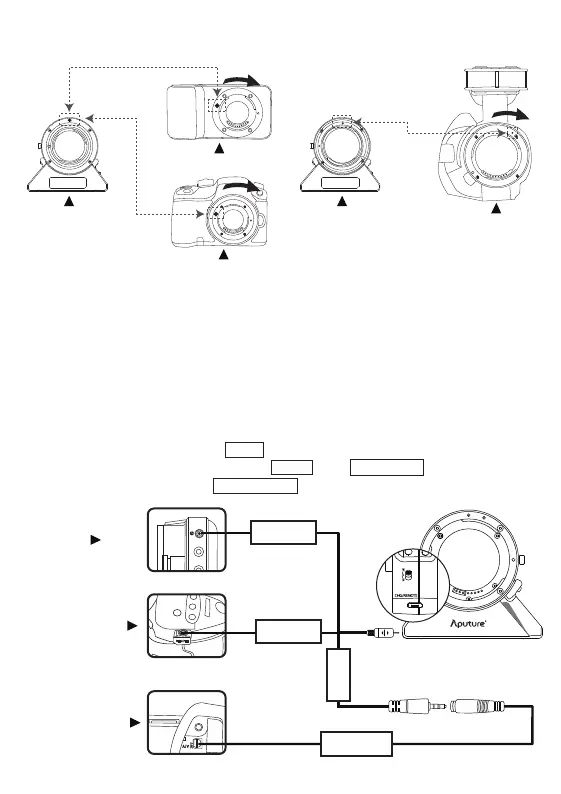
Align the dierent dots on the adapter and camera and turn the adapter by the arrow until it snaps into
place.
Turning it the opposite direction can cause the lens to demount.
* Please rst turn o all the power of the devices, then push down the lens release button as the pasted
arrow shows on the button before detaching or changing the lens.
4. Connecting the remote cable
Connect the remote cables to the cameras according to the dierent ports and cables showed in the
pictures.
Examples for connecting:
(1) Connect the adapter with BMPCC by Lanc cable.
(2) Connect the adapter with SONY NEX-VG20 by Lanc cable- SONY D type cable.
(3) Connect the adapter with GH4 by GH series cable .
Sony E-mount series
Panasonic GH series
BMD series
DEC for MFT DEC for E-mount
Sony E-mount series
Panasonic GH series
BMD series
Lanc
GH Series
Sony D Type
Lanc


 To Next Page