-6-
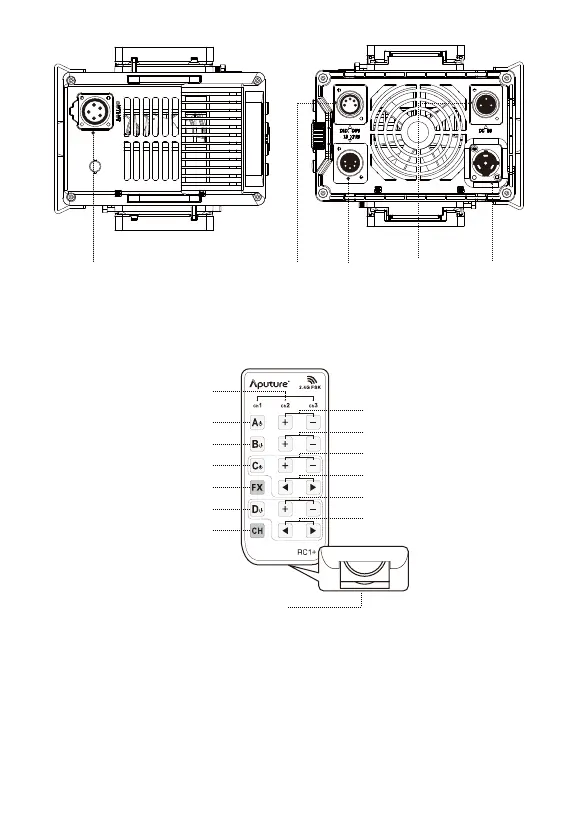
3. VA-Remote RC1+
Channel Indicators
Channel Selector
CR2302 Battery Compartment
Group A On/Off
Group B On/Off
Group C On/Off
Group D On/Off
Group A Dimming Controls
Group B Dimming Controls
Group C Dimming Controls
Group D Dimming Controls
FX Button
Group C Frequency Controls
Group D Frequency Controls
Setting Up the Light
1. Attaching/detaching the Protection Cover
Pull back the retaining pin following the arrow and rotate the cover clockwise to detach
the cover. To reattach the cover, insert it into the Bowens mount and rotate counter
clockwise.
DMX IN
Port
DMX OUT
Port
Neutrik®
powerCON
Power Input
5-Pin Female Head Cable Connector
48V DC Input
(3-Pin XLR)



 To Next Page