Mode to enter hexadecimal mode
With the printer o, press the forward button and turn the
printer, hold down the forward button for 10 seconds, then release
the button. One hexadecimal dump will be printed.
Reset
With the printer o, press the forward button and turn the printer,
hold down the forward button for 20s, then release the button. The
printer will reset.
Installing drivers
• Insert the installation CD printer.
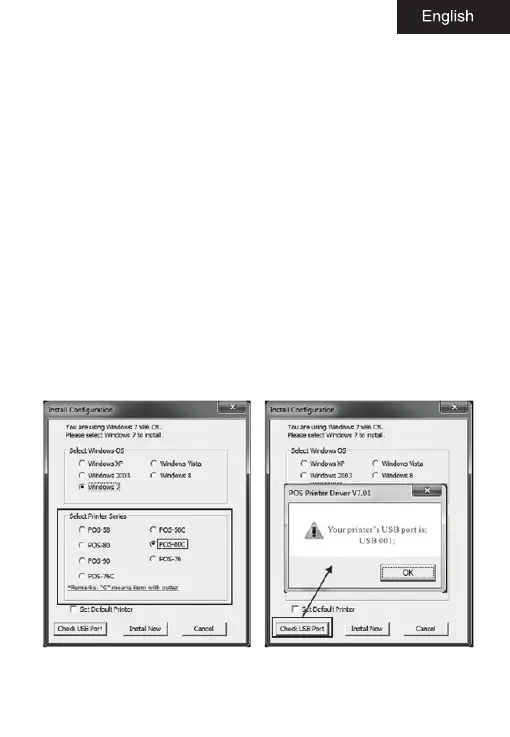
• Run autorun.exe.
• Run the driver installer.
• Follow the steps in the installation wizard until the next
window.
• Select the desired operating system and POS-80C printer.
• Finally the installation process is completed.


 To Next Page