COMPONENTSTechnical module – Electronic systems
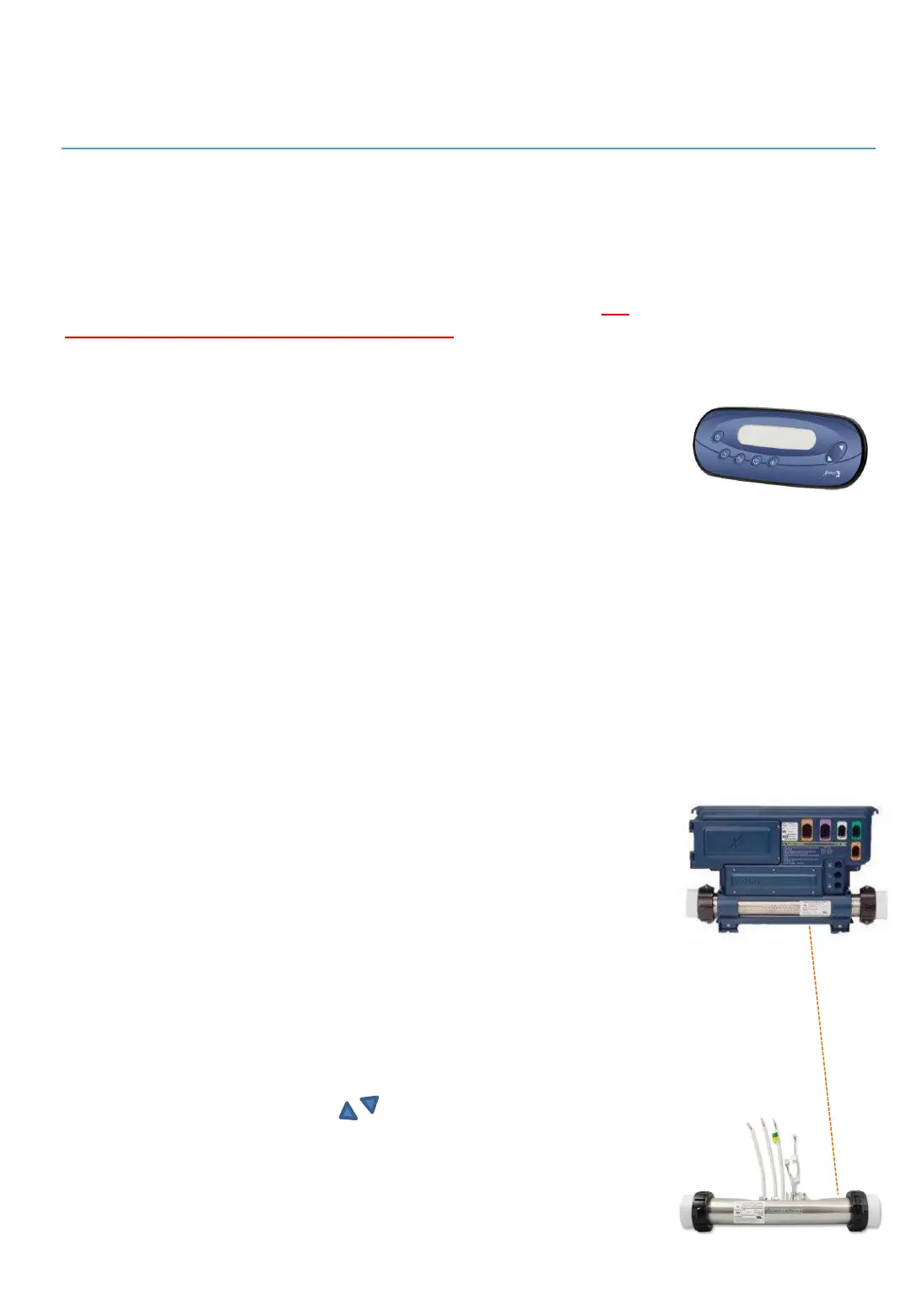
ELECTRONIC KEYBOARD
The keypad is generally installed near the pool in order to be easily
accessible by spa users. It is connected to the electronic box using a25'
cable which must be plugged into a small pipe buried(like all the piping)
in
the trench which connects the spa to its equipment.
Please refer to the
appendix on the detailed use of the electronic keyboard.
In.k450 electronic keyboard
Quick description
Keypad in.k450, membrane (9916-101335), 7 buttons: On, Off/Pump 1/
Pump 2/Pump 3/Light/Temperature and other controls +/-Compatible
with: System in.xe).
ELECTRONIC CONTROL BOX WITH
INTEGRATED WATER HEATER
The electronic box is the main control center of your spa.
It manages the electricity needs of the different components and ensures that
you are able to adjust certain operations such as filtration cycles, water
temperature, activate the motor(s) and other accessories if available. takes
place.
It is also inside this box that the main electrical supply wire connected to the house must
be connected (see the appendix to this effect to this document and the chapter on
electrical connection included in the manual installation of spas). The electrical
connection terminals are accessible through the upper left unscrewable opening of this
box and only a qualified and approved electrician must have access to them.
Control box
electronic model In.Xe with
integrated water heater
The cables (fitted with end caps called
undeceptors
) of the different components of the
module as well as the accessories, are easily connected according to a color code.
Please refer to the appendix on the detailed use of the In.xe control box.
WATER HEATER
The water heater with a power of 5.5Kw is integrated into the electronic box and
can be controlled using the arrows of the electronic keyboard.
Please refer to the appendix on the detailed use of the In.K450 keyboard.
8


 To Next Page