5.8 Skimmer Mode
The skimmer mode enables the pump to skim the water surface, prevents the debris from
accumulating, and provides users with a cleaner pool.
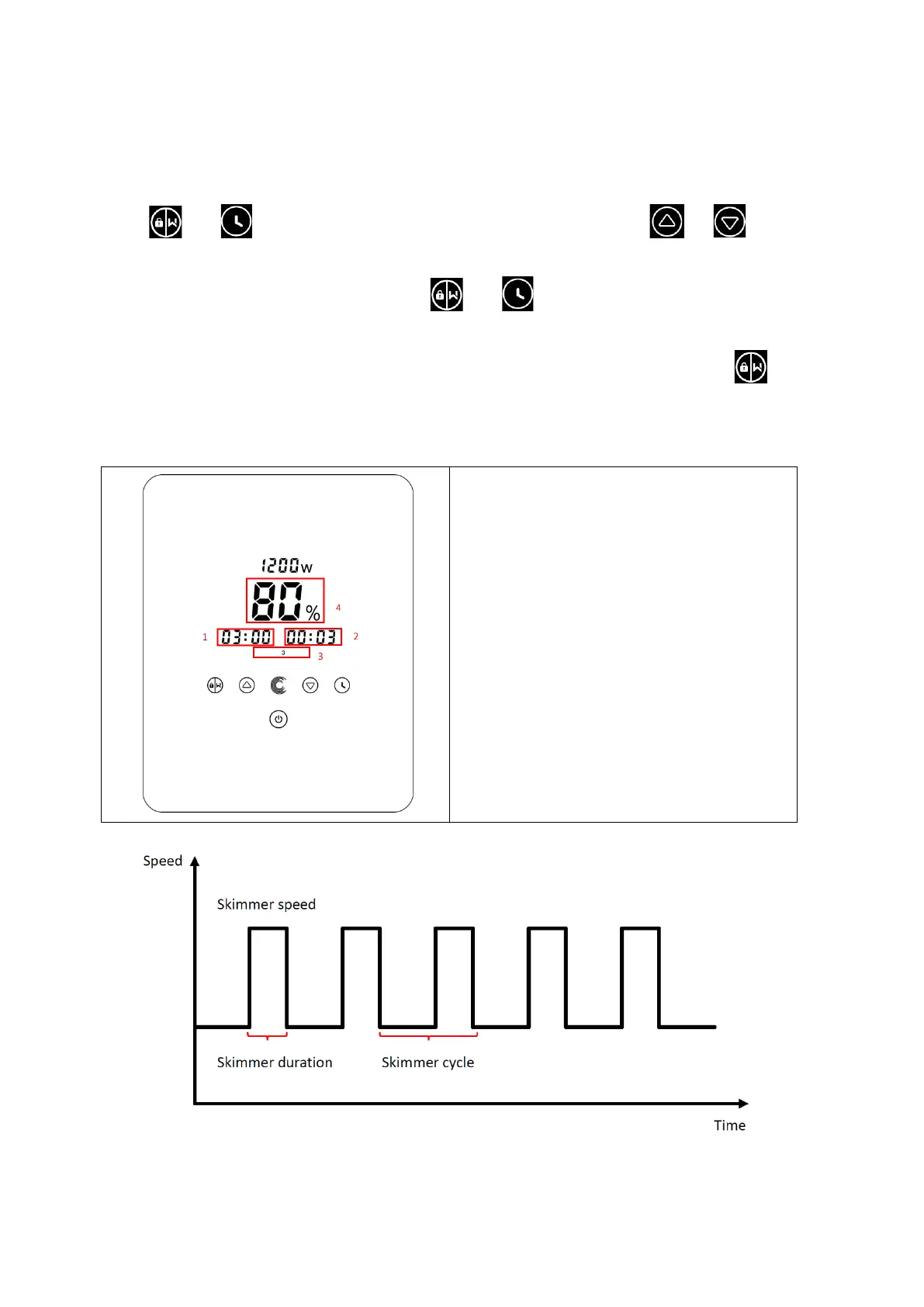
Hold and to enter the preset interface of the skimmer mode, press or to
view the 3 presets, the selected preset will be activated after 8s without operation. User can exit the
skimmer mode without activating it by holding and in the preset interface.
At the skimmer duration, the controller will show the parameter of the preset, user can hold
to exit the skimmer duration each time. When the skimmer duration ends, the pump will return to
the normal state for the user to operate.



 To Next Page