EasyManua.ls Logo

Aqueon OptiBright MAX User Manual

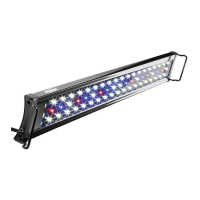
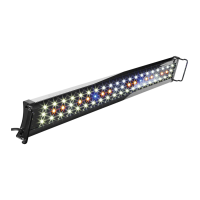
Aqueon OptiBright MAX
6 pages
To Next Page IconTo Next Page
Page #1 background imageLoading...
Page #1 background image
Central Aquatics • 5401 West Oakwood Park Drive • Franklin, WI 53132 Nov2017
Owner’s Manual
OptiBright
®
MAX LED Light
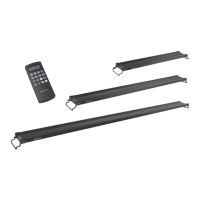
30" - 36"
48" - 54"
18" - 24"
*Average output at 12" from the center of the light.
Item No. Description
PEAK
PAR
AVG
PAR*
PEAK
LUX
AVG
LUX*
100533615 18-24" 42 22 3177 1788
100533616 30-36" 55 30 4063 2304
100533617 48-54"
59 37 4120 2649
Question and Answer IconNeed help?

Do you have a question about the Aqueon OptiBright MAX and is the answer not in the manual?

Aqueon OptiBright MAX Specifications

General IconGeneral
BrandAqueon
ModelOptiBright MAX
CategoryOther
LanguageEnglish

Summary

Fixture Installation and Remote Overview

Fixture Installation Steps

Step-by-step guide for physically installing the OptiBright MAX LED light fixture.

Remote Control Layout

Diagram and explanation of the remote control layout and its primary functions.

Remote Control Operations

Installing Batteries and Setting Time

Instructions for battery installation and setting the current time on the remote.

Manual Color Adjustment

Guide to manually setting White, Blue, and RGB LED colors and intensity levels.

Timer Programming

Detailed steps for programming automatic light ON/OFF times for various LED modes.

Advanced Remote Features and Maintenance

RGB LED Scroll Mode

Instructions for using the RGB LED scroll mode and adjusting color change speeds.

Cleaning and Servicing Precautions

Essential guidelines for cleaning the appliance and recommendations for professional servicing.

Warranty and Compliance Information

Limited Warranty Details

Information on the product's limited warranty, coverage, exclusions, and claim procedures.

FCC Certification Statement

Statement regarding FCC compliance and user responsibilities for interference.
Related product manuals