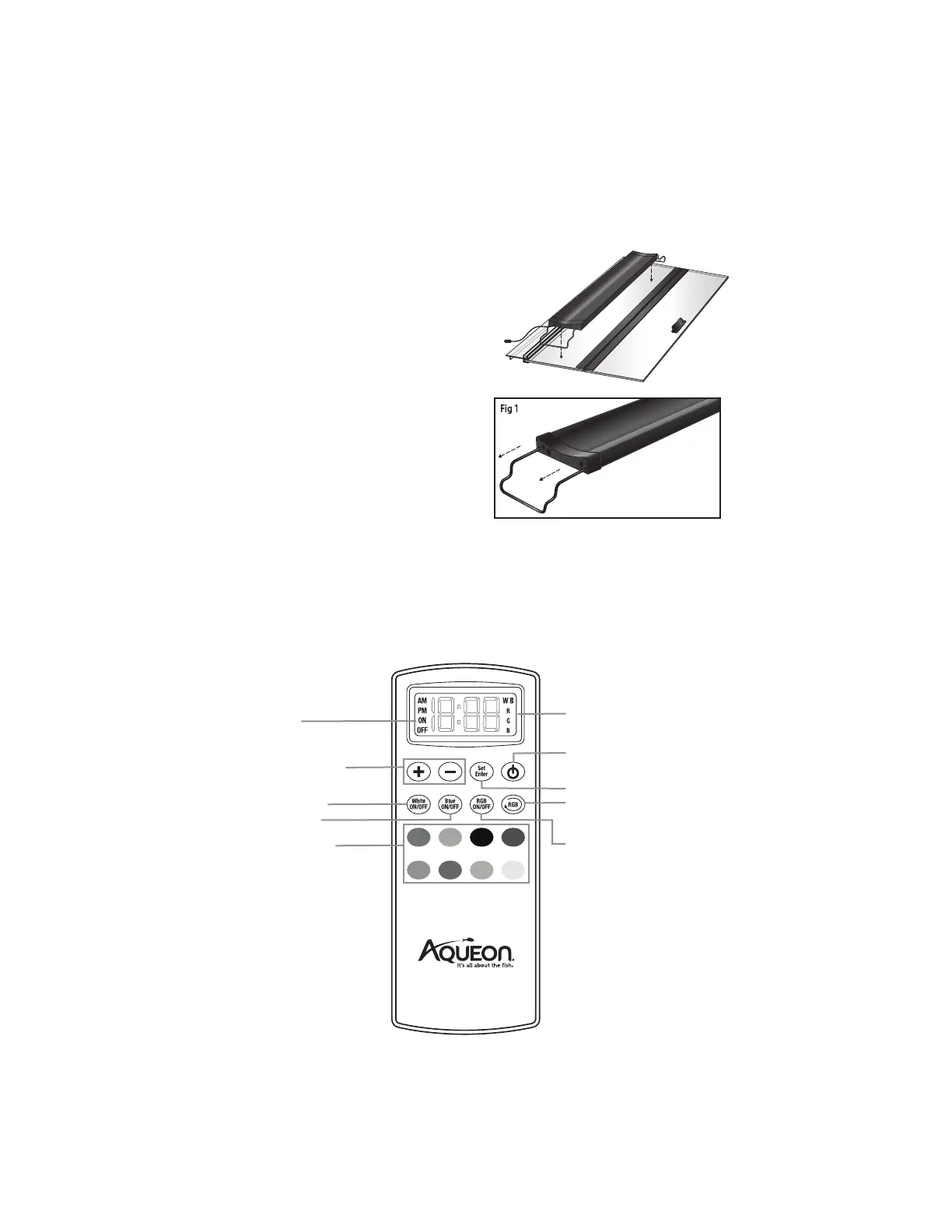
REMOTE LAYOUT
On/Off
Use when setting the timer
function for White, Blue and
RGBs to be on or off
LCD screen will indicate the time of day
(AM/PM) as well as which lights are on:
W/B/RGB
Adjust Brightness
Color intensity can be increased or
decreased in 10% increments
8 Preset Colors
White On/Off
Blue On/Off
Power
RGB On/Off
What is RGB?
Red, green and blue LEDs are mixed
together to create a broad array of
colors. 8 preset options were
created for quick customization.
Set/Enter
Use when setting the time and storing the
timer function for White, Blue and RGBs
RGB Scroll
Scroll through RGB colors in 3 different
speeds.
1. Position the fixture over aquarium by adjusting the
legs (Fig 1) to the proper length so they securely
hold the fixture in place. Always center the fixture
so that it provides maximum exposure of light to
all aquarium inhabitants.
2. Connect the transformer to the connector on the
side of the light fixture.
3. Plug the transformer into an acceptable outlet.
Be sure to incorporate a “drip loop” to prevent
water droplets from running down the cord and
into the outlet should any water get onto the cord.
4. The light fixture will turn on to a standard setting and you can program the fixture to your
preferred settings using the included remote. (Initial standard setting is set to white LED, blue LED
and purple RGB.)
FIXTURE INSTALLATION INSTRUCTIONS
• This product is recommended for use over
glass-covered aquariums.
• Aqueon
®
glass covers fit on the inside lip of the
aquarium to prevent seepage out of the aquarium.


 To Next Page