3
Speaker back
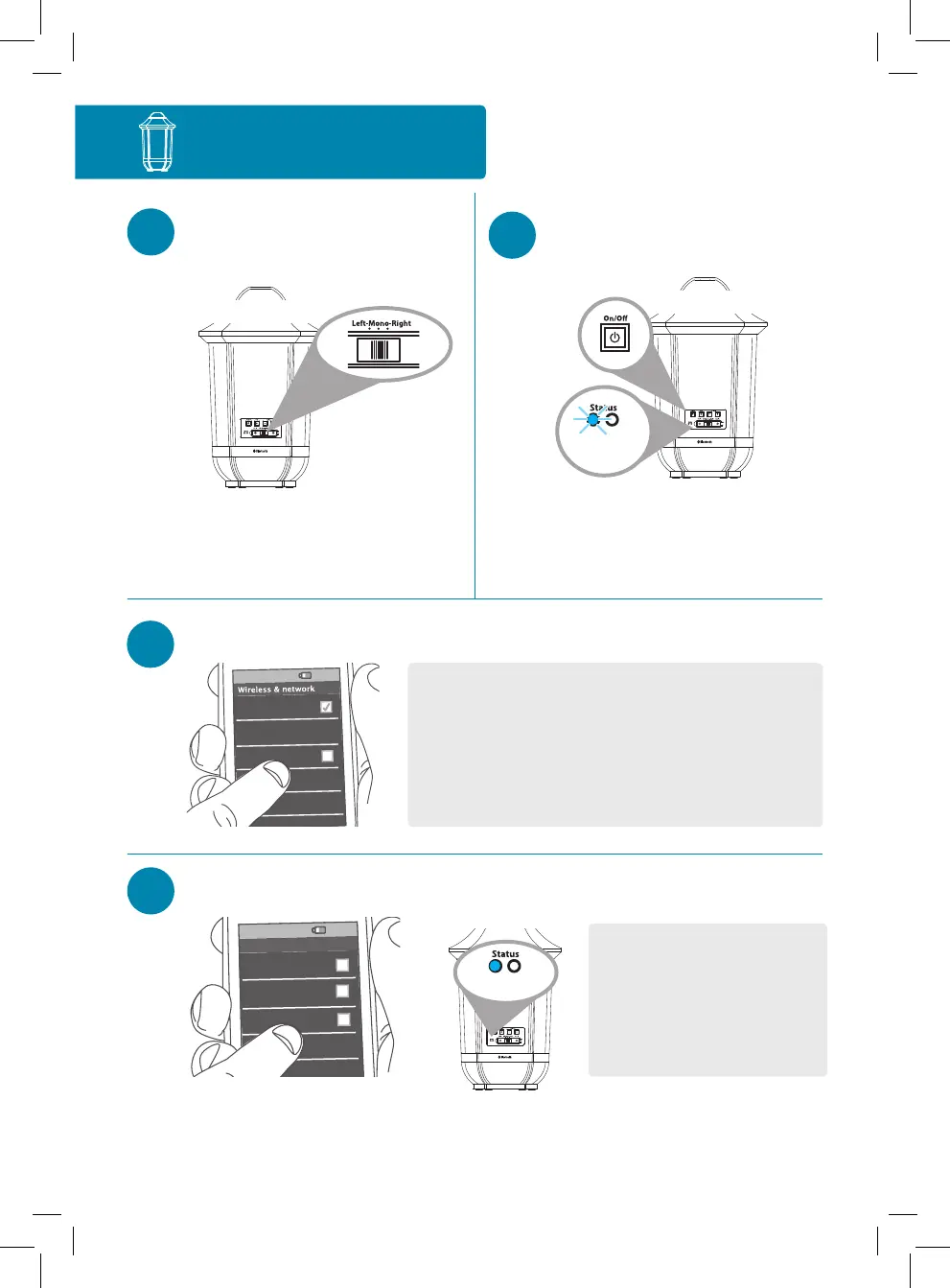
Single-Speaker Setup
1
Set the Left-Mono-Right
switch to Mono.
2
Press the On/Off button on the
back of the speaker to turn it on.
The blue Status light on the
back of the speaker starts
blinking, and the speaker says
“Pairing.”
3
Enable Bluetooth on your device (if it isn’t already on).
Wi-Fi
Bluetooth
Bluetooth Settings
VPN Settings
Wi-Fi Settings
8:45PM
Notes:
Make sure the blue Status light on the back of the speaker is
blinking. (If it isn’t, press and hold the Pair button on the back of
the speaker until the speaker gives an audio signal.)
If you’ve previously paired a different Bluetooth device with this
speaker, the speaker will automatically attempt to reconnect to
that device when you switch the speaker on. If you want to pair to a
new device, press and hold the Pair button on the speaker until the
speaker gives an audio signal.
Headset
AR Speaker
Computer
8:45PM
Bluetooth devices
4
Select AR Speaker from the list of Bluetooth devices available.
Notes: If you don’t see AR Speaker
in the list of Bluetooth devices on
your phone, choose “Scan” from your
phone’s Bluetooth menu.
The process of enabling Bluetooth
and connecting varies from device
to device. See your device’s owners
manual for more information and
specific instructions.
The speaker says “Connected” when it’s finished connecting to your
smartphone. The blue Status light on the back of the speaker turns solid
blue.
Speaker back
Solid blue
Continues on the next page...
Speaker back
Blinking
blue



 To Next Page