EasyManua.ls Logo

AR AWSEE2 - User Manual

Default Icon
24 pages
Print Icon
To Next Page IconTo Next Page
Loading...
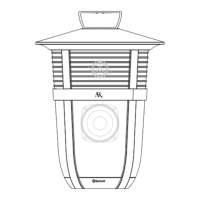
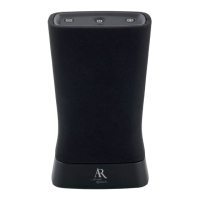
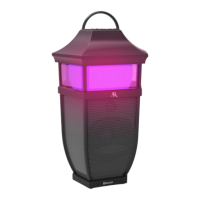
portable wireless speaker
PREMIER
quick start guide
Welcome
Congratulations on your purchase of this Acoustic
Research Premier Series speaker, the ultimate in
stereo-capable wireless sound.
This speaker offers two setup options:
Single-Speaker setup for one Premier
speaker
Stereo setup for two Premier speakers
This guide takes you through the steps for either
setup option.
AWSEE2
Instructions en français ...........................9
Instrucciones en español .......................17
Question and Answer IconNeed help?

Do you have a question about the AR AWSEE2 and is the answer not in the manual?

Summary

Welcome

Unpack

Power the Speaker

Getting to know Bluetooth

Single-Speaker Setup

Set the Left-Mono-Right switch to Mono

Configure the switch on the speaker for mono operation.

Turn on the Speaker

Press the On/Off button to power the speaker on.

Enable Bluetooth on your device

Ensure Bluetooth is active on your smartphone or tablet.

Select AR Speaker

Choose the speaker from your device's list of Bluetooth devices.

Start playing music

Begin audio playback from your connected Bluetooth device.

Stereo Setup

Set Left-Mono-Right switches

Set one speaker to 'Left' and the other to 'Right'.

Turn on both Speakers

Power on both the left and right speakers.

Wait for speakers to connect

Allow the speakers to link for stereo sound.

Enable Bluetooth on your device

Activate Bluetooth on your smartphone or tablet.

Select AR Stereo

Choose 'AR Stereo' from your device's Bluetooth list.

Start playing music in True Stereo

Play audio which will stream wirelessly in stereo.

Using the Aux In input

Tour of the Premier Series wireless speaker

AR AWSEE2 Specifications

General IconGeneral
BrandAR
ModelAWSEE2
CategorySpeakers
LanguageEnglish

Related product manuals