EasyManua.ls Logo

ARAG IBX100 4679005 - User Manual

ARAG IBX100 4679005
60 pages
Print Icon
To Next Page IconTo Next Page
Loading...
INSTALLATION, USE AND MAINTENANCE
4679004
4679005
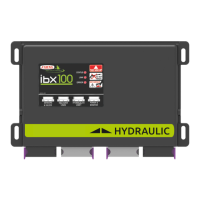
IBX100 ECU CONTROL UNIT
Object Pool rel. 1.2.6

Table of Contents

Questions and Answers

  • K
    Keith EdwardsSep 3, 2025
    Why does the sprayed surface displayed not match actual sprayed surface on my ARAG IBX100 4679005 Control Unit?
    • N
      nwilsonSep 4, 2025
      If the sprayed surface displayed on your ARAG Control Unit does not match the actual sprayed surface, check the boom width setting, the setup of the wheel constant, and the connections to the speed sensor.
  • E
    erinfordSep 18, 2025
    What to do if there are three-way section valves in use, but no backfolw calibration on ARAG IBX100 4679005?
    • C
      Chad HumphreySep 18, 2025
      To solve this problem, perform calibration.
  • H
    Heather LopezSep 16, 2025
    What to do if distance travelled count is not reset on ARAG Control Unit?
    • A
      Alex JensenSep 16, 2025
      To solve this problem, reset the counter.
  • C
    Christopher NashSep 14, 2025
    What to do if covered area count is not reset on ARAG IBX100 4679005 Control Unit?
    • M
      Mrs. Shari BakerSep 14, 2025
      To solve this problem, reset the counter.
  • C
    catherineharrisSep 12, 2025
    Why do the valve controls take no effect on my ARAG IBX100 4679005 Control Unit?
    • M
      mendozarobinSep 13, 2025
      If the valve controls on your ARAG Control Unit have no effect, it might be because the valves are not connected. Connect the IN-CAB cable and the connection cable to the valves.
  • K
    Katie SnyderSep 12, 2025
    What to do if one valve does not open on ARAG IBX100 4679005?
    • P
      Paul RodriguezSep 12, 2025
      If one valve does not open on your ARAG Control Unit, it could be due to no power supply to the valve. Check the valve electric connection and operation.
  • J
    Joseph DodsonSep 9, 2025
    Why does the time count displayed not match actual time worked on ARAG Control Unit?
    • T
      thomaswardSep 9, 2025
      If the time count displayed on your ARAG Control Unit does not match the actual time worked, it is because the work time count has not been reset. Reset the counter.
  • P
    Pamela WoodSep 7, 2025
    Why does the sprayed fluid count displayed not match litres/gpm actually sprayed on ARAG Control Unit?
    • F
      fhernandezSep 7, 2025
      If the sprayed fluid count displayed on your ARAG Control Unit does not match the litres/gpm actually sprayed, check the setup of the folwmeter constant and the setup of the section valve type.
  • C
    Carla FryeSep 5, 2025
    Why does the distance traveled count displayed not match actual distance covered on ARAG Control Unit?
    • A
      Amber ChavezSep 5, 2025
      If the distance traveled count displayed on your ARAG Control Unit does not match the actual distance covered, it could be due to a wrong setup. Check the setup of the wheel constant. Also, check connections to the speed sensor.
  • M
    marybrockAug 20, 2025
    Why does the ARAG IBX100 4679005 display no longer show the speed?
    • K
      krystalleonAug 21, 2025
      If the ARAG Control Unit display doesn't show the speed, it could be due to a wrong wheel constant setup. In this case, check the setup of the wheel constant. Another cause might be no signal coming from the speed sensor, so check the connections to the speed sensor.

Summary

INTRODUCTION

Risks and Protections Before Assembly

Essential safety measures before starting any installation or operation.

INSTALLATION

Wiring Connections

Procedures and diagrams for connecting various system components and cables.

WIRING CONNECTIONS

Control Unit (ECU) Connection

Step-by-step instructions for connecting the electronic control unit.

SETUP

Tests and Checks Before Programming

Essential checks to ensure correct component installation and power connection before programming.

IMPLEMENT SETTINGS > BASIC SETTINGS

IMPLEMENT SETTINGS > ADVANCED SETUP

Flowmeters

Setting up the main flowmeter and filling flowmeter parameters.

Pressure Sensor

Configuration and activation of the pressure sensor for accurate rate calculation.

Valve Settings

Configuration for main and section valves, including type and operating modes.

Nozzle Data

Setting up parameters for different types of ISO and user-defined nozzles.

Device Calibration

Procedures for calibrating connected sensors and devices for accurate operation.

DATA AND SETTINGS

Manage Presets

Creating, activating, and managing up to 20 different treatment configurations (Presets).

Info and Alarms

Configuring and managing visual and acoustic alarms for system events and errors.

System Status

Monitoring the operational status of various system components and connections.

Seletron Status

Monitoring the connection and operational status of individual Seletron units.

SELETRON CONNECTION

Seletron Replacement

Procedures for replacing Seletron devices, including preliminary steps.

JOB FUNCTIONS

Automatic Functions

Enabling and configuring automatic adjustments for application rate and test speed.

Application Rate Regulation

Controls automatic output adjustment based on speed and boom status.

Nozzles Selection

Automatic or manual selection of nozzles based on conditions like speed and spray rate.

Main Control and Section Management

Controls main functions and individual boom sections via the touch-screen panel.

MAINTENANCE; DIAGNOSTICS; REPAIRS

Key to LED Status

Explains the meaning of different LED colors and blinking patterns for status indication.

Error Messages

Lists common error messages, their causes, remedies, and job modes.

Troubleshooting

A guide to diagnosing and resolving common faults and issues with the system.

ARAG IBX100 4679005 Specifications

General IconGeneral
ManufacturerARAG
ModelIBX100
Part Number4679005
CategoryControl Unit
Voltage12 VDC
Protection ClassIP65
Operating Temperature-10°C to +60°C
Housing MaterialPlastic
Weight0.5 kg

Related product manuals