To Next Page
M
Mary BruceSep 12, 2025
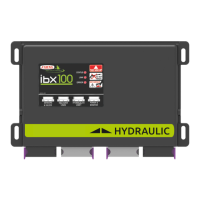
Why is RPM readout inaccurate on ARAG IBX100 Control Unit?
- HHeidi YoungSep 12, 2025
If the RPM readout is inaccurate on your ARAG Control Unit, it might be due to a wrong setup. Check the rpm sensor constant setting.



Why is RPM readout inaccurate on ARAG IBX100 Control Unit?
If the RPM readout is inaccurate on your ARAG Control Unit, it might be due to a wrong setup. Check the rpm sensor constant setting.
How to fix imprecise speed on ARAG Control Unit?
If the displayed speed on your ARAG Control Unit is not precise, it is probably caused by a wrong setup. Check the setup of the wheel constant.
What to do if ARAG IBX100 output volume readout is inaccurate?
If the output volume readout is inaccurate on your ARAG Control Unit, it could be due to several setup issues. You should check the setup of the row width, the folwmeter constant, the wheel constant, and the section valve type. Also, verify the connections to the speed sensor.
What to do if treatment time count does not match actual work time on ARAG Control Unit?
If the treatment time count on your ARAG Control Unit does not match the actual work time, reset the counter.
How to fix section valve controls that take no effect on ARAG Control Unit?
If the section valve controls on your ARAG Control Unit take no effect, it might be because the valves are not connected. Connect the IN-CAB cable and the connection cable to the valves.
Why applied product volume count does not match the actual applied product on ARAG Control Unit?
If the applied product volume count on your ARAG Control Unit doesn't match the actual applied product, it could be due to several factors. Check the spreading width, calibration factor, wheel constant, and belt sensor constant set values to ensure they are correct. If you are using a belt sensor, verify that the constant indicated has been set on the sensor, and decrease the value if necessary. Also, make sure the counter has been reset.
What to do if traveled distance count displayed does not match actual distance covered on ARAG IBX100 Control Unit?
If the traveled distance count displayed on your ARAG Control Unit does not match the actual distance covered, consider the following: * The wheel constant might be set up incorrectly: check the setup of the wheel constant. * There may be connection issues with the speed sensor: check the connections to the speed sensor. * The counter may not have been reset: reset the counter.
Why is the instantaneous pressure readout inaccurate on ARAG IBX100?
If the instantaneous pressure readout is inaccurate on your ARAG Control Unit, consider the following: * The full scale setup for the pressure sensor might be configured incorrectly: check the full scale setup for the pressure sensor. * The pressure sensor may not be calibrated: perform the setting. * The pressure sensor may be installed incorrectly: check the connections to the pressure sensor.
How to fix inaccurate output volume count on ARAG Control Unit?
To correct an inaccurate output volume count on your ARAG Control Unit, check the spreading width, calibration factor and wheel constant set values. Also check that the constant indicated has been set on the belt sensor, and decrease the value if necessary.
How to fix inaccurate RPM readout on ARAG IBX100 Control Unit?
If the RPM readout is inaccurate on your ARAG Control Unit, it is probably caused by a wrong setup. Check the RPM sensor constant setting.
Safety precautions and protective measures before starting assembly.
Details of all items included in the product package for installation.
Guidance on the correct placement and mounting of components on the agricultural machine.
Step-by-step instructions for connecting all necessary wiring harnesses.
Initial configuration of sprayer technology, boom, and sensors.
Procedures for calibrating sensors, tank levels, and profiles for accurate operation.
Setting up the physical dimensions and geometry of the implement.
Setting up system options like automatic functions and input types.
Configuration and management of predefined spraying presets.
Setting operational limits and parameters for the machine.
Configuration of system alarms and information display.
Monitoring the operational status and diagnostics of system components.
Explanation of the main interface screen and its interactive elements.
Configuration of automated spraying operations like rate regulation and nozzle selection.
Managing tank filling levels and related settings.
Controlling the main valve and individual boom sections for spraying.
Step-by-step guide for connecting Seletron devices to the boom.
Instructions for replacing Seletron units if they malfunction.
Explanation of the meaning of different LED indicators on the control unit.
Common error messages and their solutions for diagnosing issues.
Electrical, environmental, and physical specifications of the IBX100 unit.
Detailed pin assignments for all connectors on the IBX100 unit.
Instructions for disposing of the system according to local regulations.
Details of the warranty period, coverage, and exclusions.
Statement confirming the product's compliance with relevant EU directives.
 General
| Brand | ARAG |
|---|---|
| Model | IBX100 |
| Category | Control Unit |
| Language | English |