EasyManua.ls Logo

ARAG IBX100 - User Manual

ARAG IBX100
76 pages
Print Icon
To Next Page IconTo Next Page
Loading...
INSTALLATION, USE AND MAINTENANCE
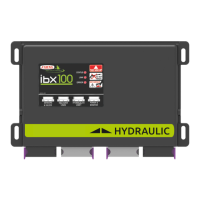
IBX100 ELECTRONIC CONTROL UNIT
Object Pool rel. 3.2.X
4679004
46790042

Table of Contents

Other manuals for ARAG IBX100

Questions and Answers

  • K
    Kimberly HumphreySep 1, 2025
    Why is the RPM value not displayed on my ARAG IBX100?
    • S
      Stephanie PachecoSep 1, 2025
      If the RPM value is not displayed on your ARAG Control Unit, it could be because the IBX100 does not receive signals from the RPM sensor or the RPM sensor is wrongly installed. Check connections to RPM sensor.
  • M
    Mary BruceSep 12, 2025
    Why is RPM readout inaccurate on ARAG IBX100 Control Unit?
    • H
      Heidi YoungSep 12, 2025
      If the RPM readout is inaccurate on your ARAG Control Unit, it might be due to a wrong setup. Check the rpm sensor constant setting.
  • S
    Shannon OwensAug 30, 2025
    How to fix inaccurate RPM readout on ARAG IBX100 Control Unit?
    • J
      John HernandezAug 30, 2025
      If the RPM readout is inaccurate on your ARAG Control Unit, it is probably caused by a wrong setup. Check the RPM sensor constant setting.
  • G
    Gregory PrestonSep 14, 2025
    What to do if one valve on my ARAG IBX100 Control Unit doesn't open?
    • I
      Isabella LewisSep 14, 2025
      If a valve on your ARAG Control Unit isn't opening, the issue might be a lack of power supply to the valve. You should check the valve's electrical connection and its operation to ensure it's properly powered.
  • R
    Ruben ReynoldsSep 14, 2025
    Why are my ARAG IBX100 hydraulic valve controls not working?
    • M
      meganclarkSep 14, 2025
      If the hydraulic valve controls on your ARAG Control Unit aren't working, it could be due to a couple of reasons. First, check that the connection cable is securely connected to the valves. Another possibility is that the IBX100 hasn't been released; in that case, you'll need to enter the release code.
  • M
    millerkellySep 18, 2025
    Why applied product volume count does not match the actual applied product on ARAG Control Unit?
    • N
      Nicole ParkerSep 18, 2025
      If the applied product volume count on your ARAG Control Unit doesn't match the actual applied product, it could be due to several factors. Check the spreading width, calibration factor, wheel constant, and belt sensor constant set values to ensure they are correct. If you are using a belt sensor, verify that the constant indicated has been set on the sensor, and decrease the value if necessary. Also, make sure the counter has been reset.
  • B
    barreraneilSep 23, 2025
    What to do if treatment time count does not match actual work time on ARAG Control Unit?
    • C
      Christine CunninghamSep 23, 2025
      If the treatment time count on your ARAG Control Unit does not match the actual work time, reset the counter.
  • E
    erobinsonAug 27, 2025
    How to troubleshoot ARAG IBX100 when covered area count is incorrect?
    • C
      Christina MurphyAug 27, 2025
      If the covered area count displayed on your ARAG Control Unit doesn't match the actual area covered, it could be due to a wrong setup of the row width or the wheel constant. Check the connections to the speed sensor. Also, the counter might not have been reset, so reset the counter.
  • J
    Jonathan RodgersAug 26, 2025
    Why is the instantaneous pressure readout inaccurate on my ARAG IBX100 Control Unit?
    • S
      Savannah StaffordAug 26, 2025
      If the instantaneous pressure readout on your ARAG Control Unit is inaccurate, it could be due to a wrong full scale setup for the pressure sensor. Also, the pressure sensor might not be calibrated, so you should perform setting. Finally, check the connections to the pressure sensor to ensure it is correctly installed.
  • S
    Seth AllenAug 25, 2025
    What to do if ARAG IBX100 output volume readout is inaccurate?
    • P
      Patrick MorrisAug 26, 2025
      If the output volume readout is inaccurate on your ARAG Control Unit, it could be due to several setup issues. You should check the setup of the row width, the folwmeter constant, the wheel constant, and the section valve type. Also, verify the connections to the speed sensor.

Summary

Installation

Risks and Protections Before Assembly

Safety precautions and protective measures before starting assembly.

Package Content

Details of all items included in the product package for installation.

Position on Farming Machine

Guidance on the correct placement and mounting of components on the agricultural machine.

Wiring Harness Connection

Step-by-step instructions for connecting all necessary wiring harnesses.

Implement Settings and Configuration

Basic Settings

Initial configuration of sprayer technology, boom, and sensors.

Device Calibration

Procedures for calibrating sensors, tank levels, and profiles for accurate operation.

Implement Geometry

Setting up the physical dimensions and geometry of the implement.

System Configurations

Setting up system options like automatic functions and input types.

Data and Job Management

Manage Presets

Configuration and management of predefined spraying presets.

Working Parameters

Setting operational limits and parameters for the machine.

Info and Alarms

Configuration of system alarms and information display.

System Status

Monitoring the operational status and diagnostics of system components.

Job Functions and Operation

HOME Main Screen Overview

Explanation of the main interface screen and its interactive elements.

Automatic Functions

Configuration of automated spraying operations like rate regulation and nozzle selection.

Tank Management

Managing tank filling levels and related settings.

Main Control and Section Management

Controlling the main valve and individual boom sections for spraying.

Seletron System Management

Seletron Connection Procedure

Step-by-step guide for connecting Seletron devices to the boom.

Seletron Replacement

Instructions for replacing Seletron units if they malfunction.

Maintenance, Troubleshooting, and Technical Data

LED Status Key

Explanation of the meaning of different LED indicators on the control unit.

Error Messages and Troubleshooting

Common error messages and their solutions for diagnosing issues.

IBX100 Specifications

Electrical, environmental, and physical specifications of the IBX100 unit.

Pin-out of IBX100

Detailed pin assignments for all connectors on the IBX100 unit.

End Matter

End-of-Life Disposal

Instructions for disposing of the system according to local regulations.

Guarantee Terms

Details of the warranty period, coverage, and exclusions.

EU Declaration of Conformity

Statement confirming the product's compliance with relevant EU directives.

ARAG IBX100 Specifications

General IconGeneral
BrandARAG
ModelIBX100
CategoryControl Unit
LanguageEnglish

Related product manuals