17
EN
• Refresh (Freshen Up)
Use this programme to remove the odour on
the laundry that are worn only for once and
do not contain any stains or dirt.
• Pamuklu 20 (Eco Clean)
Use this programme, which is much
more sensitive to environment and natural
resources, to wash your lightly soiled and
unstained cotton laundry (max. 3.5 kg) in a
short time and economically.
C
It is recommended to use liquid
detergent or gel washing detergent.
• Kazan Temizleme (Self Clean)
Use this programme regularly (once in every
1-2 months) to clean the drum and provide
the required hygiene. Run the programme
without any laundry in the machine. To obtain
better results, put powder limescale remover
for washing machines into the detergent
compartment II. When the programme is
over, leave the loading door ajar so that the
inside of the machine gets dry.
C
This is not a washing programme. It is a
maintenance programme.
C
Do not run the programme when there
is something in the machine. If you try to
do so, the machine detects that there is
a load inside and aborts the programme.
Special programmes
For specific applications, select any of the
following programmes.
• Durulama (Rinse)
Use this programme when you want to rinse
or starch separately.
• Sıkma+Pompa (Spin + Drain)
Use this programme to apply an additional
spin cycle for your laundry or to drain the
water in the machine.
Before selecting this programme, select the
desired spin speed and press Start / Pause
/ Cancel button. The machine will spin the
laundry with the set spin speed and drain the
water coming out of them.
If you wish to drain only the water without
spinning your laundry, select the Pump+Spin
programme and then select the No Spin
function with the help of Spin Speed
Adjustment button. Press Start / Pause /
Cancel button.
C
Use a lower spin speed for delicate
laundries.
Temperature selection
Whenever a new programme is selected,
the maximum temperature for the selected
programme appears on the temperature
indicator.
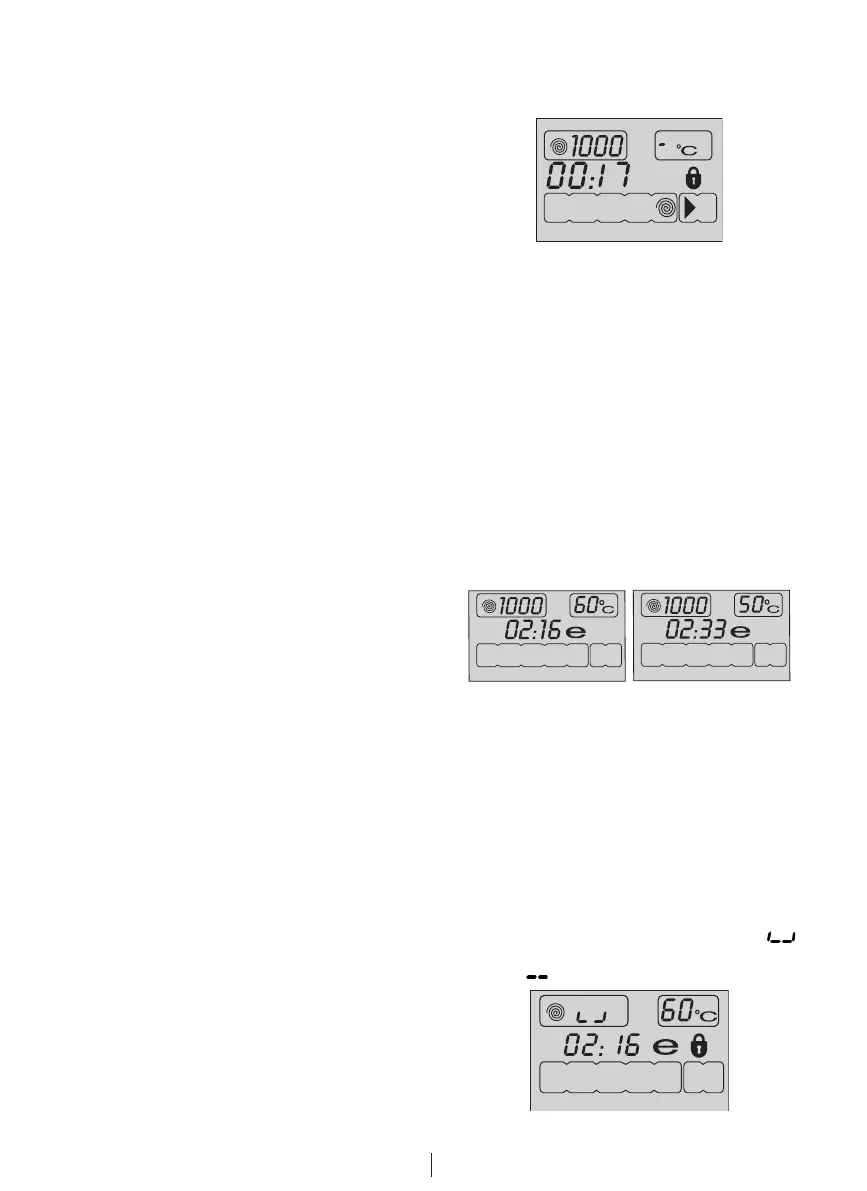
To decrease the temperature, press the
Temperature Adjustment button. Temperature
decreases with increments of 10° and finally,
“-” symbol indicating the cold wash option
appears on the display.
C
If you scroll to cold wash option and
press Temperature Adjustment button
again, the recommended temperature
for the selected programme appears
on the display. Press the Temperature
Adjustment button again to decrease the
temperature.
Economy symbol
Indicates the programmes and temperatures
that provide energy savings.
C
Economy symbol can not be selected in
Intensive and Hygiene programmes since
washing is performed in long times and
at high temperatures in order to provide
hygiene. Similarly, Economy symbol can
not be selected in Baby, Refresh, Drum
Cleaning, Spin and Rinse programmes
as well.
Spin speed selection
Whenever a new programme is selected, the
recommended spin speed of the selected
programme is displayed on the spin speed
indicator.
To decrease the spin speed, press the Spin
Speed Adjustment button. Spin speed
decreases gradually. Then, depending on
the model of the product, "Rinse Hold" and
"No Spin" options appear on the display.
See "Auxiliary function selection" section for
explanations of these options.
C
Rinse Hold option is indicated with “
” symbol and No Spin option is indicated
with “ ” symbol.
F2
F4
F1
F3


 To Next Page