10
3. Keyboard
The keyboard differs for each territory
4.
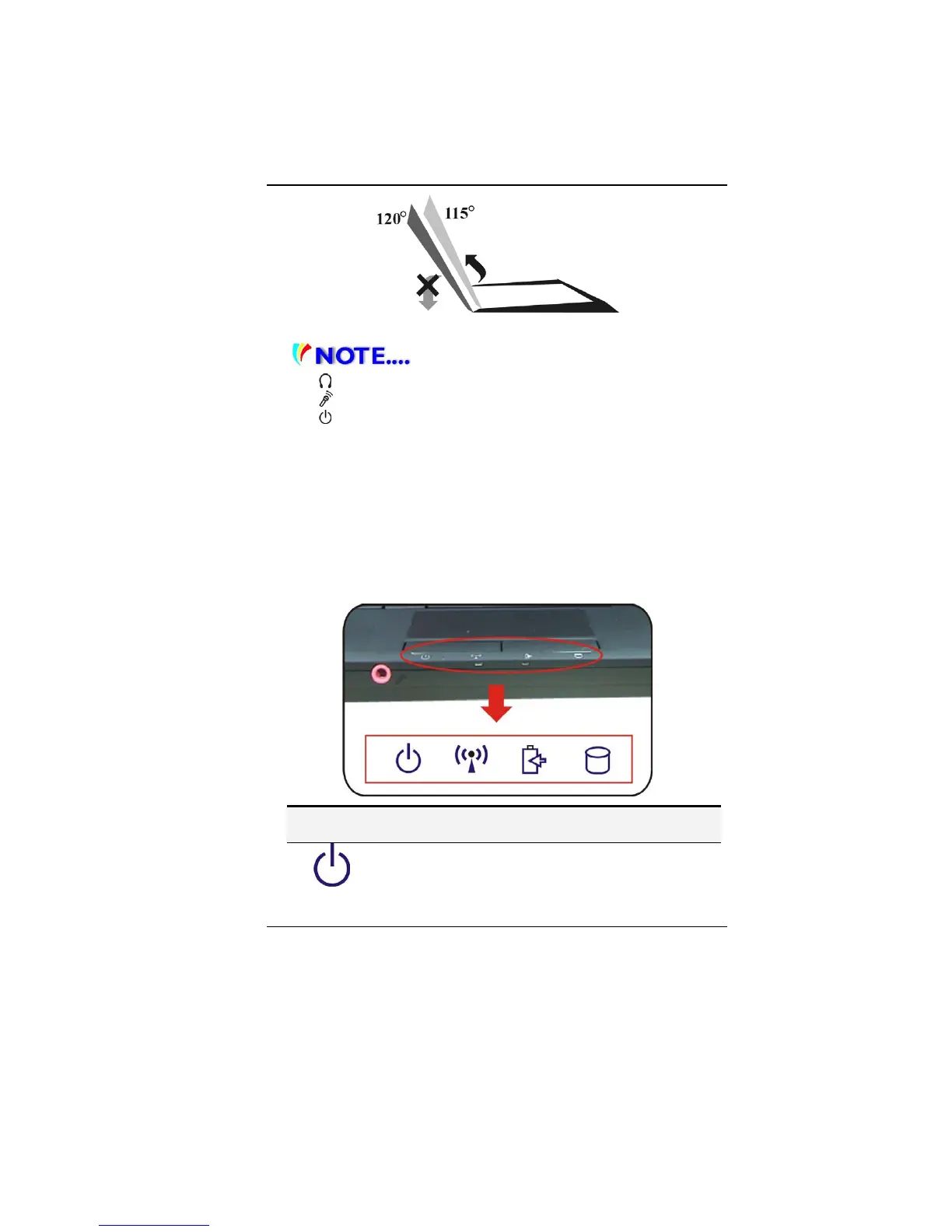
Stereo Headphone Jack
5.
Microphone Jack
6.
Power/Suspend Button
¾ Press momentarily to turn on the system.
¾ Press and hold for at least 4 seconds to turn off the
system.
¾ Press the power/suspend button again to return from
the suspend mode.
¾ Persistent green light indicates the Power is ON
7. Touchpad
8. Touchpad Buttons
9. LED Status Indicator
System & Power Status Indicators
LED Graphic
Symbol
Indication
Blue light indicates the system is ON. Blinking blue light
indicates the notebook is in suspend mode.


 To Next Page