21
External CRT Display
You can hook up an external monitor through the 15-pin CRT
connector. Three configurations are available:
LCD only
CRT only
LCD and CRT simultaneously
You can switch between these display configurations by pressing
the key combination [Fn] + [F4].
T
T
h
h
e
e
N
N
o
o
t
t
e
e
b
b
o
o
o
o
k
k
’
’
s
s
H
H
o
o
t
t
K
K
e
e
y
y
C
C
o
o
n
n
t
t
r
r
o
o
l
l
s
s
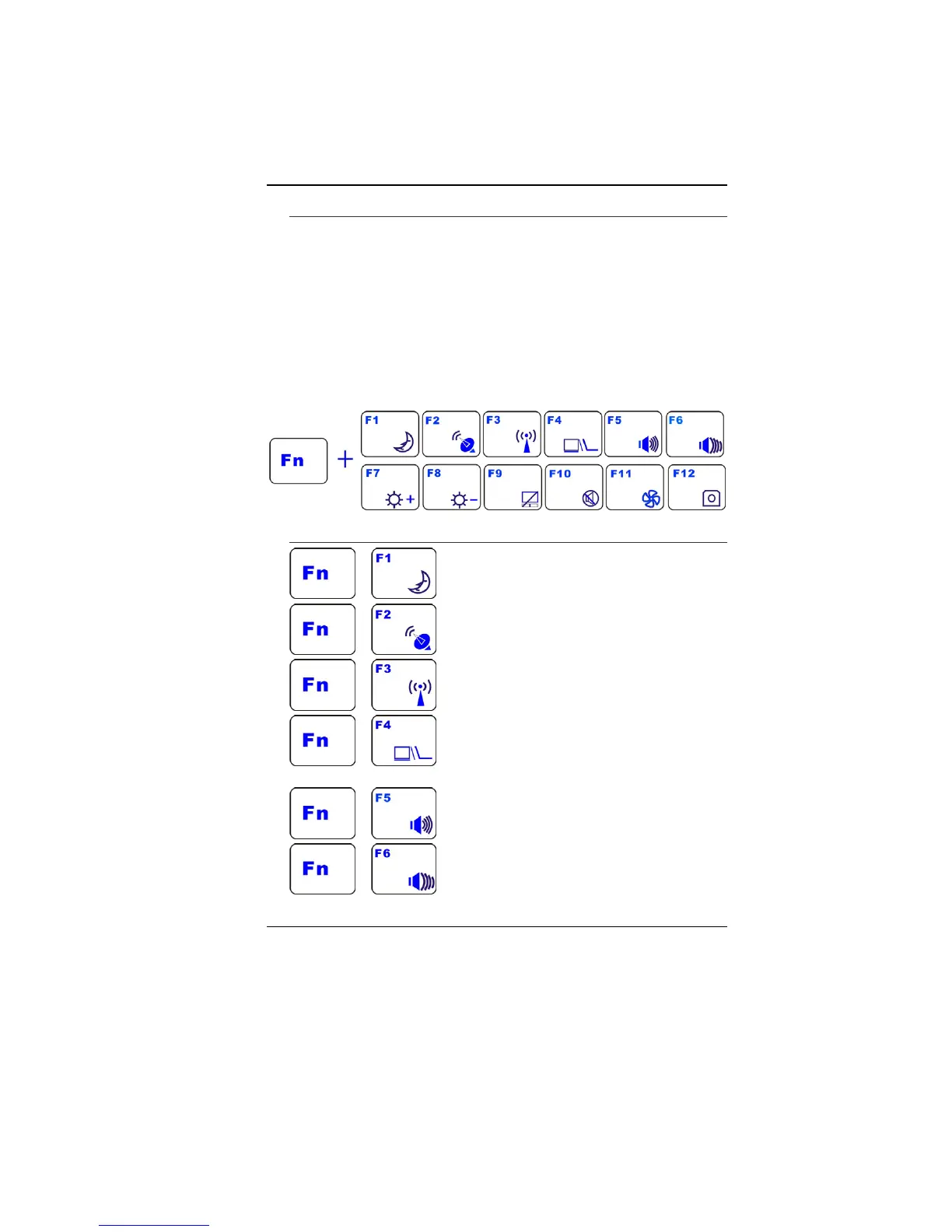
Function Keys (Quick Keys)
+ - Enters the Suspend Mode.
+ - HSPA on/off
+ - WLAN on/off
+ - Changes Display Mode: LCD-only, CRT-
only, LCD/CRT simultaneously
+ - Increases the speaker volume.
+ - Decreases the speaker volume.


 To Next Page