MANUAL
V1.0
VIEWING PHOTOS > p. 24
3.3 PhOTO seTTIngs
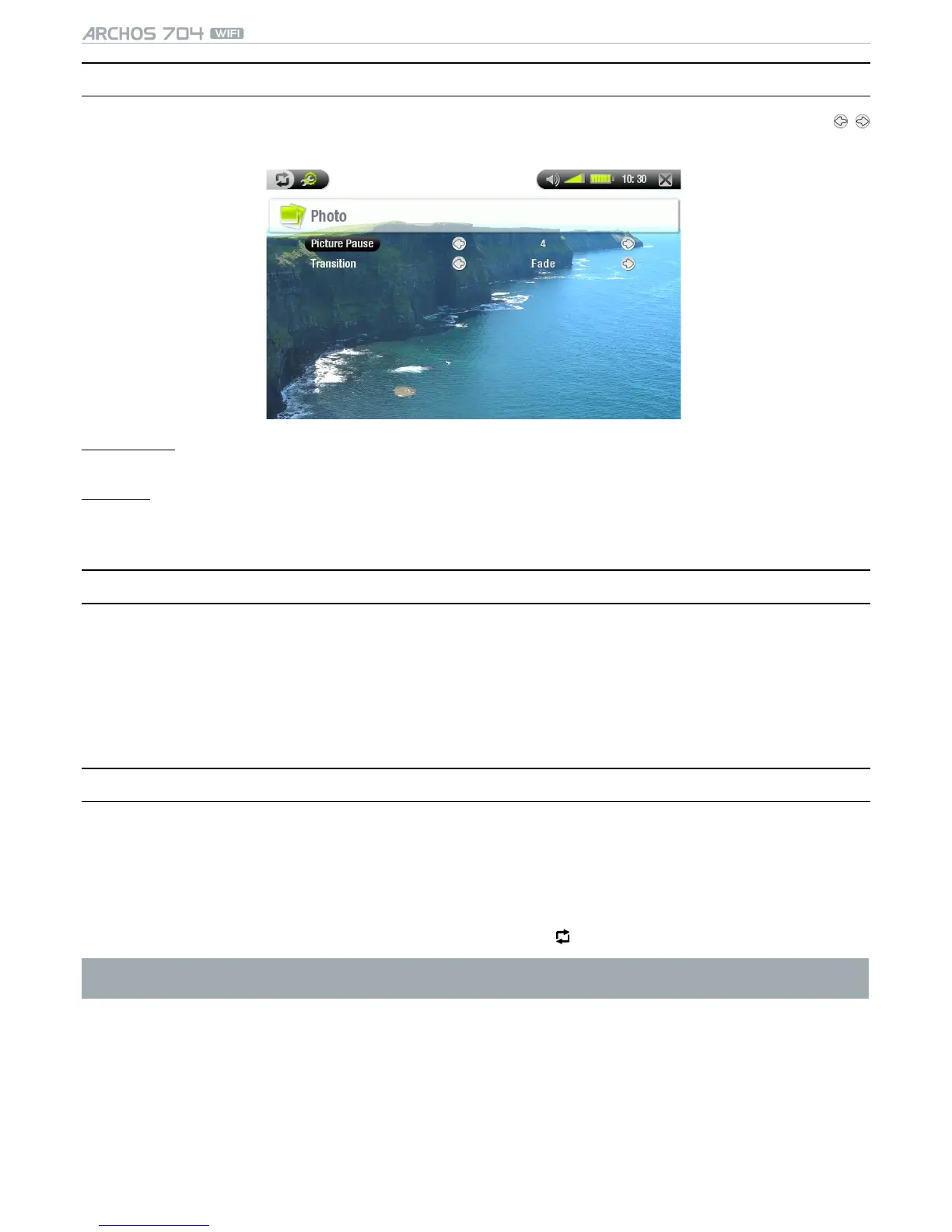
You can access the Photo Settings screen via the Settings menu item while viewing pictures. Tap on the /
buttons to select a different setting for a parameter.
Picture Pause
denes the time that each picture will be displayed during a slideshow.-
Transition
denes the transition effect to be used between two pictures. There are several cool effects that you can
choose from.
-
3.4 PlayIng a slIdeshOw
To view a slideshow, highlight a picture le in the Photo Wall, PhotoLibrary or Photo Browser and choose the
Slideshow menu item.
You can also start a slideshow while viewing photos: choose the Start slideshow menu item.
While a slideshow is playing, you can pause it at any time.
You can dene the time that each picture is displayed and the transition effects in the Photo Settings (see:
Photo Settings).
3.5 VIewIng PhOTOs whIle lIsTenIng TO MusIC
You can view photos and play slideshows while listening to music:
Choose the Home menu item while playing a song.
In the Home Screen, tap on the Photo icon to highlight it, then tap on it again to enter the Photo viewer.
Browse through your photos or start a slideshow as normal (see: Playing a Slideshow).
You can go back to the Music playback screen at any time using .
If you go back to the Music playback screen while playing a slideshow, your slideshow will be paused. When you
come back to it, simply resume the slideshow.
•
•
•
•
•
•
•
•



 To Next Page