23
VR Operation Instruction
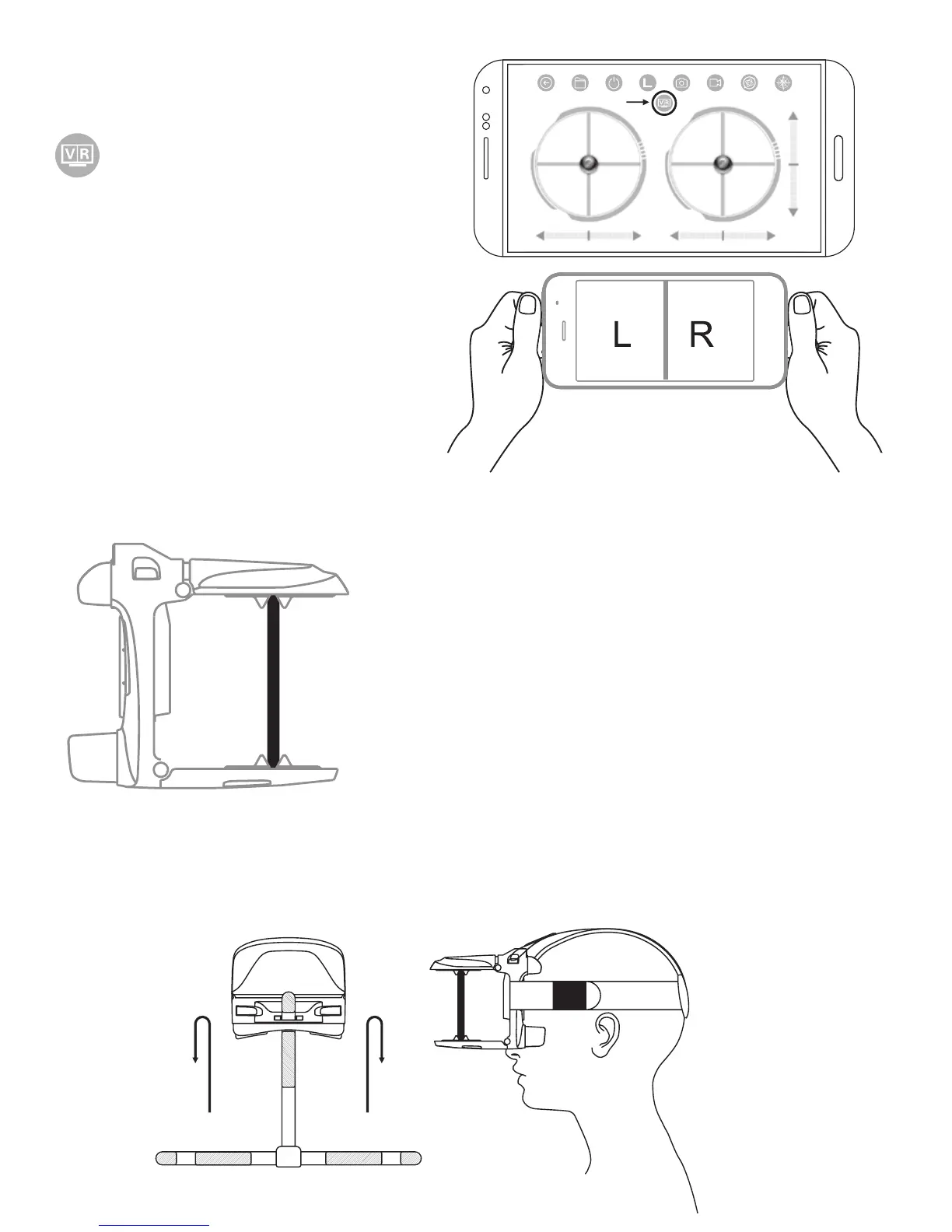
Turn on App and enter the
control interface. Click on
to enter split screen
mode.
Tear off the protection
film of the lens. Open the
mobile phone holder and
holding it.(Phone screen
should face to the lens), adjust the mobile phone to
the best viewing position and then
release the upper holder.
Adjust the headband: Take out
the headband and put into VR,
adjust the tightness of the three
headbands to the most comfortable position. (In order
to facilitate adjustment, the magic tape of three
headbands should face outwards.)
Make sure the VR center line overlapping


 To Next Page