24
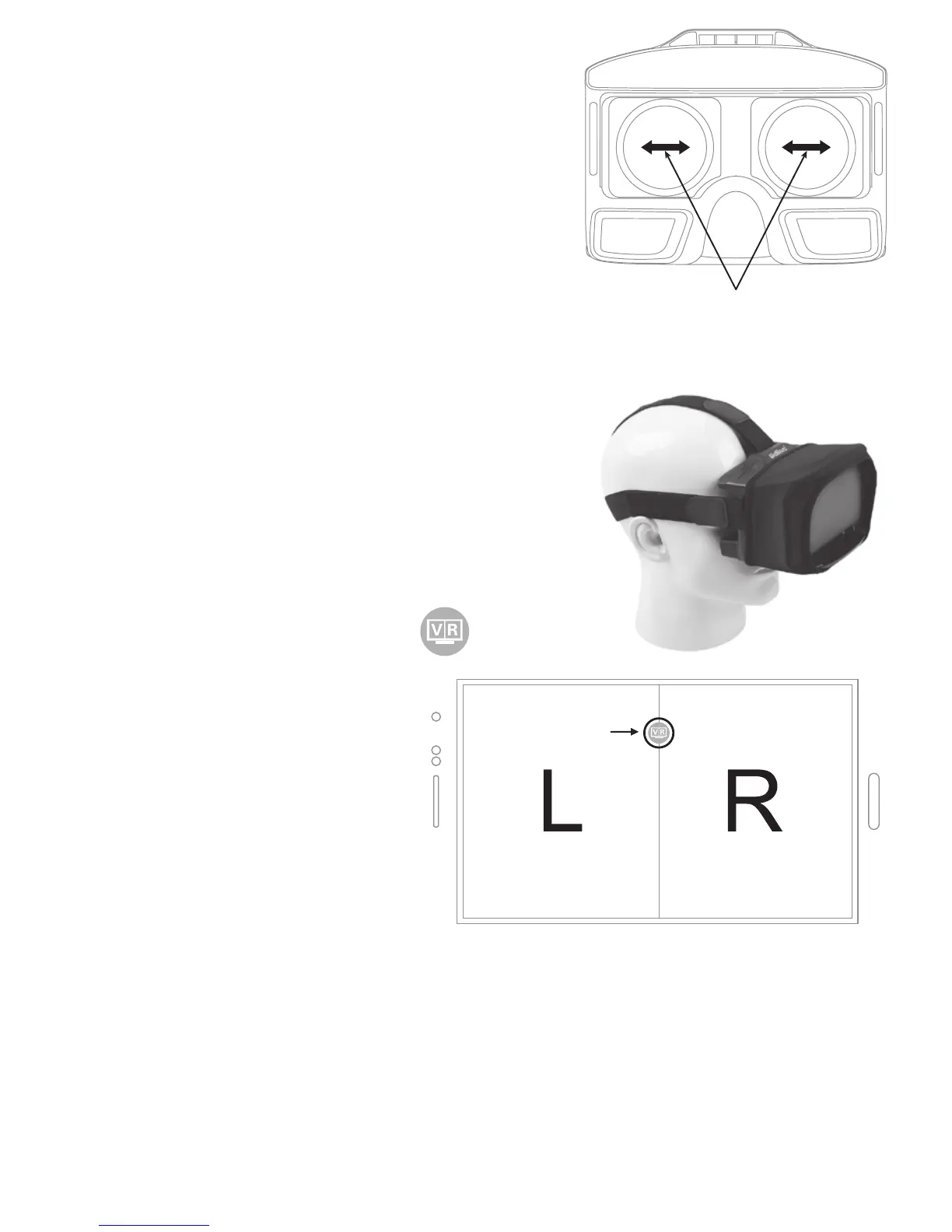
Adjust the focal length: After putting
in the phone, if there is double
image, move the lens to the proper
position till the image is clear.
For short-sighted user, please move the lens
by left or right until proper pupil distance.
Shade cloth: When the light is too strong to view
the video clearly, hitched the VR
glasses by the shade cloth to
protect the screen from strong
lights.
To exit from split screen mode:
Click on the screen and icon
appears. Click on this
icon to exit from split
screen mode and return
to operation interface.
c


 To Next Page