Saving a Playlist:
• Once your current Playlist is populated with song tracks you can then save the Playlist for future
use.
• Browse to a location you wish to save the Playlist to. We suggest you create a new folder called
“Playlists” to store your Playlists in. See section 5.9 below on creating a new folder.
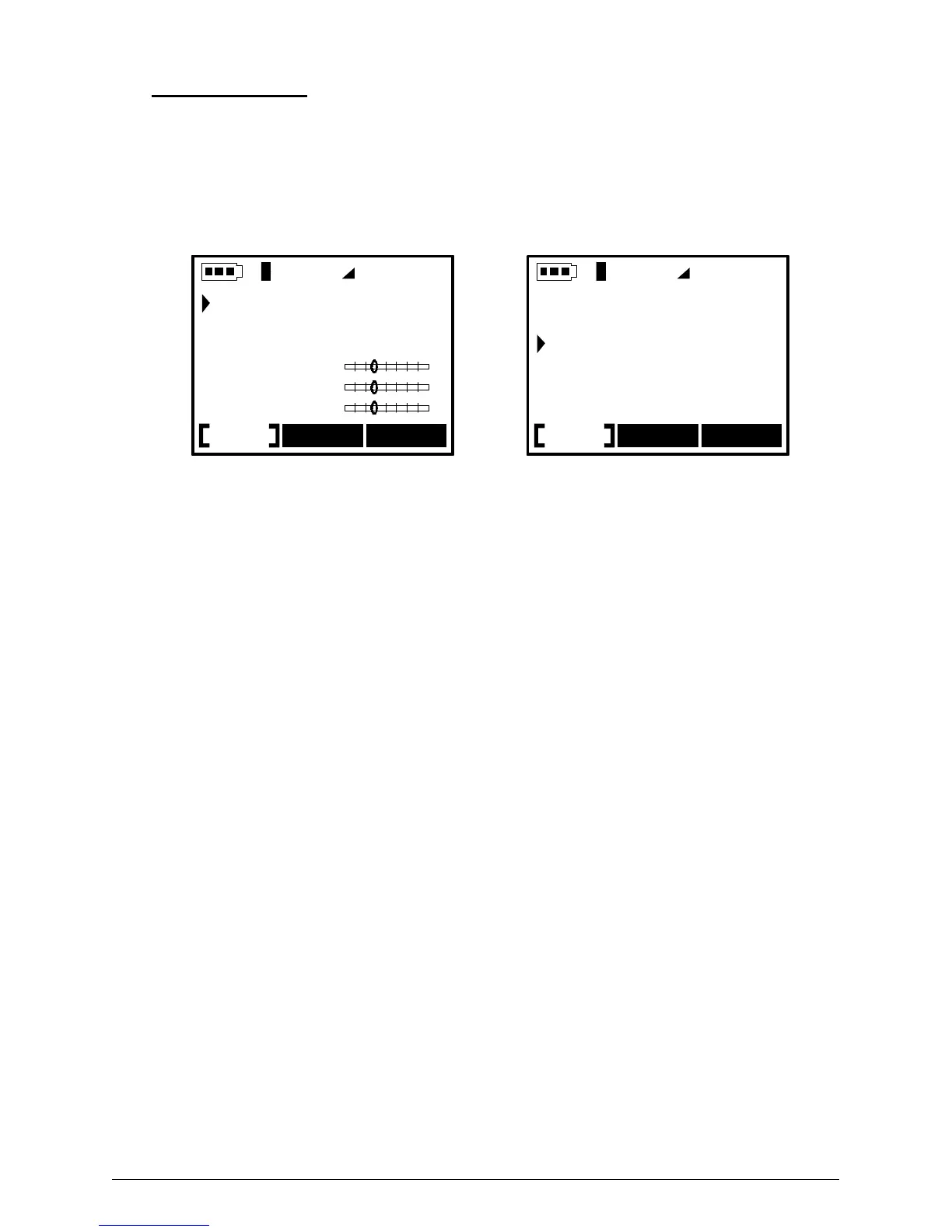
• From the Browser mode, press the “on” button momentarily to go to the settings menu. Press F1
[Music] to enter the Music Settings.
• Scroll down and select “PLAYLIST”, then press the “>||” play button to enter the Playlist submenu.
Vol
Music Rec Set
Play Mode
Playlist
Radio
Volume
Bass
Treble
Vol
Music Rec Set
Start Playlist
Edit Playlist
Save Playlist
Clear Playlist
The Music Settings Menu Play list menu options
• Select “Save Playlist” from the Playlist submenu. Remember the Playlist will always be saved in the
current working folder. Press the “>||” play button to save the Playlist.
• You will then be sent to the text input screen in order to name your new Playlist.



 To Next Page