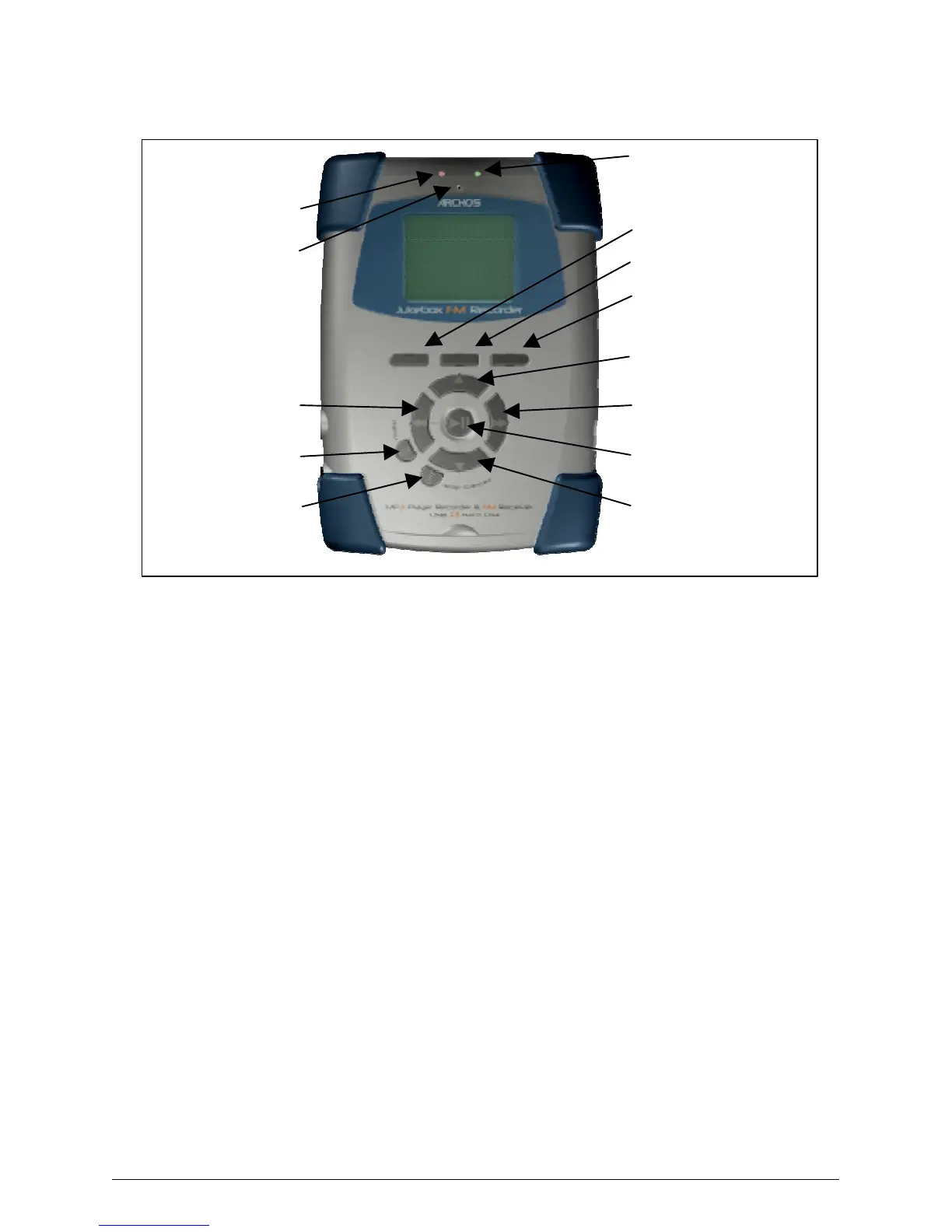
4.2 Controls
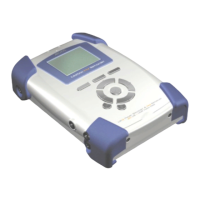
F1, F2 or F3 : These function buttons perform several operations, depending upon the mode
your Jukebox is in. The function of each button is displayed above it on the LCD screen.
UP or DOWN : These buttons allow you to navigate between files or subfolders while your
Jukebox is in Browse Mode, or to choose an option in a menu. They can also increase or
decrease the volume when playing a song (Play Mode).
LEFT or RIGHT : These buttons allow you to enter or exit a folder while in Browse Mode. Also
used within the settings menu to increase or decrease values such as contrast level, power-off
timeout, backlight timeout, or the recording level for the microphone.
PLAY/PAUSE : This button allows you to play/pause/resume a song or enter a directory, to
select an option in a menu or enter a submenu.
ON : This button can be used to turn the Jukebox FM Recorder on, or to access the main
settings menu. A long press (3 seconds) of this button will put the unit in to ‘HOLD’ mode
which locks all buttons. Another long press will unlock the buttons.
OFF/STOP/CANCEL : this button allows you to turn off the Jukebox FM Recorder (A long
press of 3 seconds) or to stop a song, cancel any menu, or mode and return to browse mode
(regular click).



 To Next Page