- 6 -
Operating the Jukebox
Before using the Jukebox for the first time, you are required to recharge the built in batteries for a
minimum of 7 to 8 hours. You can also use the ARCHOS Jukebox with ther power adaptor during
charging.
Charging Batteries: (ONLY use the supplied ARCHOS power adaptor and the supplied
batteries)
The batteries are required to be fully charged for 6 hours. Plug the ARCHOS DC power adaptor
into an available wall outlet, then plug the mini power connector to the “DC In” of the Jukebox.
While charging, the Jukebox can be used after an hour, charging time may then be increased up
to 15 hours depending on the extent of use.
To Play MP3 tracks
:
1. Press the On button (until it appears on screen)
2. MP3 track(s) will be listed on the LCD. Use
+
or
-
to move up and down.
There are a number of MP3 tracks pre loaded on to your Jukebox.
3. Press
Play
button to play MP3 tracks.
4. Press
Stop
to stop playing. Hold down for more than 3 sec to
Turn Off
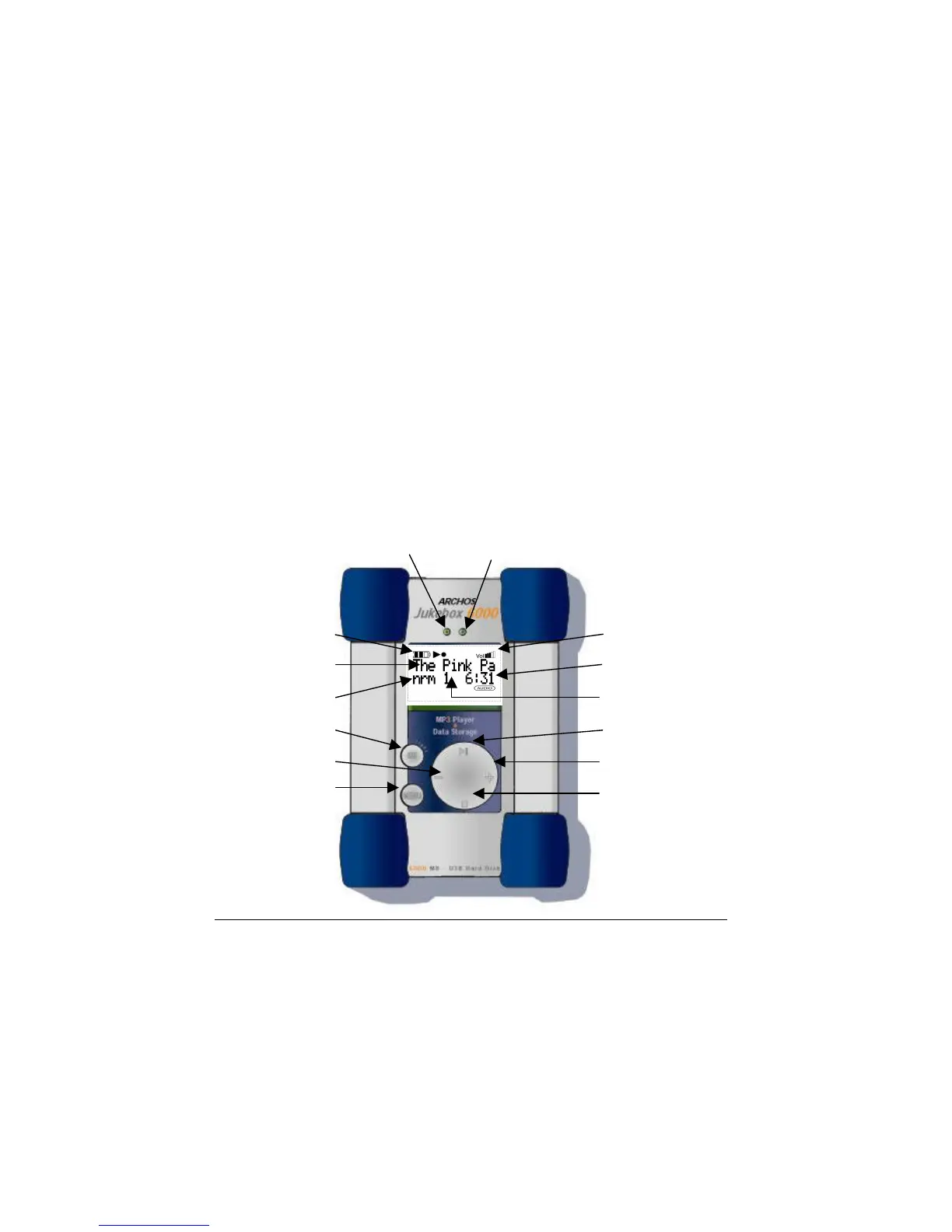
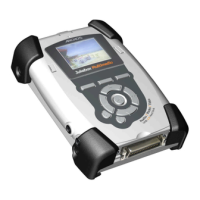
Error (red) Power (green)
Battery Level Volume
Song Title Time Elapsed
Play Mode Track Number
On Play/Select
Preceden
t
Next
Menu Stop/
Cancel/Off



 To Next Page