15 / 56
PREPARATION
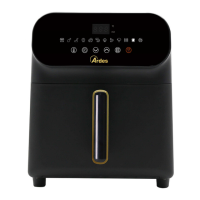
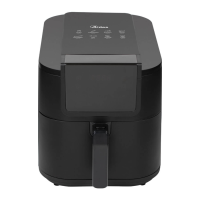
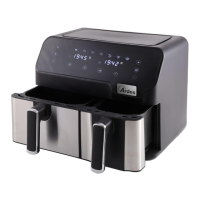
1. Remove the container (6) from the fryer, insert the basket (3) into the container and place the
ingredients in the container. Refer to “PROGRAMS AND SETTINGS” paragraph for information
regarding the preparation of ingredients.
Avoid food coming in contact with the heating element. Do not overfill containers and pay particular
attention to food that increase in volume. Never use the container without the basket.
Attention: never pour oil or other liquids into the containers or baskets. Use of oil is only
permitted as indicated in the “PROGRAMS AND SETTINGS” paragraph.
2. Insert the container (6) into the appliance.
3. Insert the plug in the power socket. The button will light up to indicate that the appliance is
connected to the mains.
4. Press the key to enable the keys.
Note: After 60 seconds of inactivity, the appliance automatically switches off,
COOKING MODE SELECTION
Manual adjustment
1. Press the key to select the cooking temperature or time. The symbol corresponding to the
temperature or time lights up on the icon (8). Use the keys to adjust the values.
2. Press the key to start cooking.
Preset programs
1. Press the key to select one of the preset programs. The selected program (9) will flash on the
control panel.
To change the cooking temperature or time, please refer to point 1 in "Manual adjustment."
2. Press the key to start cooking.
Delayed start-up
A delayed start of cooking can be set.
-to set the delayed start, select the preferred cooking method by carrying out the operations in point
1 under "Manual adjustment" or "Preset programs".
- Press the key and adjust the time using the keys.
- Press the key. Cooking will begin once the set period has elapsed.
DURING COOKING
The display shows the remaining cooking time and the program set.
To change the temperatures or remaining times, please refer to point 1 under 'Manual Adjustment'.
To select another program, press the key and repeat the steps in the 'Preset programs' section.
To temporarily stop cooking:
Press the key to temporarily stop cooking (pause).
Press the key again to continue cooking.



 To Next Page