Between each entering, confirm
the cipher with
p5
4.3 Main menu
Mode
configuration
reading
(see p 16 )
If code correct,
access to the
programming
menu
(see p 6 )
Analog out-
put simula-
tion
(see p 17 )
Authorized by
access code*
Deleting of
the recorded
alarms
(see p 17 )
and
6888
6588
6528
6520
rEAd
ProG
CodE
8 888
GEnE. CLEAr
«
CLr.M
«
SUP.
«
«
«
«
«
Programming
of the access
code
(see p 17 )
Display
simulation
(see p 17 )
Authorized by
access code*
(relay / analog
output)
(analog
output)
(relay output)
P.CodE
SIMUL
«
«
Zero reset of
the min. and
Max.
(see p 18 )
Visualisation
of the Max.
value
(see p 18 )
InF.
«
Visualisation
of the min.
value
(see p 18 )
Access to
menu tArE
(see p 18 )
Authorized by
access code*
t.MEnu
«
scrolling of
menus
vertical
move
Entering of the access code.
The access to the programming menu is
protected by a 4-cipher code. The code is
0000 on factory exit (to change this code
see page 17)
Entering of a parameter:
First start by increasing or decreasing:
The 1st digit and the sign: from -9 to +9.
The 2nd from 0 to 9.
The 3rd from 0 to 9.
The 4th from 0 to 9.
The 5th from 0 to 9.
Main menu
(continuation)
4.2 Orientation through the programming
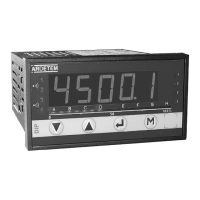
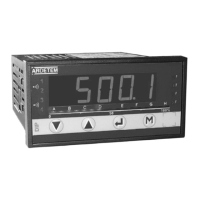
The dialogue is ensured by 4 keys located on the front face.
Move through the menus
downwards, or decreasing
of the displayed value
Validation of the displayed parameter
or access to a sub-menu
Exit from a sub-menu to
access the next menu / access
to the programing exit menu
Note: In mode programming, the instrument will automatically revert to
the measure with the previous configuration if no key is pressed during
1min.
Move through the menus
upwards or increasing of
the displayed value
M
65280
M


 To Next Page
 Loading...