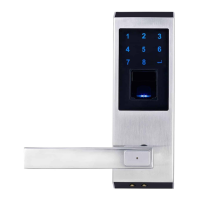
NOTE: The door lock has a self-learning ability and becomes more accurate the
more it reads your fingerprint. So try to use finger to unlock for 5 or more times
after you add your fingerprint in system.
After unlocking, the Ardwolf A1 will automatically lock itself again after 5 seconds.
ADD MORE FINGERPRINTS / USERS
To add more fingerprints/users, just repeat steps for adding fingerprint, but
choose a different User ID number than you’ve used before.
⦁ Press * to start setup
⦁ Enter the Programming Code and press #
NOTE: If you’re an Administrator, you don’t need to type in Programming
Code and #. Just place finger on sensor.
⦁ Press 1 and * to add fingerprint
⦁ Choose and enter User ID number and then press #
⦁ Place finger on sensor
4



 To Next Page