Exit setting mode: Enter * to exit the setting procedure, or
wait for 10 seconds
Low battery warning: When the voltage drops below 4.8V,
after entering a valid code, the LED will flash red and beep
five times.
Unlocking indicator: Green light will flash and beep twice.
Locking indicator: Red light will flash and beep three
times.
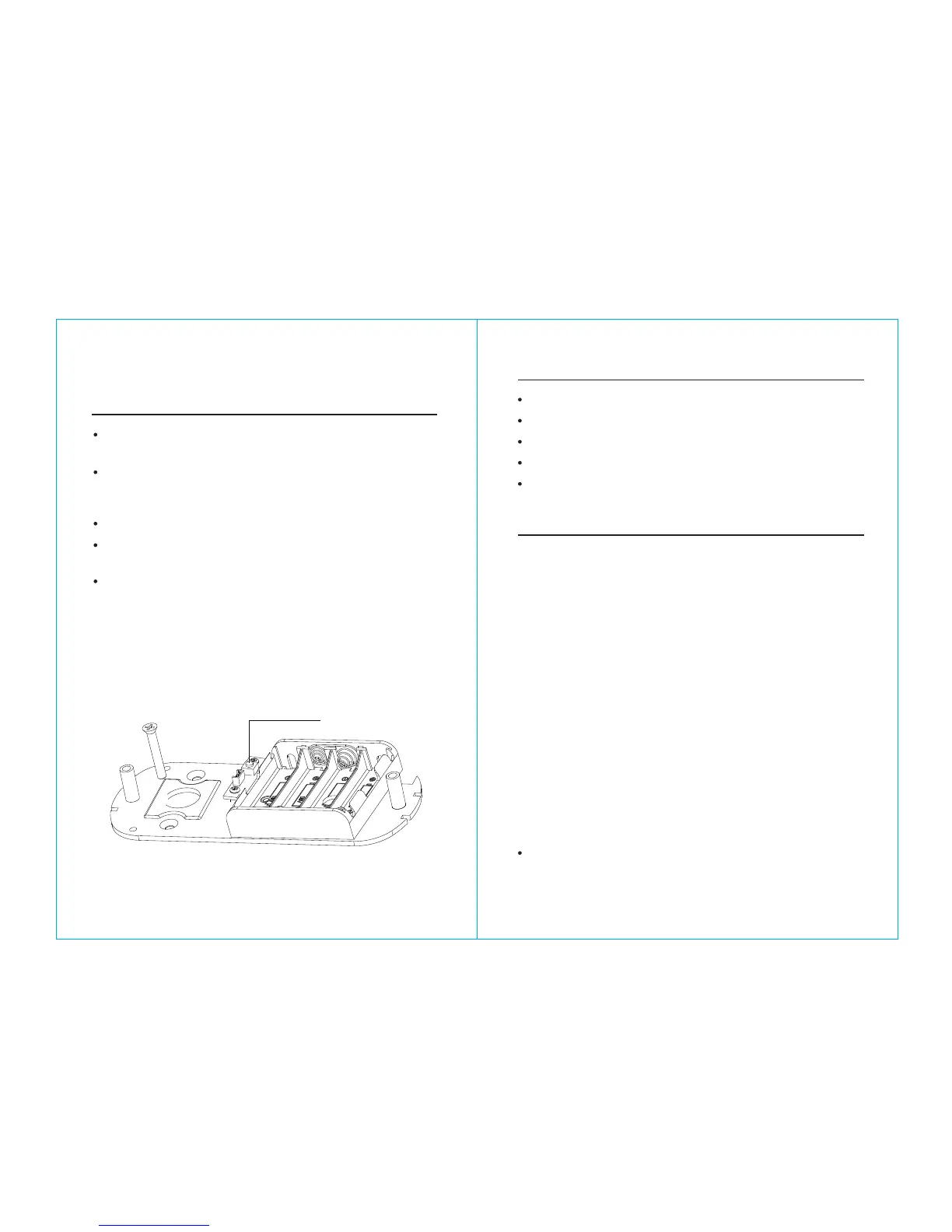
Reset: Set the lock back to manufacturer default. Press
and hold the reset button for about 10 seconds (3 beeps
with LED blink red). The reset button is located below the
battery compartment. (See Picture)
Programming
General Information
Reset Button
Daylight Savings: Disabled
Auto unlock/lock: Disabled
Default programming code: 123456
Lock mode: Storehouse
Construction code: 0 #
Manufacturer default settings
a. Change master code (For example, change to 1234)
# 123456 # 11 # 1234 # 1234 #
b. Enable daylight saving (optional)
# 1234 # 31 #
c. Set lock time (optional) (For example, set time as January
23, 2008, 2:45PM)
# 1234 # 88 # 0801231445#
d. Add user code (For example, add 1357 to the lock, 001 is
index No.)
# 1234 # 01 # 001# 1357 # # #
e. Add user card (Optional.002 is index No.)
# 1234 # 01 # 002 # touch MF card onto reader ## # (wait
light goes off)
Steps to setup a new lock (please follow the order)
Set schedule for user code or user card (see 29 How to
program schedule week & time)
08 09


 To Next Page