How to get rid of bad smell from Argo Air Conditioner?
- JJose LopezSep 15, 2025
To address unpleasant smells from your Argo Air Conditioner, identify and eliminate any odour sources such as furniture or cigarettes. Also, clean the filter.
How to get rid of bad smell from Argo Air Conditioner?
To address unpleasant smells from your Argo Air Conditioner, identify and eliminate any odour sources such as furniture or cigarettes. Also, clean the filter.
Why is my Argo X3I ECO PLUS 27 HL WF not reaching the desired temperature?
If the desired level of heating/cooling cannot be achieved by your Argo Air Conditioner, try the following: Ensure that the voltage is normal. Clean the filter. Adjust the temperature to the available range. Close any doors and windows.
Why is my Argo Air Conditioner not working?
If your Argo Air Conditioner isn't working, try these steps: wait for the power to be restored, reinsert the plug, wait 3 minutes before restarting the unit, or reset the function. If these steps don't work, have the circuit breaker or fuse replaced by a qualified technician, or have the unit itself replaced by a qualified technician.
Why is my Argo X3I ECO PLUS 27 HL WF Air Conditioner not cooling/heating to the desired level?
If your Argo Air Conditioner isn't heating or cooling as expected, first wait for the voltage to return to normal. Then, clean the filter. Ensure the temperature is within the adjustable range and close all doors and windows.
Why does my Argo Air Conditioner produce mist?
If the indoor unit's air outlet of your Argo Air Conditioner produces a mist, it may be due to high indoor temperature and humidity. Wait for the indoor temperature and humidity to fall, and the mist should disappear as the air cools.
Why does my Argo X3I ECO PLUS 27 HL WF make creaking noises?
If you hear creaking or cracking noises from your Argo Air Conditioner, and the unit has recently been turned on or off, it is likely the sound of friction caused by the expansion and/or contraction of the panel or other parts due to temperature changes.
Why does my Argo X3I ECO PLUS 27 HL WF unit emit unpleasant smells?
If your Argo Air Conditioner smells unpleasant, eliminate the source of the odor and clean the filter.
Why does the Argo Air Conditioner turn on suddenly?
If your Argo Air Conditioner turns on suddenly, disconnect the power supply and then reconnect it, and turn the unit on again.
Why does my Argo Air Conditioner produce mist from the indoor unit?
If the indoor unit's air outlet of your Argo Air Conditioner produces a mist, this occurs when indoor air cools rapidly. Wait for the indoor temperature and humidity to fall, and the mist should disappear.
Why can't I adjust the temperature on my Argo Air Conditioner?
If the set temperature on your Argo Air Conditioner cannot be adjusted, it may be in automatic mode. Change the operating mode if you want to adjust the temperature. Also, ensure that the temperature you are trying to set is within the range of 16 – 30°C.
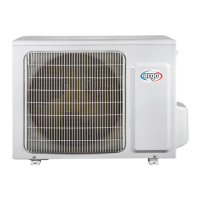
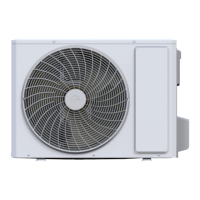
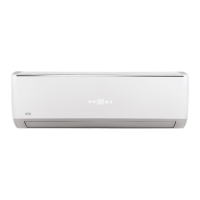
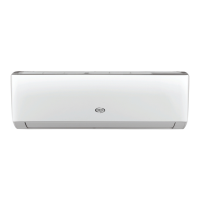
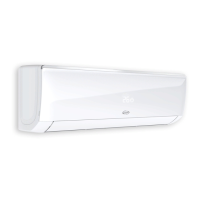
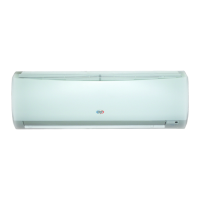
Provides visual summaries of the indoor unit, outdoor unit, and remote controller.
Lists detailed technical specifications for the X3I ECO PLUS 27 model, including electrical and performance data.
Details technical specifications for the X3I ECO PLUS 27 SH outdoor unit, covering performance and physical attributes.
Details technical specifications for the X3I ECO PLUS 24 SH indoor unit, including fan and evaporator data.
Provides detailed specifications for the X3I ECO PLUS 35 SH outdoor unit, including compressor and connection data.
Lists technical specifications for the X3I ECO PLUS 35 HL WF indoor unit, including fan and evaporator data.
Details specifications for the X3I ECO PLUS 35 SH outdoor unit, including compressor, condenser, and connection pipe data.
Details specifications for the X3I ECO PLUS 35 HL WF indoor unit, including fan, evaporator, and dimensions.
Provides specifications for the X3I ECO PLUS 52 SH outdoor unit, covering compressor, condenser, and connection pipe details.
Lists technical specifications for the X3I ECO PLUS 52 HL WF indoor unit, including fan and evaporator details.
Details specifications for the X3I ECO PLUS 52 SH outdoor unit, including compressor, condenser, and connection pipe data.
Provides technical specifications for the X3I ECO PLUS 52 SH indoor unit, covering fan, evaporator, and dimensions.
Details specifications for the X3I ECO PLUS 70 SH outdoor unit, including compressor, condenser, and connection pipe data.
Lists technical specifications for the X3I ECO PLUS 70 HL WF indoor unit, covering fan and evaporator details.
Provides specifications for the X3I ECO PLUS 24 SH outdoor unit, including compressor, condenser, and connection pipe details.
Details specifications for the X3I ECO PLUS 70 SH indoor unit, covering fan, evaporator, and dimensions.
Details specifications for the X3I ECO PLUS 70 SH outdoor unit, including compressor, condenser, and connection pipe data.
Presents curves for compressor speed vs. current in cooling and heating modes.
Shows how capacity ratio varies with outdoor temperature in cooling and heating.
Provides cooling and heating data at rated frequency for different models.
Illustrates noise levels based on compressor frequency and fan speed.
Shows dimensional diagrams for X3I ECO PLUS indoor units with measurements.
Presents dimensional diagrams for X3I ECO PLUS outdoor units with measurements.
Shows the outline dimensions for the X3I ECO PLUS 27 SH outdoor unit.
Illustrates the refrigerant flow path for cooling and heating modes, including components.
Shows the wiring connections for the indoor unit's main control board and components.
Details the electrical wiring for the X3I ECO PLUS 70 SH outdoor unit, including component connections.
Illustrates the top and bottom views of the indoor unit's printed circuit board with component labels.
Shows the top and bottom views of the PCB for X3I ECO PLUS 27 SH and 35 SH outdoor units.
Explains the function of each button on the YAC1FB9(WIFI) remote controller.
Describes the meaning of various icons displayed on the remote controller screen.
Explains the operation of ON/OFF, MODE, FAN, TURBO, and temperature adjustment buttons.
Details how to operate the swing function and the different sleep modes.
Explains the functions of I FEEL, TIMER, CLOCK, QUIET, WiFi, LIGHT, and TEMP buttons.
Describes how to activate and use the energy-saving and 8°C heating functions.
Covers child lock, temperature display options, and basic operation sequence.
Provides instructions on how to replace batteries in the remote controller.
Explains the GREE+ App control flow, operating systems, and download instructions.
Details the Ewpe Smart App control flow, operating systems, and download instructions.
Describes the basic operating modes of the indoor unit, including temperature ranges and conditions.
Explains other indoor unit controls like buzzer, auto functions, sleep, timer, and memory.
Details functions such as I FEEL, defrosting, ambient temp display, off-peak operation, SE, X-fan, and Turbo.
Describes the operating conditions and processes for cooling, drying, fan, and heating modes.
Explains the procedures for Freon recovery and compulsory defrosting modes.
Covers critical safety warnings and electrical precautions for installation and maintenance.
Highlights warnings and precautions related to the use of flammable R32 refrigerant.
Details qualification requirements, installation notes, maintenance notes, and welding procedures.
Lists and illustrates the main tools required for installation and maintenance tasks.
Provides diagrams showing required clearances for indoor and outdoor unit installation.
Presents a flowchart outlining the sequence of installation steps.
Lists installation parts and provides guidance on selecting appropriate locations for units.
Details safety precautions and grounding requirements for electrical connections.
Explains how to install the wall-mounting frame, connect pipes, and wire the indoor unit.
Details fixing the outdoor unit support, drain joint, wiring, and pipe connections.
Provides guidelines for bending pipes and installing the drain hose to prevent issues.
Outlines the process for vacuum pumping the system and performing leakage detection.
Lists items to check after installation and the procedure for test operation.
Lists common error codes displayed by the indoor unit and their possible causes.
Provides diagnostic steps for temperature sensor and fan motor malfunctions (F1, F2, H6).
Diagnoses issues related to jumper caps (C5) and zero-crossing inspection circuits (U8).
Provides diagnostic procedures for WIFI detection plate (JF) and PFC protection (HC) malfunctions.
Guides through diagnosing capacitor charge faults and IPM protection issues.
Diagnoses high temperature, overload protection, and start-up failure faults in the outdoor unit.
Provides troubleshooting steps for compressor out-of-step and overload conditions.
Details troubleshooting for overload, air exhaust, and communication circuit malfunctions.
Troubleshoots common issues like unit not starting, poor cooling/heating, and louver problems.
Covers troubleshooting for outdoor fan motor, compressor, and refrigerant leaks.
Provides guidance on identifying and resolving abnormal sounds and vibrations from the unit.
| Cooling Capacity | 27000 BTU/h |
|---|---|
| Wi-Fi | Yes |
| Refrigerant | R32 |
| Type | Split |
| Power Supply | 220-240V/50Hz |
| Air Flow (Indoor) | 500 m3/h |


Loading...