EasyManua.ls Logo

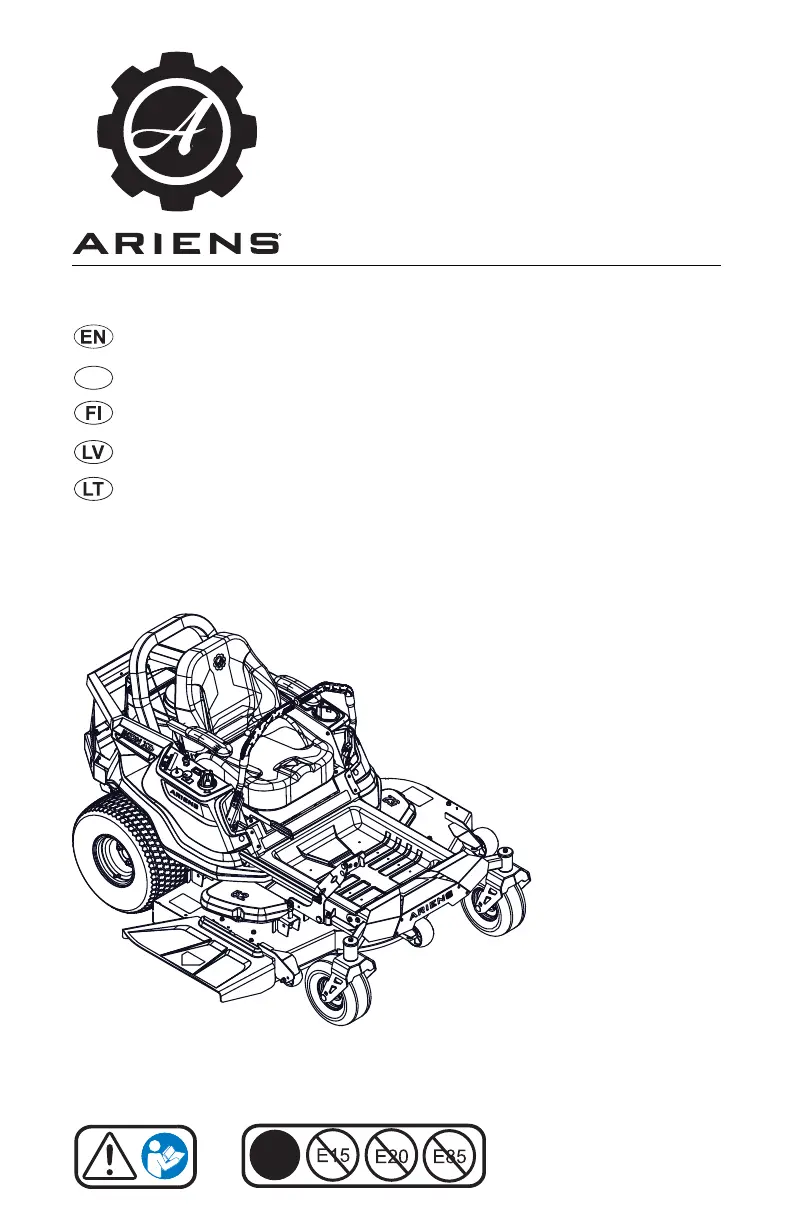
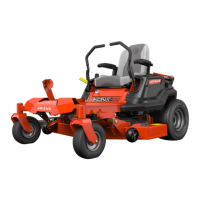
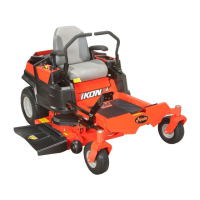
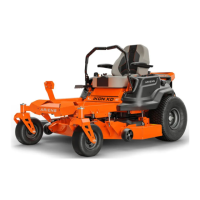
Ariens IKON XD 42 - User Manual

Ariens IKON XD 42
192 pages
Print Icon
To Next Page IconTo Next Page
Loading...
915340 – IKON XD 42
(SN A0396329 +)
915341 – IKON XD 52
(SN A0396329 +)
915342 – IKON XD 42
(SN A0402434 +)
915343 – IKON XD 52
(SN A403541 +)
39612300 5/23
Printed in UK
E10
IKON XD
Models
Operator’s Manual
Kasutusjuhend
Käyttäjän Käsikirja
Operatora Rokasgrāmata
Eksploatacijos Vadovas
ET
ET

Table of Contents

Questions and Answers

  • M
    Michelle PittmanAug 18, 2025
    Why Ariens IKON XD 42 engine does not start?
    • F
      fletchergarrettAug 18, 2025
      Several factors can prevent your Ariens Lawn Mower engine from starting. It could be due to the Safety Interlock System not being engaged or being faulty. The fuel tank might be empty, or the fuel supply could be contaminated, requiring replacement with clean fuel. A discharged battery or a poor connection between the battery and cables could also be the cause, so ensure the battery is charged and the connections are tight and clean. Loose spark plug wires or faulty spark plugs may also be responsible; connect the wires or replace the spark plugs as needed. In some cases, the electrical system or the engine itself may be faulty, requiring assistance from your Ariens dealer.
  • M
    Mrs. Diana AndersonAug 21, 2025
    Why won't my Ariens IKON XD 42 engine start?
    • R
      russellamberAug 21, 2025
      Several factors can prevent your Ariens Lawn Mower engine from starting. It could be due to a disconnected or faulty Safety Interlock System, an empty fuel tank, contaminated fuel, a discharged battery, poor connection between the battery and cables, loose spark plug wires, or faulty spark plugs. Try checking the Safety Interlock System, filling the fuel tank with clean fuel, charging the battery, and tightening or cleaning the battery cables. If the issue persists, consider replacing the spark plugs.
  • R
    Robin MaloneAug 23, 2025
    What to do if Ariens IKON XD 42 Lawn Mower has poor cutting quality?
    • N
      nicholascarrAug 23, 2025
      If your Ariens Lawn Mower isn't cutting properly, several factors could be the cause. The mower blades might not be level, or the mower deck pitch could be incorrect; level and adjust them as needed. Dull or faulty mower blades can also lead to poor cutting, so sharpen or replace them. If you're mowing too fast, try driving slower. Also, check if the cutting height is too low, and avoid setting it too low; for very tall grass, mow twice. Poor belt tension or condition can also affect cutting quality.
  • M
    michaelalvarezAug 26, 2025
    Why Ariens IKON XD 42 engine runs rough?
    • T
      taylormarkAug 26, 2025
      If your Ariens Lawn Mower engine is running rough, it might be due to the choke control knob being in the 'on' position; move it to the 'off' position. Another possible cause is a plugged air filter cartridge, which should be cleaned or replaced. In some cases, the engine itself may be faulty.
  • B
    Brent BlanchardAug 28, 2025
    What to do if Ariens IKON XD 42 engine overheats?
    • S
      scottwallaceAug 28, 2025
      If your Ariens Lawn Mower engine is overheating, check the engine oil level and add oil if it's low. Also, inspect the cooling fins for blockages and clean the engine if necessary. In some cases, the engine itself may be faulty.
  • M
    Melissa JonesAug 30, 2025
    What to do if Ariens Lawn Mower does not drive?
    • R
      Robert KleinAug 30, 2025
      If your Ariens Lawn Mower isn't driving, first check if the transaxles are bypassed and engage the levers if they are. The ground drive belt might also be faulty. In some cases, the transaxles themselves may be faulty.
  • L
    Larry WarrenSep 1, 2025
    What to do if my Ariens IKON XD 42 Lawn Mower has poor cutting quality?
    • A
      Andrew LeachSep 1, 2025
      If your Ariens Lawn Mower isn't cutting grass effectively, several issues could be the cause. The mower blades may not be level, or the mower deck pitch could be incorrect. The blades might also be dull or faulty. You might be mowing too fast, the belt tension could be poor, or the cutting height might be too low. Try leveling the mower deck, sharpening or replacing the blades, reducing your mowing speed, replacing the deck drive belt if its condition is poor, and avoiding setting the cutting height too low. For very tall grass, consider mowing twice.
  • S
    Sandra SchmittSep 4, 2025
    Why Ariens Lawn Mower PTO malfunctions?
    • R
      richard58Sep 4, 2025
      If the PTO on your Ariens Lawn Mower is malfunctioning, make sure the operator presence switch is activated by sitting on the operator seat. The operator presence switch might be faulty. Other potential issues include a faulty deck drive belt, or a faulty PTO switch, wiring, connectors, or clutch.
  • N
    Nicholas SmithSep 6, 2025
    What to do if Ariens IKON XD 42 Lawn Mower does not track straight?
    • G
      garrett58Sep 6, 2025
      If your Ariens Lawn Mower isn't tracking straight, start by checking the tire pressure. If the pressure is incorrect, adjust it accordingly. The steering levers may also need adjustment. In some cases, the transaxles and/or linkages may need adjustment.
  • J
    Jennifer HawkinsSep 8, 2025
    Why Ariens IKON XD 42 moves with engine off and parking brake engaged?
    • A
      Aaron MillerSep 8, 2025
      If your Ariens Lawn Mower moves with the engine off and the parking brake engaged, it could be that the parking brake needs adjustment or is faulty.

Summary

WELCOME

Have Questions or Need Assistance?

Find assistance and download manuals for the unit on the Ariens website.

REGISTER YOUR PRODUCT!

Register your product to activate warranty and establish communication with AriensCo.

MANUALS

Read unit manuals for safety, controls, and important operating information.

DISCLAIMER

AriensCo reserves the right to change product designs and manual content without prior notice.

SAFETY

Safety Alert Symbol

Explains the safety alert symbol and emphasizes user attention to safety messages.

Signal Words

Defines signal words (Danger, Warning, Caution, Notice, Important) used in safety messages.

SAFETY DECALS

Safety Decal Locations

Illustrates the placement of various safety decals on the machine for easy identification.

Safety Decal Descriptions

DANGER and HAZARD DECALS

Describes DANGER, Amputation, and Discharge Hazard decals, explaining potential risks and precautions.

Safety Decal Descriptions Continued

HAZARD AND WARNING DECALS

Details decals for Tipping, Loss of Traction, Service, Bystander hazards, Hot Parts, and Rotating Parts.

SAFETY RULES

Operator Training and Responsibilities

Emphasizes operator training, understanding controls, and responsibilities for safe operation.

Operator Age and Children

Advises on age restrictions for operation and crucial safety precautions regarding children.

PERSONAL PROTECTION

Personal Safety Gear

Details required personal protective equipment (PPE) for safe operation.

Before Operating Checks

Lists essential pre-operation checks including fasteners, decals, and safety interlocks.

Safe Operation Practices

Provides guidelines for safe operation, including bystander clearance and hazard awareness.

OPERATING PROCEDURES

Safe Machine Handling

Covers unattended operation, stopping procedures, load limits, and operating conditions.

Slope Operation

Details precautions for operating on slopes, including speed, direction, and avoiding tip-overs.

FUEL HANDLING

Gasoline Safety

Provides guidance on handling gasoline, ethanol blends, and approved containers to prevent fire hazards.

FUELING AND TOWING

Fueling Precautions

Lists essential safety steps for fueling, including location, cooling, and avoiding ignition sources.

Towing Guidelines

Outlines manufacturer recommendations and safety for towing equipment and on slopes.

ACCESSORIES AND SERVICE

Recommended Accessories

Advises using only AriensCo recommended attachments for safety and proper use.

Service Precautions

Warns against non-genuine parts, changing governor settings, and emphasizes safety during maintenance.

UNIT MAINTENANCE AND TRANSPORT

Maintenance Safety

Highlights safety during servicing, including cooling, blade handling, and avoiding pressurized fluids.

Transporting Unit Safely

Provides instructions for safely loading, unloading, and securing the unit for transport.

STORAGE PROCEDURES

Unit Storage

Details procedures for storing the unit, including fuel system preparation and cleaning.

ASSEMBLY

Required Tools

Lists the tools needed for assembly, including wrench and petroleum jelly.

Unit Unpacking

Step-by-step instructions for safely unpacking the unit from its container.

Seat Cable and Operator Presence Cable

Guides on securing the seat cable and operator presence cable connections.

Battery Connection

Instructions for properly connecting the battery terminals.

STEERING LEVER ASSEMBLY

Assemble Steering Levers

Step-by-step process for attaching and adjusting the steering levers.

Install Deck Lift Pedal

Instructions for installing the deck lift pedal onto the unit.

UNIT PREPARATION

Prepare Unit for Operation

Guidance on adjusting the seat for comfortable operation before starting.

CONTROLS AND FEATURES

Component Identification

Identifies and labels key controls and features of the unit using Figure 10.

IGNITION AND THROTTLE CONTROLS

Ignition Key Operation

Explains the function of the ignition key for starting and powering the engine.

Throttle and Choke Controls

Details operation of the throttle control lever and choke control knob for engine speed and starting.

MOWER DECK AND PTO CONTROLS

PTO Knob and Hour Meter

Describes the PTO knob for blade engagement and the hour meter for tracking runtime.

Height-of-Cut and Deck Lift

Explains the height-of-cut dial and deck lift pedal for adjusting cutting height and mower deck.

SEAT, BRAKE AND STEERING CONTROLS

Seat Adjustment and Parking Brake

Details how to adjust the seat and operate the parking brake lever.

Steering and Bypass Levers

Explains the function of steering levers, transaxle bypass levers, and anti-scalp rollers.

OPERATION GUIDELINES

Emergency Stopping Procedure

Step-by-step instructions for performing an emergency stop of the unit.

Before Operating Unit Checklist

Lists essential checks before operating, including fuel, oil, air cleaner, and safety interlock system.

STARTING AND OPERATING THE UNIT

Start the Engine

Provides a step-by-step guide to starting the engine, including choke and throttle settings.

Operate Unit Safely

Instructions for releasing the brake, setting throttle, engaging PTO, and safe maneuvering.

STOPPING AND MANUAL MOVEMENT

Stop the Engine

Steps to safely stop the engine and leave the operator's position.

Move Unit Manually

Explains how to disengage transaxles for manual movement of the unit.

MAINTENANCE SCHEDULE

Scheduled Maintenance Tasks

Details the maintenance schedule and tasks required at different usage intervals.

SERVICE PARTS AND CHECKS

Service Parts Identification

Lists available service parts with part numbers for ordering.

Safety Interlock System Check

Describes tests to verify the proper function of the safety interlock system.

BASIC MAINTENANCE CHECKS

Parking Brake and Engine Oil Checks

Guides on checking the parking brake function and engine oil level.

Tire Pressure Check

Advises checking tire pressure against specifications for proper operation.

FASTENER AND BLADE MAINTENANCE

Check Fasteners

Instructions for checking all hardware for looseness or missing components.

MOWER BLADE SERVICE

Remove and Sharpen Blades

Details how to remove, discard, and properly sharpen mower blades.

BATTERY MAINTENANCE

Remove and Install Battery

Steps for removing the battery for service and reinstalling it correctly.

Battery Blade Balancing

Explains how to balance mower blades after sharpening to prevent vibration.

BATTERY CARE AND MOWER BELTS

Clean and Charge Battery

Procedures for cleaning battery terminals and charging the battery.

Check and Remove Deck Drive Belt

Guidance on checking mower belts for wear and removing the deck drive belt.

DECK DRIVE BELT INSTALLATION

Install Deck Drive Belt

Step-by-step instructions for installing the deck drive belt on 42" and 52" decks.

GROUND DRIVE BELT SERVICE

Remove Ground Drive Belt

Procedures for removing the ground drive belt, including disconnecting components.

Install Ground Drive Belt

Instructions for installing the ground drive belt, reconnecting wires and shields.

SEAT AND STEERING ADJUSTMENTS

Adjust Seat Position

How to adjust the seat forward or backward and lock it in place.

Adjust Steering Lever Height

Steps to adjust the height of the steering levers for optimal comfort and control.

STEERING LEVER AND TRACKING ADJUSTMENTS

Adjust Steering Level Reach

Instructions for aligning steering levers for proper reach and control.

Adjust Unit to Track Straight

How to check tire pressure and adjust steering levers to ensure straight tracking.

STEERING AND BRAKE ADJUSTMENTS

Adjust Steering Levers for Tracking

Details on adjusting steering levers to correct tracking issues after tire pressure adjustments.

Adjust Parking Brake Lever

Steps to adjust the parking brake lever for correct engagement and function.

MOWER DECK REMOVAL

Remove Mower Deck

Procedures for safely removing the mower deck, including belt and spring disconnections.

MOWER DECK INSTALLATION AND LEVELING

Install Mower Deck

Steps for installing the mower deck, connecting lift levers and belts.

Level Mower Deck

Instructions for leveling the mower deck to ensure consistent cutting height.

MOWER DECK BLADE ADJUSTMENTS

Set Blade Pitch

Guidance on setting the blade pitch for optimal cutting performance.

TROUBLESHOOTING ENGINE AND DRIVE ISSUES

Engine Start and Running Problems

Addresses issues like engine not starting, rough running, and overheating with probable causes and corrections.

Drive and PTO Problems

Covers unit not driving, PTO malfunctions, and unintended movement with troubleshooting steps.

TROUBLESHOOTING CUTTING QUALITY

Poor Cutting Quality Issues

Identifies causes of poor cutting quality and provides solutions like deck leveling and blade sharpening.

STORAGE AND PREPARATION

Short and Long-Term Storage

Provides instructions for storing the unit for short and long periods, including fuel stabilization.

Start-of-Season Preparation

Steps to take before operating the unit after a long storage period.

ACCESSORIES

Compatible Accessories

Lists available accessories and their part numbers for purchase.

TECHNICAL SPECIFICATIONS

Model and Engine Specifications

Details model numbers, engine types, power, displacement, and RPMs.

TRANSMISSION AND ENGINE WARRANTY

Transmission Warranty Details

Information on warranty coverage for Hydro-Gear and Parker transmissions.

Engine Warranty Details

Information on warranty coverage for Ariens AX and Briggs & Stratton/Kawasaki engines.

CUSTOMER RESPONSIBILITIES

Warranty Service and Registration

Outlines customer duties for obtaining warranty service and registering the product.

LIMITED WARRANTY

Warranty Coverage and Periods

Details warranty periods for different product groups, including residential and commercial use.

Special Warranty Extensions

Outlines special extensions to standard warranty terms for specific product groups.

WARRANTY EXCLUSIONS AND LIMITATIONS

Warranty Term Exclusions and Limitations

Lists components and conditions not covered by the warranty, and limitations on warranty terms.

Items Not Covered by Warranty

Specifies parts, damage, and usage that void the warranty, including non-genuine parts and fuel issues.

WARRANTY DISCLAIMERS

Limitation of Remedy and Damages

States AriensCo's liability limits for defects and damages, excluding incidental or consequential damages.

Australian Consumer Law and Further Disclaimers

Covers consumer law rights and disclaims any warranties not expressly stated.

Ariens IKON XD 42 Specifications

General IconGeneral
Engine BrandKawasaki
Cutting Width42 inches
Transmission TypeHydrostatic
Deck MaterialSteel
Number of Blades2
Seat TypeHigh-back
Engine Displacement726 cc
Speed Range0-7 mph
Weight635 lbs
Warranty3 years
Fuel Capacity2.8 gallons
Cutting Height1.5 - 4.5 inches

Related product manuals