EasyManua.ls Logo

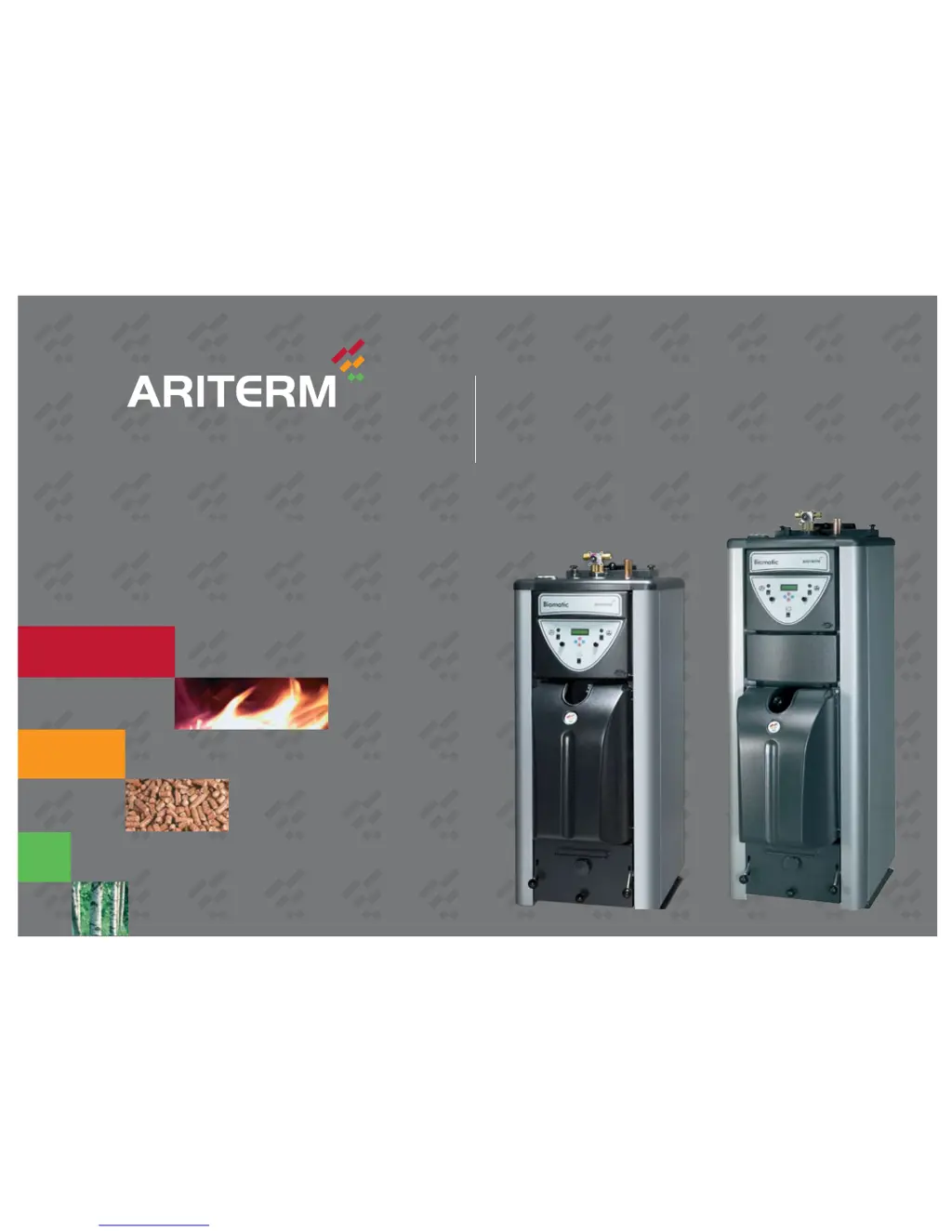
Ariterm Biomatic+ 20 - User Manual

Ariterm Biomatic+ 20
32 pages
Print Icon
To Next Page IconTo Next Page
Loading...
ARITERM SWEDEN AB Installation, Operation & Maintenance - 2009.02.18- 1/32
INSTALLATION, OPERATION AND MAINTENANCE
• Biomatic+ 20
• Biomatic+ 30

Other manuals for Ariterm Biomatic+ 20

Questions and Answers

  • L
    lucas07Aug 1, 2025
    What to do if Ariterm Biomatic+ 20 shows alarm control level monitor?
    • D
      Debbie MitchellAug 2, 2025
      If the Ariterm Boiler displays an 'Alarm control level monitor', it means the level switches haven't detected pellets in the burner's upper connection, even after the external auger has run for four times its operating time. Add pellets and run the external auger until pellets reach the burner's upper connection, then perform a start-up.
  • C
    christopherowensAug 6, 2025
    Why does my Ariterm Biomatic+ 20 Boiler show alarm max flue gas?
    • S
      Shannon AllenAug 6, 2025
      If the Ariterm Boiler shows an 'Alarm max flue gas', it means the flue gas temperature has exceeded the alarm limit. Put the bypass damper in place.
  • J
    jwalkerAug 11, 2025
    What to do if my Ariterm Biomatic+ 20 shows alarm optical monitor?
    • S
      sreedAug 11, 2025
      If the Ariterm Boiler displays 'Alarm optical monitor', it could be because the flame detection sensor hasn't detected flames for 10 minutes while the burner is in Power mode or the level switches have requested more pellets. See 'Alarm cold start' (paragraph 2). You can also go to the Testing menu and turn the blower on to ensure it's working.
  • N
    nguyenkatrinaAug 17, 2025
    What to do if my Ariterm Biomatic+ 20 Boiler shows alarm blocked pellets?
    • D
      Dr. Kevin BurkeAug 17, 2025
      If the Ariterm Boiler displays 'Alarm blocked pellets', it means the flame detection system hasn't detected flames for 10 minutes, and the level switch hasn't requested more pellets. Check the operation of the level switches from the Burner Adjustments menu.
  • K
    Kimberly WellsNov 20, 2025
    What to do if my Ariterm Biomatic+ 20 displays 'ALARM MAX THERMOSTAT'?
    • H
      Heidi DelgadoNov 20, 2025
      If the display shows 'ALARM MAX THERMOSTAT' or 'ALARM MAX THERMOSTAT ELECTRIC' and the over-temperature protection of the boiler has tripped, it could be due to several reasons. First, ensure the motor shaft rotates the auger and the external auger motor is working. If the motor doesn't rotate, plug the power cable directly into a mains socket using the provided cable; the motor's over-temperature protection might have tripped due to overheating, so let it cool down and check for blockages. Reset the boiler's over-temperature protection by pressing the RESET button, then switch the control unit OFF and back ON, also verifying the 3-phase current connection. Also, the flame guard and combustion head may be full of ash. Remove any ash, clean the combustion head, and wipe the flame guard. If ...
  • A
    Andrea TrujilloNov 25, 2025
    Why does my Ariterm Biomatic+ 20 display 'ALARM PELLETS NO' and how to fix it?
    • E
      eric42Nov 25, 2025
      If all display segments are out, the red operation indication is on, and the display reads 'ALARM PELLETS NO' on your Ariterm Boiler, and the burner is requesting fuel but not receiving it, check the following: Ensure the control unit fuses are intact and the main switch is ON. Replace any defective fuse (4A/230V) after disconnecting the device from electricity. Reset the over-temperature protection by pressing the RESET button, then switch the control unit OFF and back ON, also check the 3-phase current connection. Verify there are pellets in the fuel storage. Ensure the drop pipe's inclination isn't too gentle; add pellets and adjust the drop tube's inclination to prevent pellets from getting stuck. Also, check that the external auger's inclination isn't too steep (max 45°); adjust to a ...

Summary

Important Information

Technical Data and Dimensions

Biomatic+ 20 Specifications

Detailed technical specifications including performance, dimensions, and electrical data for Biomatic+ 20.

Biomatic+ 30 Specifications

Detailed technical specifications including performance, dimensions, and electrical data for Biomatic+ 30.

Operating Principles

Compact Design for Installation

Boiler's compact size allows installation in smaller rooms and easy access for service.

Safety and Alarms

Burner Safety Functionality

Integrated safety features in the burner design ensure secure operation and fuel supply.

Installation Procedures

Chimney Installation Guidelines

Guidance on chimney connection, flue gas requirements, and avoiding condensation.

Water Piping and System

Water Piping and Filling

Control Panel and Interface

Control Computer and Menu Navigation

Overview of the control unit's functions, menus, and settings.

Settings and Burner Overview

Combustion Adjustment Settings

How to adjust fuel and air settings for optimal combustion efficiency.

Display Messages and Adjustments

Service Menu (Menu 2) Access

Accessing and navigating the service menu for advanced settings and diagnostics.

Power Menu (Menu 3) Settings

Adjusting power settings for the burner, including fuel feed and fan speed.

Maintenance, Care, and Sweeping

Fuel Pellets and Guarantees

Ariterm Biomatic+ 20 Specifications

General IconGeneral
FuelWood pellets
Heat output20 kW
Efficiency92%
Weight320 kg
Flue Diameter130 mm
Dimensions (HxWxD)600 mm
Power Supply230 V / 50 Hz

Related product manuals