EasyManua.ls Logo

Arjo MaxxAir ETS - User Manual

Arjo MaxxAir ETS
24 pages
Print Icon
To Next Page IconTo Next Page
Loading...
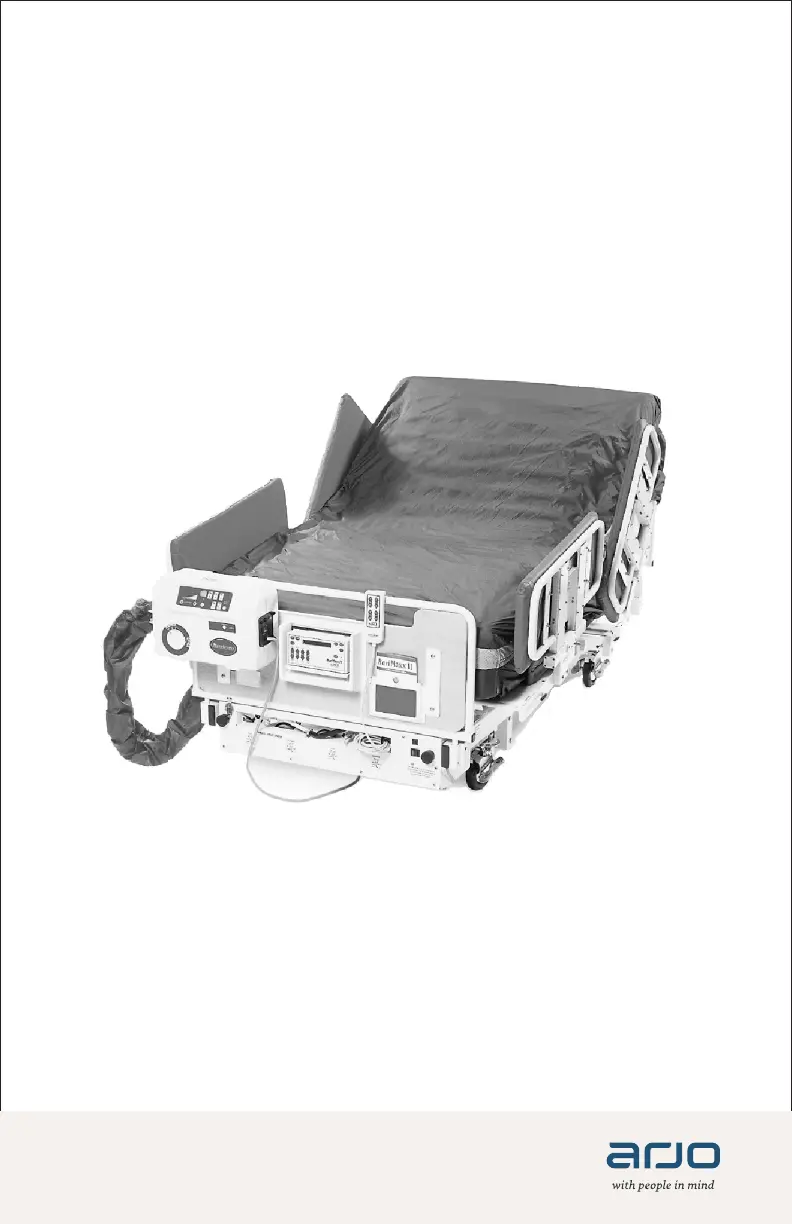
MaxxAir ETS
INSTRUCTIONS FOR USE
310115-AH Rev 3 •09/2019
Mattress Replacement System

Questions and Answers

  • W
    walkermichelleAug 14, 2025
    What to do if the Arjo MaxxAir ETS alarm sounds?
    • M
      mitchellchristinaAug 14, 2025
      If the alarm sounds, it may be due to an interruption or cutoff of power to the unit. Try pushing the Alarm Reset button on the front of the unit, and/or re-apply power.
  • S
    Sarah FisherAug 17, 2025
    Why is the Arjo MaxxAir ETS Medical Equipment Air Supply Unit turning on and off, or varying speed?
    • F
      Felicia McphersonAug 17, 2025
      The Air Supply Unit may be turning on and off, or varying in speed because it is controlled by a wall switch. Another cause may be that too many devices are in operation or plugged into the same circuit as the Air Supply Unit. Also, the air filter may be clogged with dust and debris. Try plugging the Air Supply Unit into a different wall outlet, unplugging or turning off some devices, or cleaning/replacing the air filter.
  • J
    James SkinnerAug 21, 2025
    What to do if cells do not inflate on Arjo MaxxAir ETS and the LED doesn't illuminate?
    • T
      taylorchristyAug 21, 2025
      If the cells do not inflate and the LED doesn't illuminate, the Air Supply Unit might be controlled by a wall switch. It's also possible the power cord is unplugged, the circuit breaker is tripped, or the fuse is blown. Try plugging the Air Supply Unit into a different wall outlet, verifying the power cord is plugged in, or resetting the circuit breaker/replacing the fuse. If the problem persists, contact an Arjo Service Representative.
  • V
    Vanessa CohenAug 25, 2025
    How to fix Arjo MaxxAir ETS when push buttons work but no air comes out?
    • M
      Mark ThomasAug 25, 2025
      If the push buttons operate normally but no air is coming out after using the Arjo Medical Equipment for a while, the blower may be overheated. (If you switch off the Air Supply Unit for 30 minutes and turn the Unit back on, unit is able to operate normally again). Check the Heat Exhaust hose and clean or replace the air filter. If the problem persists, contact an Arjo Service Representative.
  • A
    Antonio NewmanAug 28, 2025
    What to do if one or more cells do not inflate on Arjo MaxxAir ETS Medical Equipment?
    • K
      Kenneth LewisAug 28, 2025
      If one or more cells do not inflate, the cell may not be properly connected to the hose set, the cells may be damaged, or the cell fabric may be twisted above the connector, preventing air from entering the cushion. Try properly connecting the hose to the cell, replacing the cell, or adjusting the cell and verifying the hose connection.
  • P
    Patricia GarciaAug 31, 2025
    How to fix Arjo MaxxAir ETS blower when it runs but cannot change modes?
    • V
      Vincent KennedyAug 31, 2025
      If the blower runs but you cannot change between modes on your Arjo Medical Equipment, the CPU may need to be reset. (If you turn the master switch off for 10 seconds, and back on, the unit should revert back to normal). If this happens on the same machine/unit twice, contact an Arjo Service Representative.
  • D
    Douglas CooperSep 3, 2025
    How to fix Arjo MaxxAir ETS when air flow increases/decreases without adjustment?
    • M
      Mitchell MartinSep 3, 2025
      If the Air Supply Unit airflow increases or decreases without adjustment and does not respond to the Soft/Firm button, the PC Board in the Air Supply Unit may be damaged. Contact an Arjo Service Representative.
  • C
    Christopher GreeneSep 6, 2025
    Why Arjo Medical Equipment cells do not inflate?
    • J
      Joseph ShermanSep 6, 2025
      If the cells do not inflate, the hose may not be properly connected to the mattress or Air Unit. Make sure to turn the Expansion knob to the proper position and properly connect the hoses.
  • B
    Brandon MillerSep 10, 2025
    What to do if the Expansion Side Bolster does not expand on Arjo MaxxAir ETS Medical Equipment?
    • J
      jasmineyoungSep 10, 2025
      If the Expansion Side Bolster does not expand, the bolster may not be properly connected to the hose set. Properly connect the hose to the bolster.

Summary

Important Safety Information

Warning: Read Instructions

Crucial warning to read instructions and documents before using the product to avoid injury.

Design Policy and Copyright

Details Arjo's design policy, trademarks, copyright, and publication rights.

Disclaimer of Warranty and Limitation of Liability

Important Information for Users

Essential conditions for proper product performance and warranty validity, including use and maintenance.

Product Voltage Configuration

Note on product configuration for specific voltage requirements and checking the power supply label.

Introduction to MaxxAir ETS

Indications for Use

Specific patient conditions and scenarios where the MaxxAir ETS MRS is indicated for prevention and treatment.

Contraindications for Use

Patient conditions or situations where the MaxxAir ETS MRS must not be used.

Risks and Precautions

General Safety Information

Guidelines for bed frame, turning, brakes, bed height, and safe use of side rails.

Further Safety Guidelines

BariMaxx Bed System Compatibility

Recommendation for using the MaxxAir ETS MRS with BariMaxx bed systems for optimal safety.

Patient Placement

Preparation for Patient Placement

Step-by-step guide for setting up the MaxxAir ETS MRS on the bed frame.

Unit Connection and Operation

Connecting and Operating the Unit

Steps for securing the therapy unit, connecting hoses, adjusting width, and powering on the system.

Patient Transfer and Pressure Adjustment

Air Pressure Adjustment

How to perform hand checks to verify air pressure settings for optimal patient comfort and support.

Nursing Care Procedures

Turning Functions Operation

Detailed instructions for using left, right, and continuous turning features with cycle time adjustments.

Alarm System Overview

Explanation of the alarm triggers, sounds, and reset procedure.

CPR and Patient Care

CPR Deflation Procedure

Steps to disconnect hoses and initiate rapid mattress deflation for CPR.

Skin and Incontinence Care

Guidance on maintaining skin integrity, managing moisture, and using appropriate underpads.

General Operation and Maintenance

Care and Cleaning

General Cleaning Instructions

Rules for cleaning materials, machine washing, and disinfection methods to be followed.

Daily Care and Cleaning

Routine cleaning tasks to be performed daily, including mattress cover wiping and bed bathing support.

Weekly Cleaning Procedures

Detailed Cleaning Procedure

Step-by-step instructions for thorough cleaning and disinfection, with safety warnings.

Troubleshooting Common Issues

Symptoms, Causes, and Remedies

A table listing common symptoms, their potential causes, and recommended troubleshooting steps.

MaxxAir ETS Specifications

System Symbols and Standards

Symbols Used

Explanation of symbols used throughout the manual for operational information and warnings.

EMC and Classification

Information regarding Electromagnetic Compatibility (EMC) testing, standards, and equipment classification.

Environmental Conditions

Specifies storage, transit, and operating environmental conditions for the device.

Arjo Contact and Support

Arjo MaxxAir ETS Specifications

General IconGeneral
BrandArjo
ModelMaxxAir ETS
CategoryMedical Equipment
LanguageEnglish

Related product manuals