EasyManua.ls Logo

Arjo Maxi Sky 2 PLUS - User Manual

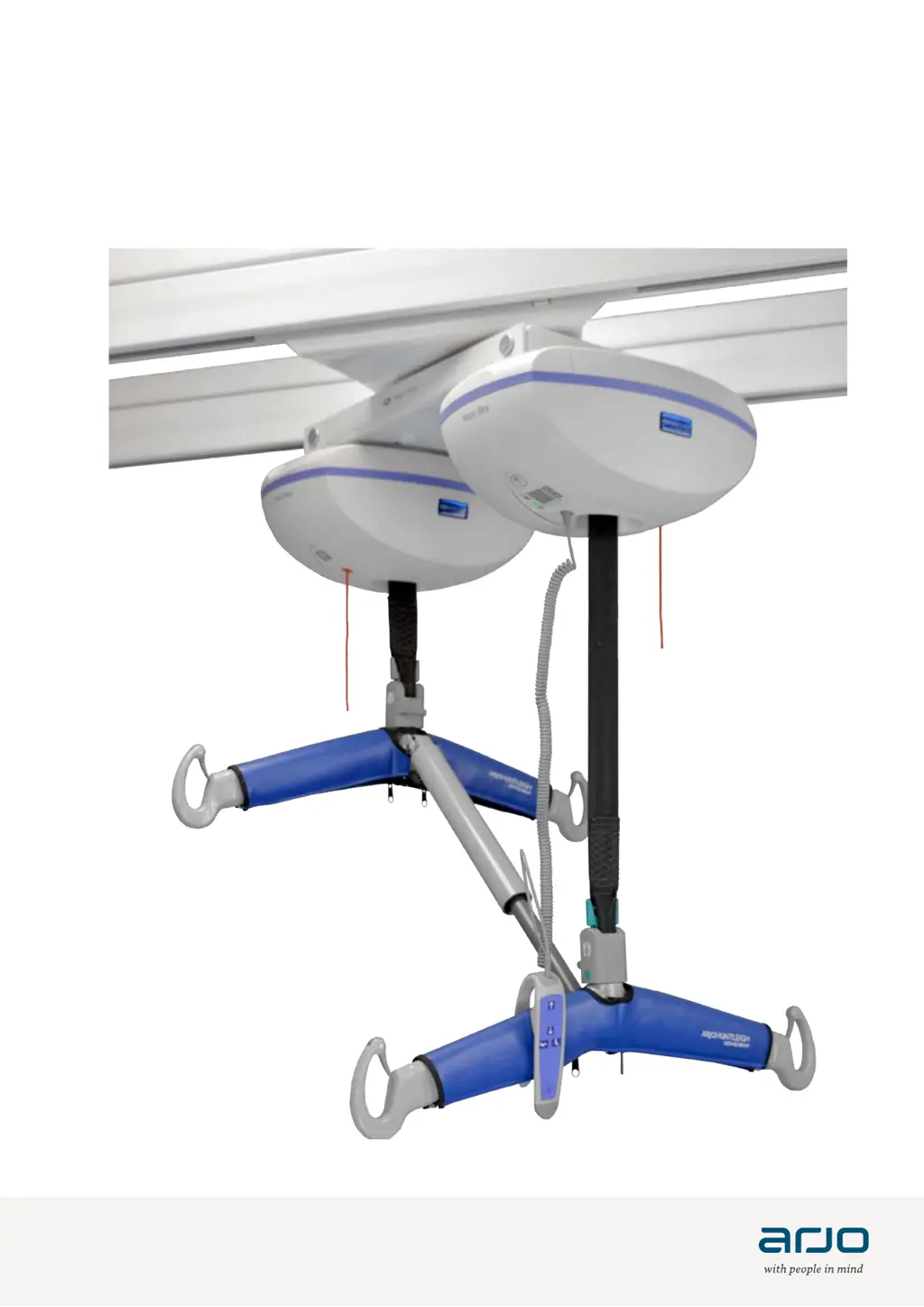
Arjo Maxi Sky 2 PLUS
56 pages
Print Icon
To Next Page IconTo Next Page
Loading...
001-31249-EN Rev 3 • 08/2019
INSTRUCTIONS FOR USE
Maxi Sky 2 PLUS

Table of Contents

Other manuals for Arjo Maxi Sky 2 PLUS

Questions and Answers

  • A
    April GreenSep 7, 2025
    Why is the tilt motion inverted on my Arjo Medical Equipment?
    • E
      Elizabeth StewartSep 8, 2025
      If the tilt motion is inverted on your Arjo Medical Equipment, make sure the leading ceiling lift (with the hand control) has a green Quick Connect adaptor. Also, ensure that the Quick Connect with the green dot is connected to the green Quick Connect adaptor.
  • Z
    zshannonDec 1, 2025
    How to troubleshoot Arjo Maxi Sky 2 PLUS Medical Equipment ceiling lift not charging properly with ECS?
    • M
      Matthew IngramDec 1, 2025
      If the Arjo Medical Equipment ceiling lift is not charging properly with ECS, first ensure that the ceiling lift is in Dual Mode and the LED is enabled. With the battery symbol at 75% or less, momentarily press the DOWN button on the hand control and wait 30 seconds. The ECS symbol should appear to indicate that the charging cycle has been initiated. If not, check that the chargers are plugged into a standard outlet and that the outlet has power. Move the ceiling lift along the entire track layout to ensure that ECS charging does get interrupted. Leave the ceiling lift unused for 8.5 hours to complete a full charging cycle and self-diagnostic. After this period, momentarily press the DOWN button on the hand control and observe the display after 15 seconds. Both ceiling lifts should wake up...
  • N
    Natalie KingDec 1, 2025
    How to fix Arjo Medical Equipment ceiling lift not charging properly with charging station?
    • W
      Wendy LeeDec 1, 2025
      If your Arjo Medical Equipment ceiling lift isn't charging properly with the charging station, ensure it is in Dual Mode and the LED is enabled. With the battery symbol at 75% or less, move the ceiling lift away from and back under the charging station; the battery symbol should scroll from depleted to full with the green LED flashing for about 7 seconds, confirming detection and proper voltage. If this doesn't occur, check that the chargers are plugged into a standard, powered outlet and that the contact blades make good physical contact with the charging station. Leave the ceiling lift unused under the charging station for 8.5 hours to complete a full charging cycle and self-diagnostic. After this, moving the ceiling lift should awaken it, showing battery symbols. If battery levels are n...
  • D
    Derrick LynnSep 18, 2025
    What does a maintenance code on my Arjo Maxi Sky 2 PLUS after sleep mode mean?
    • J
      James PageSep 18, 2025
      If a maintenance code appears on the display of your Arjo Medical Equipment after sleep mode, the unit can still be used, but maintenance should be performed as soon as possible by your Arjo agent.
  • K
    Kathy LynchSep 16, 2025
    Why isn't the LED lighting up on my Arjo Medical Equipment after powering on?
    • M
      Mandy BenjaminSep 16, 2025
      If the LED doesn't light up and nothing appears on the display after pushing the "Power On" switch on one ceiling lift of your Arjo Medical Equipment, ensure that the ‘Power On’ switch on both ceiling lifts are pushed upward. The ceiling lift may be in sleep mode. Press a button on the hand control or one of the auxiliary buttons and see if anything appears on the display. Note that in Single Mode, only the leading ceiling lift will have its display lit up. If the problem persists, contact your Arjo agent for maintenance.
  • J
    Joan WeaverSep 14, 2025
    What does it mean when the LED is red and nothing appears on the Arjo Maxi Sky 2 PLUS Medical Equipment display?
    • M
      Melissa GuerreroSep 14, 2025
      If the LED is red and nothing appears on the display of your Arjo Medical Equipment, it may indicate that the batteries are depleted, or the ceiling lift may be in sleep mode. Press a button on the hand control or one of the auxiliary buttons and see if anything appears on the display. Note that in Single Mode, only the leading ceiling lift will have its display lit. If the problem persists, contact your Arjo agent for maintenance.
  • M
    Micheal MillsSep 13, 2025
    What to do if the LED is green but nothing appears on the Arjo Maxi Sky 2 PLUS Medical Equipment display?
    • J
      Jesus KnightSep 13, 2025
      If the LED is green on your Arjo Medical Equipment but nothing appears on the display, the ceiling lift may be in sleep mode. Press a button on the hand control or one of the auxiliary buttons and see if anything appears on the display. Note that in Single Mode, only the leading ceiling lift will have its display lit. If the problem persists, contact your Arjo agent for maintenance.
  • J
    Jennifer VasquezSep 12, 2025
    How to fix LED not lighting up on Arjo Maxi Sky 2 PLUS?
    • S
      samantha42Sep 12, 2025
      If the LED on your Arjo Medical Equipment isn't lighting up but the display works, check the customize menu to see if the LED is enabled. If it's enabled and still doesn't light up, contact your Arjo agent for maintenance.
  • S
    Stephen BakerSep 9, 2025
    What does a general malfunction code on my Arjo Maxi Sky 2 PLUS Medical Equipment mean?
    • J
      Julian DiazSep 9, 2025
      If a general malfunction code appears on the display of your Arjo Medical Equipment, some functions may be prohibited. If the malfunction persists, contact your Arjo agent for maintenance.
  • C
    Cristina GarrettAug 21, 2025
    Why does my Arjo Maxi Sky 2 PLUS ceiling lift beep during use?
    • T
      tonymillerAug 21, 2025
      If your Arjo Medical Equipment ceiling lift beeps during operation, it likely indicates low batteries. Check the display for a low battery indicator and return the ceiling lift to the charging station. While the lifting function may stop, the lowering function should still work.

Summary

Safety Instructions

Important Safety Precautions

Critical warnings and precautions for safe operation and handling.

General Instructions

Safe Working Load and Safety Practices

Covers SWL, battery, shock, fire, and environmental safety guidelines.

Hand Control

Control Panel

Preparation

Powering Up and Pre-Use Checks

Steps for powering on the lift and essential checks before first and every use.

How to Use the Maxi Sky 2 Plus

Dual and Single Mode Operation

Differentiates between Dual Mode (bariatric) and Single Mode (non-bariatric) use.

Usage Monitoring and Emergency Safety

Sleep Mode, Usage Data, and Emergency Stop

Instructions on sleep mode, accessing usage data, and using the emergency stop system.

Emergency Lowering and Battery Info

Emergency Lowering Procedure and Brake

Step-by-step guide for safely lowering a patient in an emergency and brake function.

Battery Charging Systems

Operating in Dual Mode

Movement Controls and Patient Tilt

Explains vertical movement, horizontal movement, and patient tilt functions in Dual Mode.

Dual Mode Operation Details

Sling Selection and Attachment

Spreader Bar Sling Attachment

Spreader Bar Description

Sling Attachment Methods

Transferring from Seated to Lying

Seated to Lying Transfer Steps

Detailed procedure for transferring a patient from a seated position to a lying position.

Transferring from Lying to Seated

Lying to Seated Transfer Steps

Detailed procedure for transferring a patient from a lying position to a seated position.

Bed Repositioning

Bed Turning

Limb Support

Lateral Transfers

Switching Between Modes

Mode Switching Procedures

Switching to Single Mode

Procedure to reconfigure the lift from Dual Mode to Single Mode.

Switching to Dual Mode

Reconfiguring to Dual Mode

Procedure to reconfigure the lift from Single Mode to Dual Mode.

Operating in Single Mode

Care and Maintenance

Cleaning the Ceiling Lifts

Instructions for cleaning the lift and its accessories between patient uses.

Disinfection Procedures

Maintenance and Support

Preventive Maintenance Schedule

Troubleshooting

Common Problems and Solutions

Identifies common issues and provides steps to check or resolve them.

Technical Data

Arjo Maxi Sky 2 PLUS Specifications

General IconGeneral
TypeCeiling Lift
Safe Working Load272 kg (600 lbs)
Maximum Load Capacity272 kg (600 lbs)
Lifting Capacity272 kg (600 lbs)
Power Supply24 V DC
Emergency StopYes
Battery BackupYes
Control TypeHand control
Track OptionsStraight, curved tracks
Emergency LoweringYes
Safety FeaturesOverload protection, emergency stop

Related product manuals