10
4.2 Setting a code
The code is based on the amount of times a digit is
used. The order of the digits is not important.
See ‘Choosing a code’ on Page 8 for more
information.
To set a code please follow the instructions below:
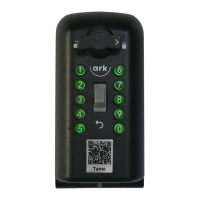
1. Open the weather cover (see Image 2).
2. Pull down the clear button and release.
3. Rotate the open dial 180° clockwise to open
the device.
4. Rotate the open dial 180° anti clockwise with
the lid open to push the latch out (see Image
3).
5. Make sure the latch is pushed out (see
Image4).
// Continued on page 12


 To Next Page