7
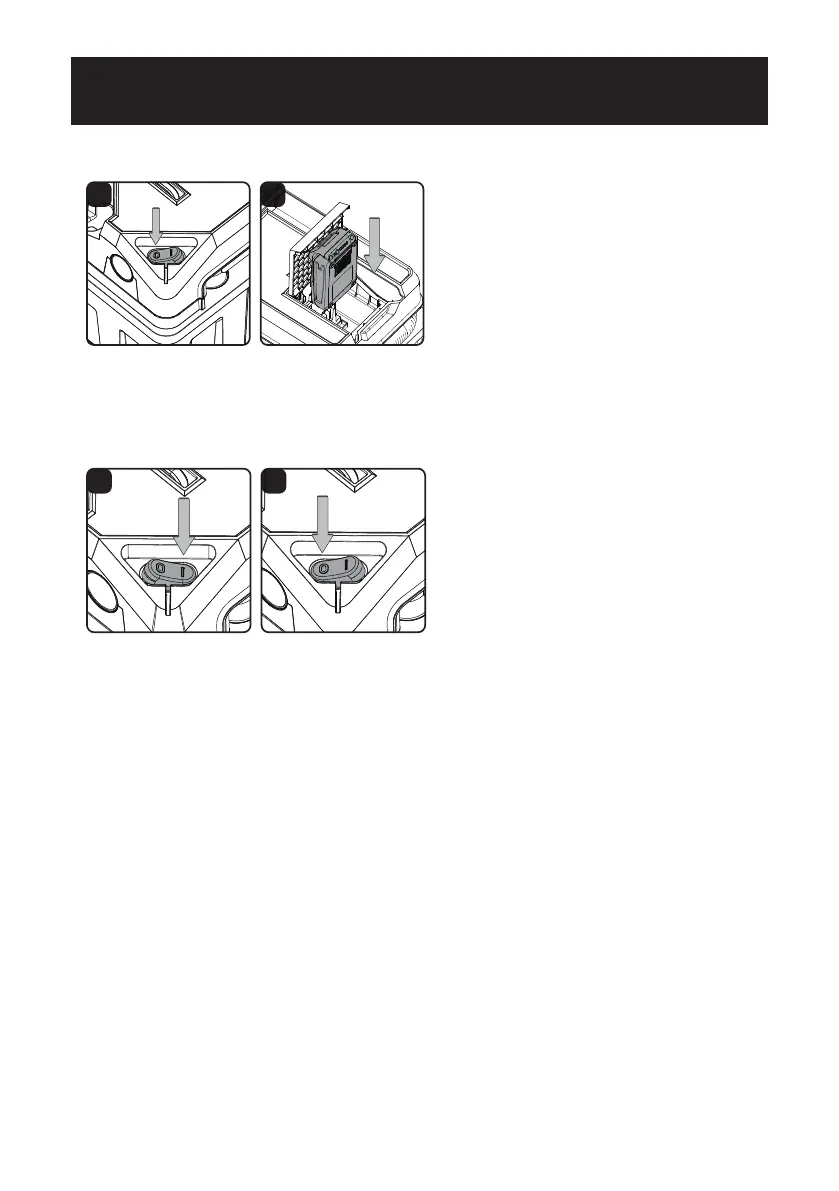
1. Flip the ON/OFF switch to the 'O' OFF position. (Fig. 1)
2. To insert the battery pack, slide it into the battery bay until it snaps into place. (Fig. 2)
3. To remove the battery pack, press the latch and pull it out of the battery bay.
1 2
INSTALLING & REMOVING BATTERY PACK
GENERAL OPERATION
STARTING/STOPPING THE WET/DRY VACUUM
To turn on the wet/dry vacuum, ip the switch to the 'I' ON position. (Fig. 3) To turn off the wet/dry
vacuum, ip the switch to the 'O' OFF position. (Fig. 4)
O = OFF I = ON
3 4


 To Next Page