Need help?
Do you have a question about the AROEVE MK03 and is the answer not in the manual?
Essential safety guidelines to prevent hazards, ensure proper usage, and protect the unit from damage. Covers electrical, environmental, and operational safety.
Identifies the key physical parts of the air purifier, including air inlet, outlet, and filter.
Details all the items included in the air purifier's packaging for initial setup.
Provides essential technical details such as model name, rated voltage, and power consumption.
Step-by-step guide on how to install the filter and prepare the air purifier for first use.
Explains the function of each button, including power, fan speed, timer, light, and lock features.
Instructions for cleaning the air purifier unit, its filter, and recommendations for long-term storage.
Addresses frequently encountered issues with the air purifier and provides practical solutions for resolution.
Details the product warranty policy, coverage, and contact information for customer support.
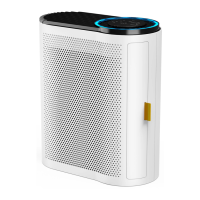
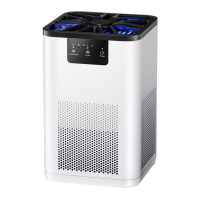
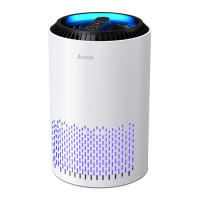
The Aroeve Air Purifier, Model MK03, is designed to enhance indoor air quality by filtering out various airborne particles and odors. This user manual provides comprehensive instructions for its safe operation, maintenance, and troubleshooting, ensuring optimal performance and longevity of the device.
The primary function of the Aroeve Air Purifier is to clean the air in indoor environments. It utilizes a True HEPA 3-Stage Original Filter, which is pre-installed in the unit, to capture a wide range of pollutants. The air is drawn into the unit through the air inlet, passes through the multi-stage filtration system, and is then expelled as purified air through the air outlet. This process helps to remove dust, pet dander, pollen, smoke, and other common allergens and irritants from the air, contributing to a healthier living space.
The air purifier features a control panel located on the top of the unit, which allows users to manage its various settings. These settings include power on/off, fan speed adjustment, timer setting, display lock, and ambient lighting control. The device is designed for ease of use, with intuitive button controls and indicator lights that provide visual feedback on its operational status.
To begin using the air purifier, users must first remove the filter from its plastic packaging. This involves pulling out the filter cover, extracting the filter, unwrapping it, and then placing it back into the air purifier before replacing the cover. It is crucial to ensure the filter is inserted in the correct position for effective operation. The device is powered by a special adapter that comes with the product and should be plugged into a polarized power outlet, ensuring the plug fits correctly to avoid electrical hazards.
The ON/OFF button initiates or terminates the purification process. Upon activation, the fan starts on Level 2, and a blue atmosphere light, along with an indicator light, illuminates. Pressing the button again turns the purifier off.
The fan speed can be adjusted using the Fan Speed Button, offering multiple levels (Sleep mode, Level 1, Level 2, and Level 3) to suit different needs. In Sleep mode, the ambient lights automatically turn off, providing a quieter environment for rest.
A timer function allows users to set the purifier to operate for specific durations: 5 hours, 8 hours, 12 hours, or 24 hours. Once the set time elapses, the machine automatically turns off. The timer indicator lights on the control panel show the selected time.
For households with children or pets, a Display Lock Button is available. Holding this button for 2 seconds locks or unlocks the display, preventing accidental changes to the settings. Even when the display is locked, the display can still be turned on or off.
The air purifier also includes an Ambient Lighting feature, controlled by a dedicated light button. This allows users to turn the atmosphere light on or off, providing flexibility for different lighting preferences.
A memory function is integrated into the device, which remembers the previous fan speed and light settings when the air purifier is plugged in. However, it does not retain timer settings.
Regular maintenance is essential to ensure the air purifier operates efficiently and has an extended lifespan. The manual recommends cleaning the air purifier at least once every three months. Before any cleaning, the unit must be unplugged to reduce the risk of fire, electric shock, or injury.
For external cleaning, only a dry cloth should be used to wipe the surfaces. It is explicitly stated not to use water, wax polish, or any chemical solutions, as these can damage the purifier. The inside of the air purifier should also be vacuumed to remove accumulated dust and debris.
The outer pre-filter requires more frequent cleaning, ideally every 2-4 weeks, to maintain efficiency and prolong the life of the main filter. This can be done using a soft brush or a vacuum hose to remove hair, dust, and large particles. Importantly, the filter should never be cleaned with water or other liquids.
The Filter Reset Button on the control panel serves as a reminder for filter replacement. When the corresponding light illuminates, it indicates that the filter element needs to be checked and potentially replaced. After replacing the filter, the button should be pressed and held for 5 seconds to reset the filter element. Once reset, the indicator light will turn off, and the usage time will be recorded again.
For periods when the air purifier will not be used for more than 30 days, specific storage recommendations are provided. Users should remove the HEPA Filters from the unit and wrap them in an airtight plastic bag. Similarly, the Pre-Filter and Enhanced Odor and VOC Filters should also be removed and placed in an airtight plastic bag to preserve their effectiveness.
The manual also includes a troubleshooting section to help users address common issues. For instance, if the air purifier does not turn on or respond to controls, solutions range from checking the power cord and outlet to contacting customer support if the unit is malfunctioning. If airflow is significantly reduced, users are advised to ensure the filter packaging is removed, maintain adequate clearance around the unit, and clean or replace the pre-filter. Unusual noise or reduced air outlet can be addressed by ensuring the filter is properly in place, the unit is on a flat surface, or by replacing the filter. If a strange smell emanates from the purifier, replacing the filter element and avoiding use in high humidity or with essential oils are suggested solutions. For any problems not listed or unresolved, contacting customer support is recommended.
 General
| Model | MK03 |
|---|---|
| Fan Speeds | 3 |
| Type | Air Purifier |
| Coverage Area | 215 sq ft |
| Filter Type | Activated Carbon |

 To Next Page