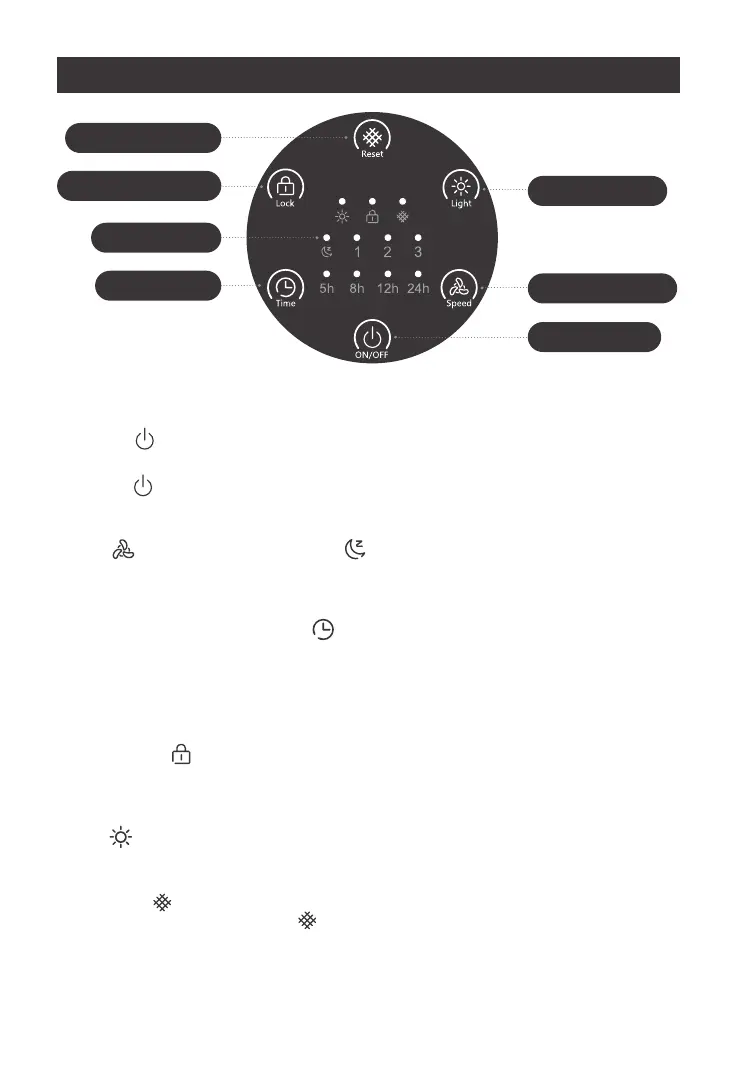
When the “ ” lights up, it will prompt you to check the filter element for replacement.
After replacement, Long press the “ ” button for 5 seconds to reset the filter element.
After the reset is successful, the indicator light will be off and the use time will be recorded again
Filter Reset Button
Display Lock Button
Indicatorlight
Timer Button
The light button
Fan Speed Button
ON/OFF Button
1. ON/OFF Button
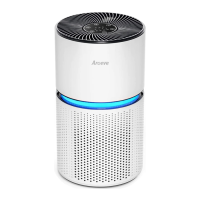
Tap “ ” to turn on the purifier. The fan will start on Level 2 , At the same time, the blue
atmosphere light with the indicator light turned on
01.
Tap “ ”again to turn off the purifier.02.
2. Fan Speed Button
Tap “ ” to change fan speed between “ ” , 1, 2and3.
Note: Ambient lights will go off in sleep mode
3. Timer Setting
When the machine is working, press “ ” to set the timer from 5H-8H-12H-24H-OFF.
When the time is up, the machine will turn off automatically. The timer indicator lights will show
the corresponding time.
CONTROL AND DISPLAY
4. Display Lock Button
Locking the display prevents settings from being accidentally changed. Buttons will not respond to
being tapped.
Tap and hold “ ” for 2 seconds to lock/unlock the display.
Note: You can turn the display on and off even if the display is locked.
7. Memory Function
When the air purifier is plugged in, it will remember its previous fan speed and light setting
Note: The air purifier will not remember timers
6. Filter Reset Button
5. The light button
Tap “ ” to control the lighting function, Atmosphere light can be turned on/off.
4


 To Next Page