Step 10.
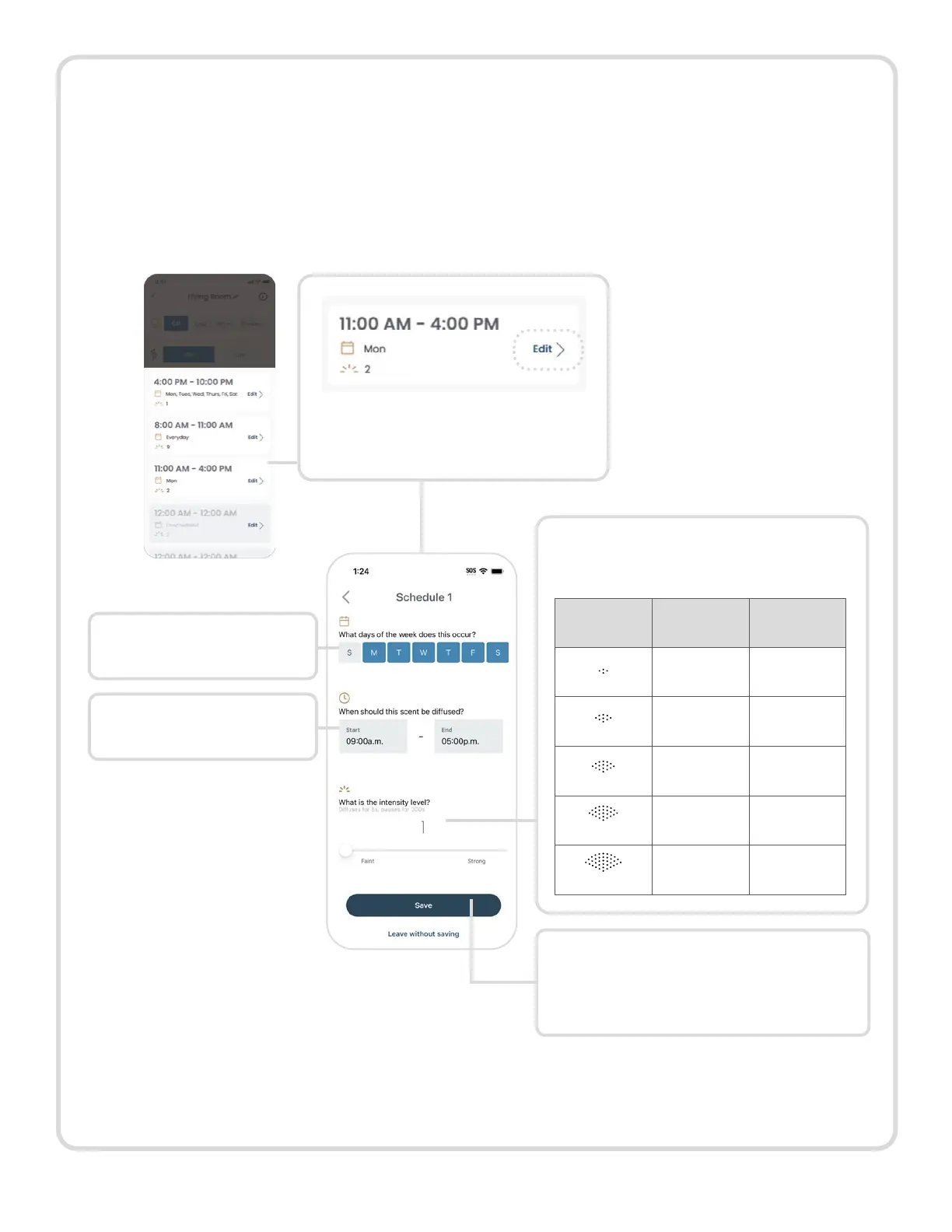
Below the diffuser’s On/Off button, you’ll see five available schedules. The first is set
by default to diffuse 24/7; the remaining four schedules are waiting for you to set. If all
schedules are grayed out, you will need to set a schedule otherwise your diffuser will not
run.
To adjust and turn on any of the schedules:
Click “Edit” in the schedule
card you want to update.
Choose a desired start
and end time.
Select the days for the
scenting schedule.
Set the diffusing intensity level.
There are 5 intensity settings.
Intensity
Setting
On Off
1
5 sec 5 mins
2
10 sec 4 mins
3
10 sec 2 mins
4
15 sec 90 sec
5
25 sec 90 sec
Save your edits by clicking “Save”.
You’ll return to the main diffuser
page.
Continue editing each schedule until you’ve found the perfect set of schedules for your
space and desired scenting experience.
12



 To Next Page