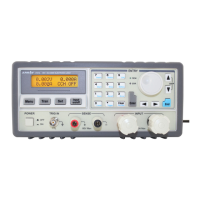
3600 SERIES USER MANUAL
3600 Series Programmable DC Power Supply
VERSION 2.10 2006.03
vi
Chapter 3 Installation of the PowerMS Software…………………………………………………………………………….……13
3.1 Connect the Power Supply to PC…………………….……………………………………………………………………………13
3.2 Software Installation………………………………………………………………………………………………………...….…13
Chapter 4 Introduction………………………………………………………………………………………………………...……17
4.1 Running the program………………………………………………………………...……………………………………………17
4.2 The Power Supply List……………………………………………...………………………………………………………..……19
4.3 The Control List………………………………………………………………………………………………………………...…19
4.4 The Control Switch….…………………………………………………………………………………………………………….19
4.5 The Tool Buttons……………………………………………………………………………………………………………….…19
4.6 Keypad and Rotary dial…………………………………………………………………………………………………………...20
4.7 The Voltage, Amp, Power Meter………………………………...……………………………………………………………..…21
4.8 Dynamic Curve……………………………………………………………………………………………………………………21
4.9 Start Communication….……………………………….…………………………………………………………………….……21
4.10 Stop Communication………………………………………………………………………………………………………….....22
4.11 Setting…….……………..………………………………………………..…………………………………………………...…22
4.12 Power setting……..………………………………………………………………………………………………………………23
4.13 Data Report..………………………………………………………………………...…………………………………...………25
4.14 The State Bar..………………………………………………………………………...…………………………………...……26
4.15 Quit the Software……………………………………………………………………………………………………….………..26
4.16 Use the PowerMS software control your power…………………………………………………………………………………26
Chapter 5 Uninstall PowerMS Software………………………………………
………………………………..……27
5.1 Uninstall the PowerMS Software……………………………………………………..…………………………………………..27



 To Next Page