Need help?
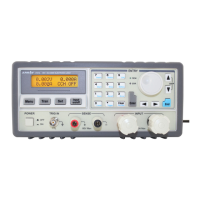
Do you have a question about the Array electronic 3645A and is the answer not in the manual?
Explains the meaning of 'Danger', 'Caution', 'Note', and 'Warning' symbols used in the manual for safety.
Ensures instrument chassis is connected to electrical ground via a three-conductor power cable for shock hazard minimization.
Prohibits removing instrument covers and touching internal components without proper qualification and power disconnection.
Warns against substitute parts or unauthorized modifications to maintain safety features and prevent hazards.
Details connecting the 3600 power supply to a computer using RS-232, USB, or RS-485 adapters.
Step-by-step guide for installing the PowerMS software from the CD-ROM using the InstallShield Wizard.
Instructions on how to launch the PowerMS application and overview of its main interface elements.
Explains the functions of the numerical keypad, rotary dial, and voltage/ampere meters for parameter adjustment.
Covers starting communication, setting COM port, baud rate, address, and power parameters.
Guide on how to remove the PowerMS software from the system via the Start Menu.
 General
| Brand | Array electronic |
|---|---|
| Model | 3645A |
| Category | Power Supply |
| Language | English |


 To Next Page